

Add New Service
2026-02-19 11:43
How to add a new service in Gpos Spa
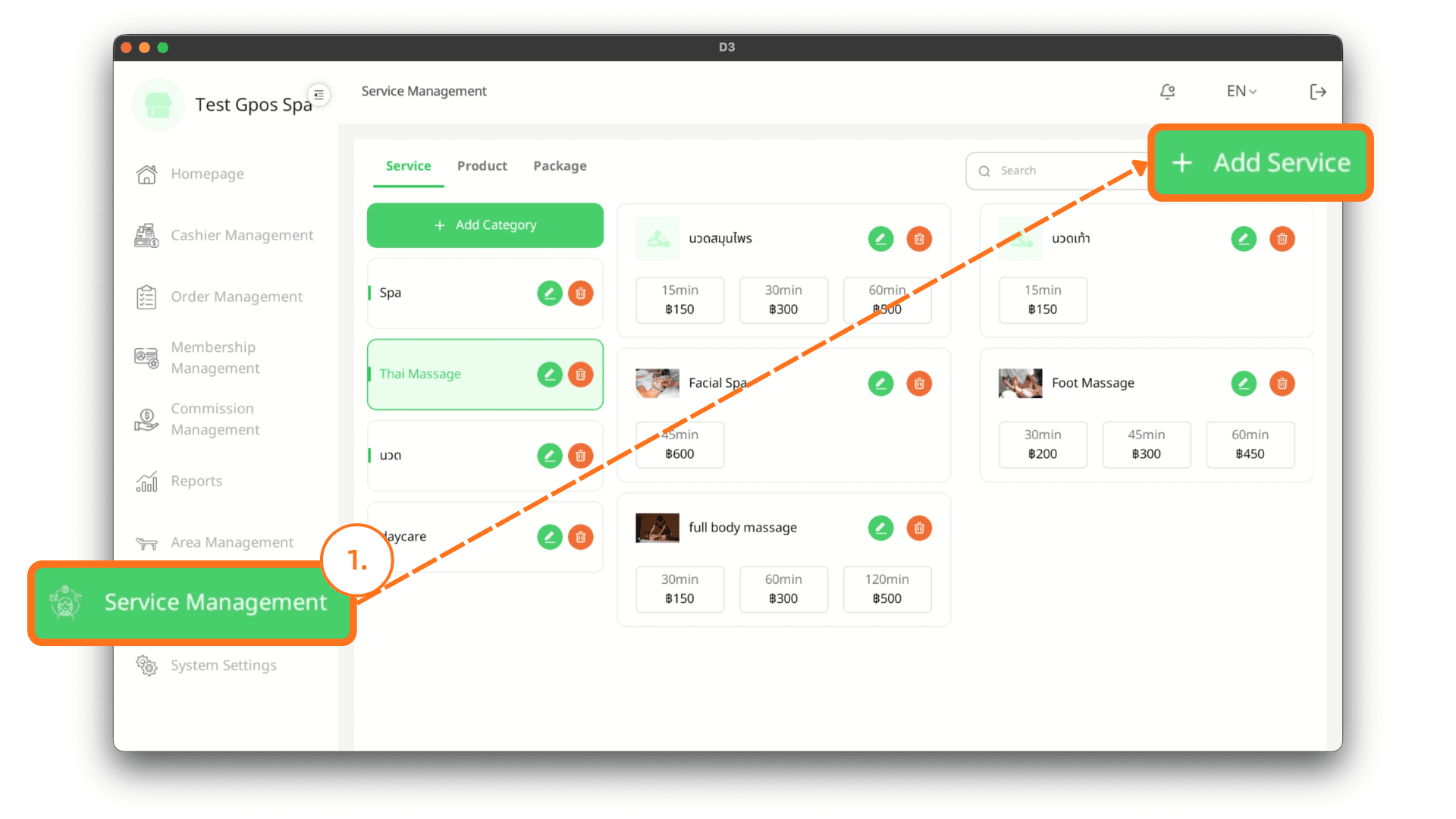
1. Log In
On the login page, enter your email and password, then click Log In. After successfully logging in, go to the Item Management menu, navigate to the Services tab, and click the + Add Service button.
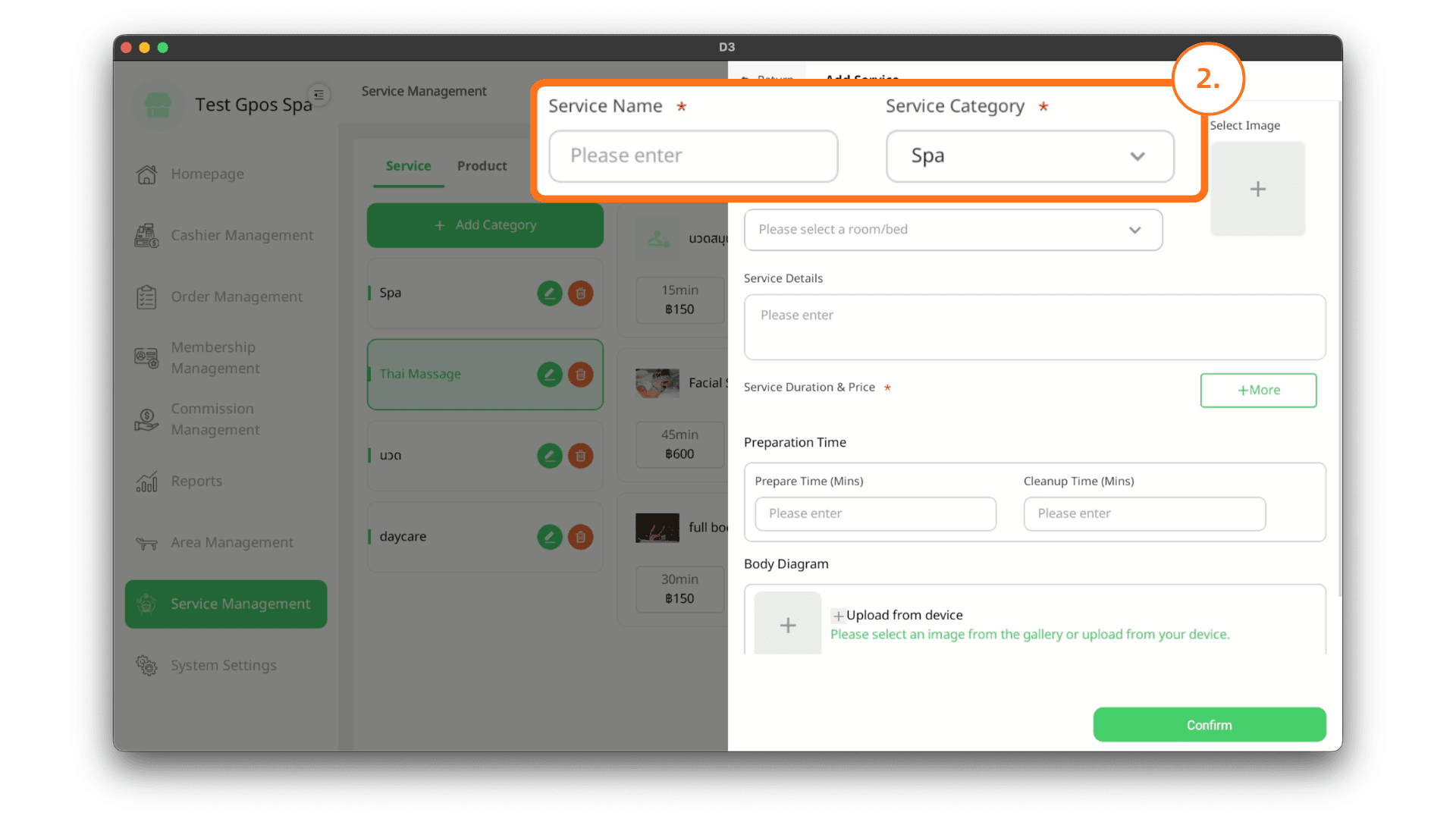
2. Enter Information
Enter the service name and select the desired category.
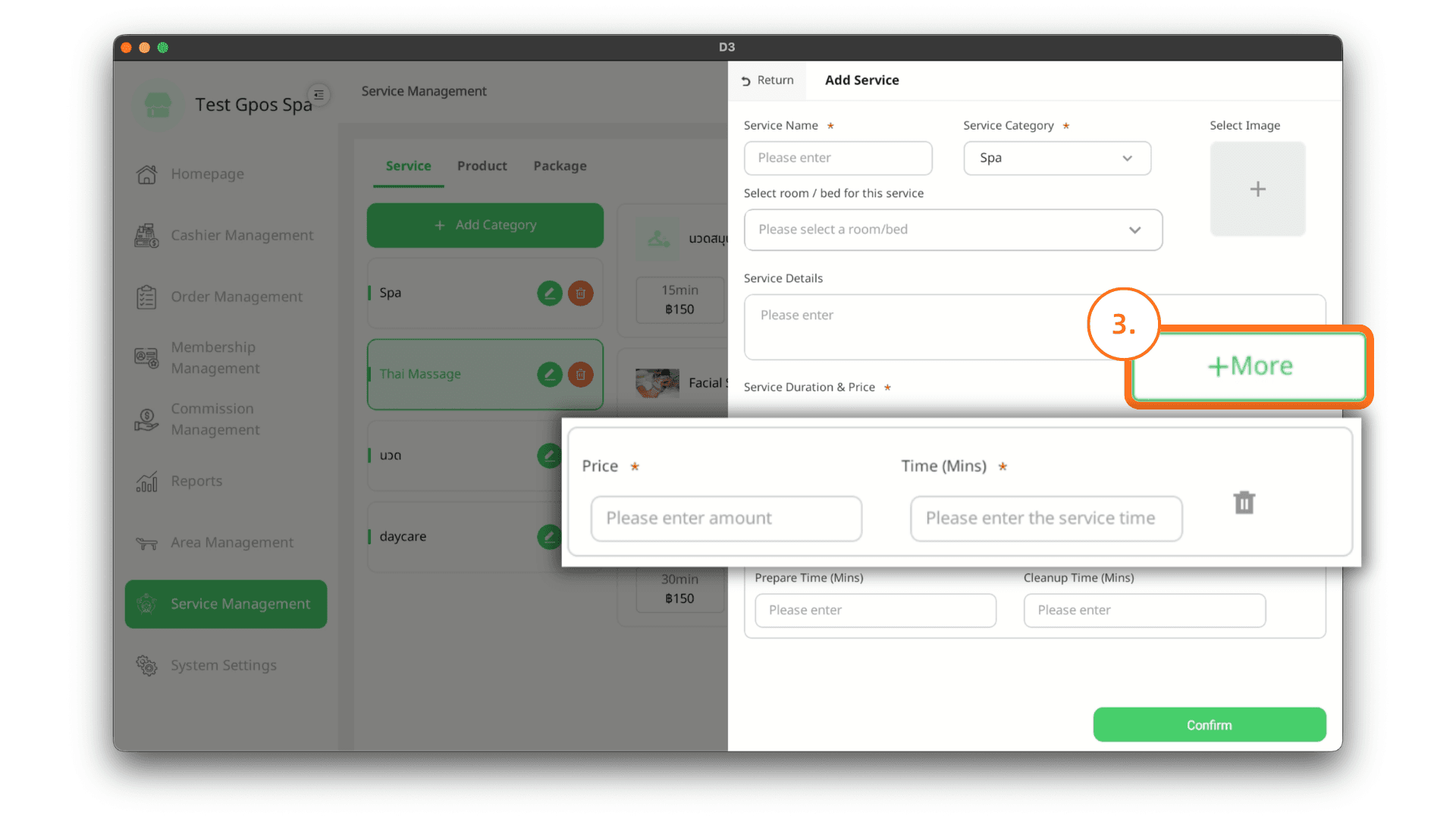
3. Add Duration and Price
Click + More to add the price and duration of the service (in minutes). You can add more than one time duration option. Then click Confirm to complete adding the service.
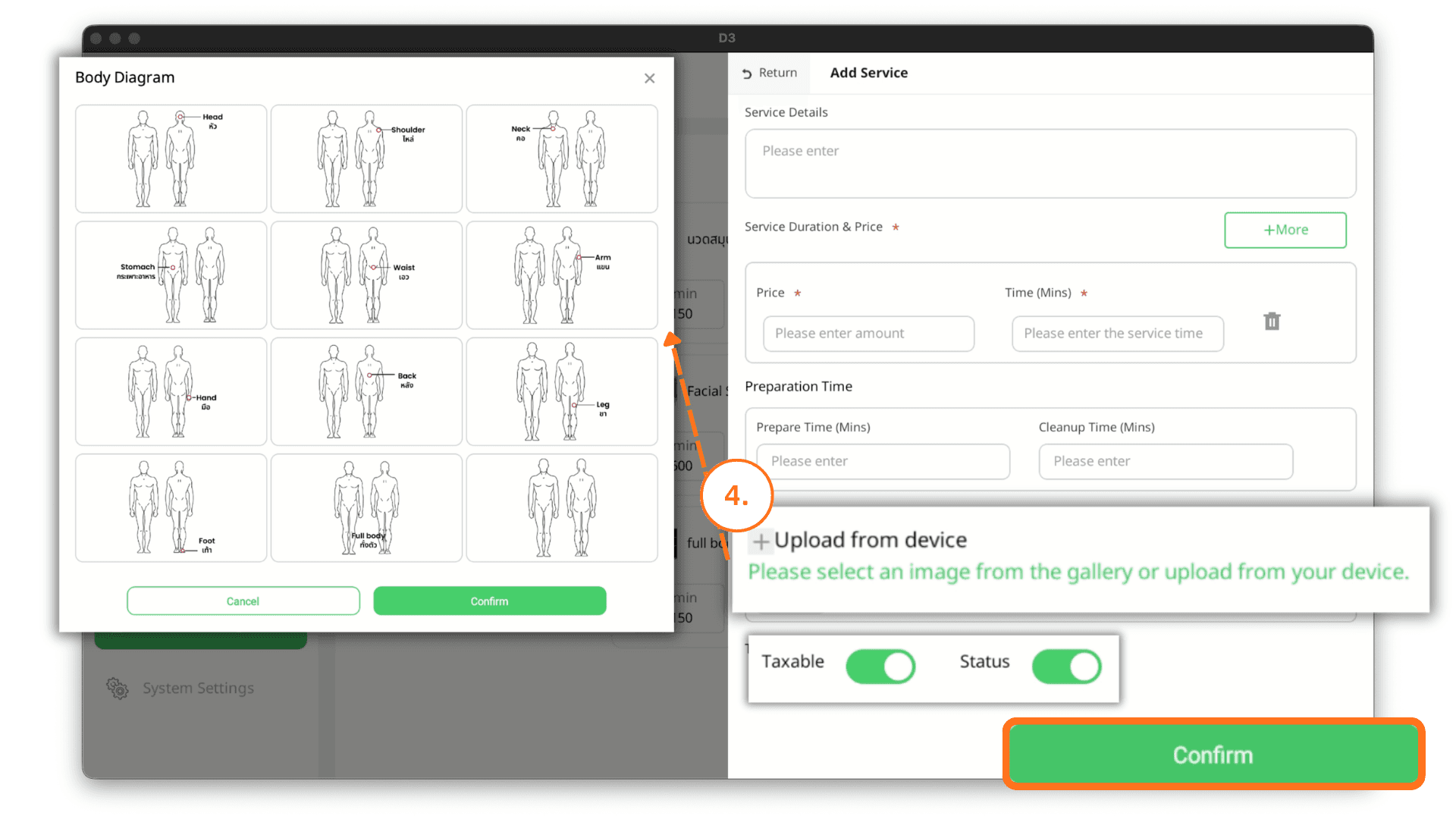
4. Upload Body Diagram
Upload an image from your device or select from the available templates. Then choose whether this service is taxable and toggle the sales status (enable/disable selling) and click on Confirm button to add the service