

Membership Top-up
2026-02-18 10:20
How to top-up membership on Gpos Spa
Log In
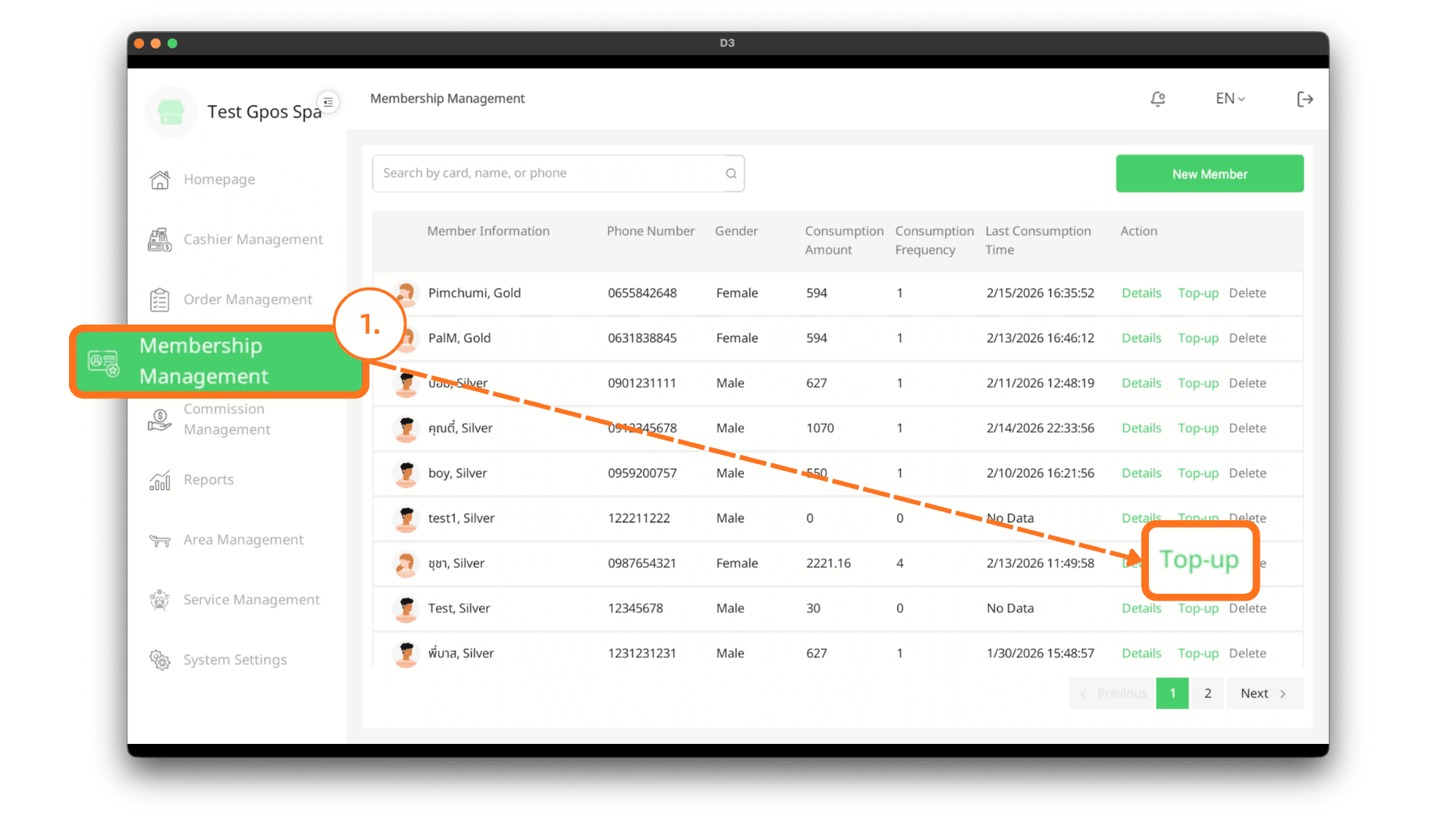
On the login page, enter your email and password, then click Log In. After successfully logging in, go to the Membership Management menu and click the Top-Up button for the member you would like to add funds to.
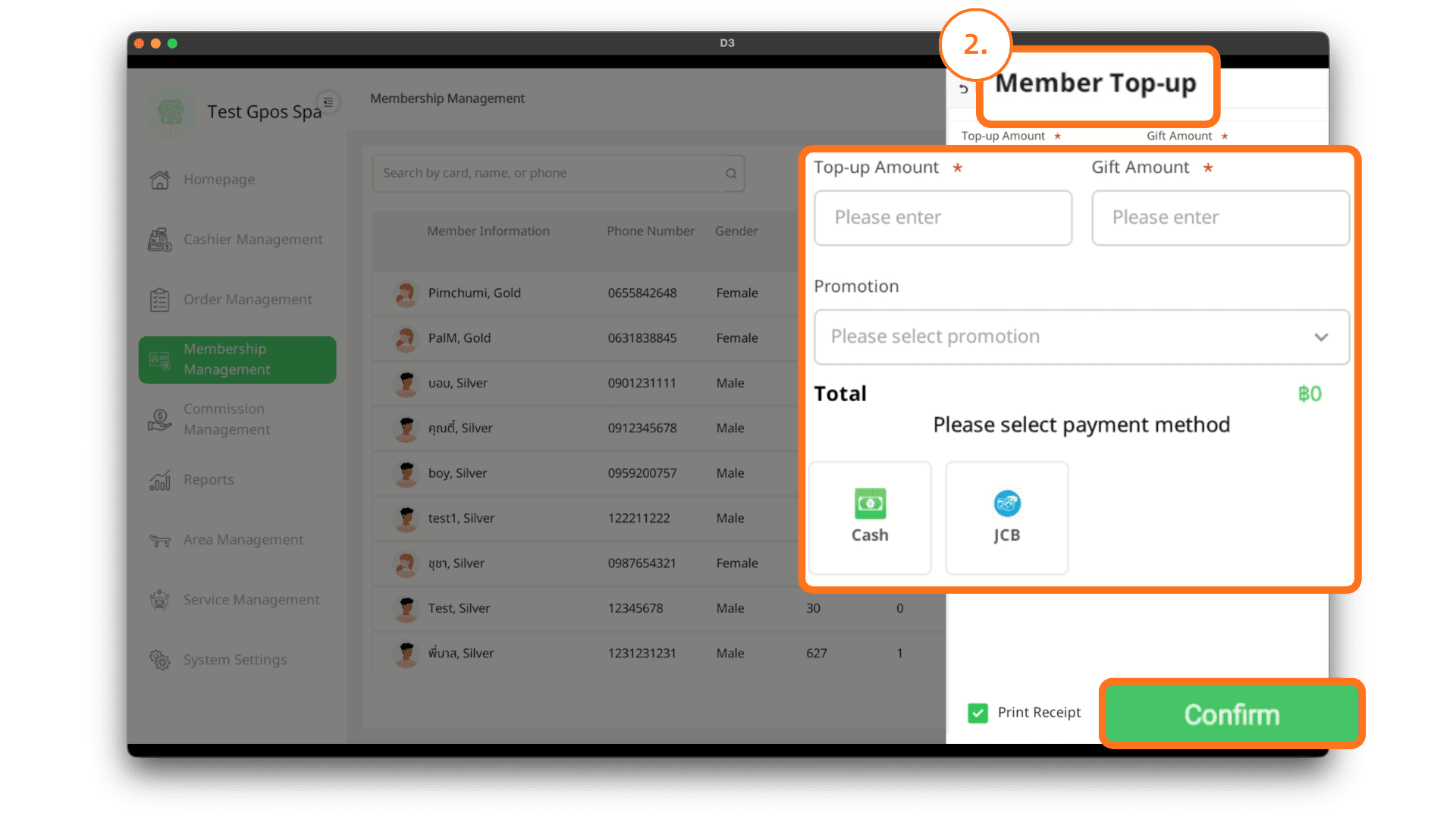
2. Member Top-Up
Enter the top-up amount and the bonus amount, select the promotion, and choose the payment method. If you would like to print a receipt, click the Print Receipt button. Then click the Confirm button to complete the top-up process.