

Viewing and Editing Member Details
2026-02-18 10:30
How to see and edit member details on Gpos Spa.
Log In
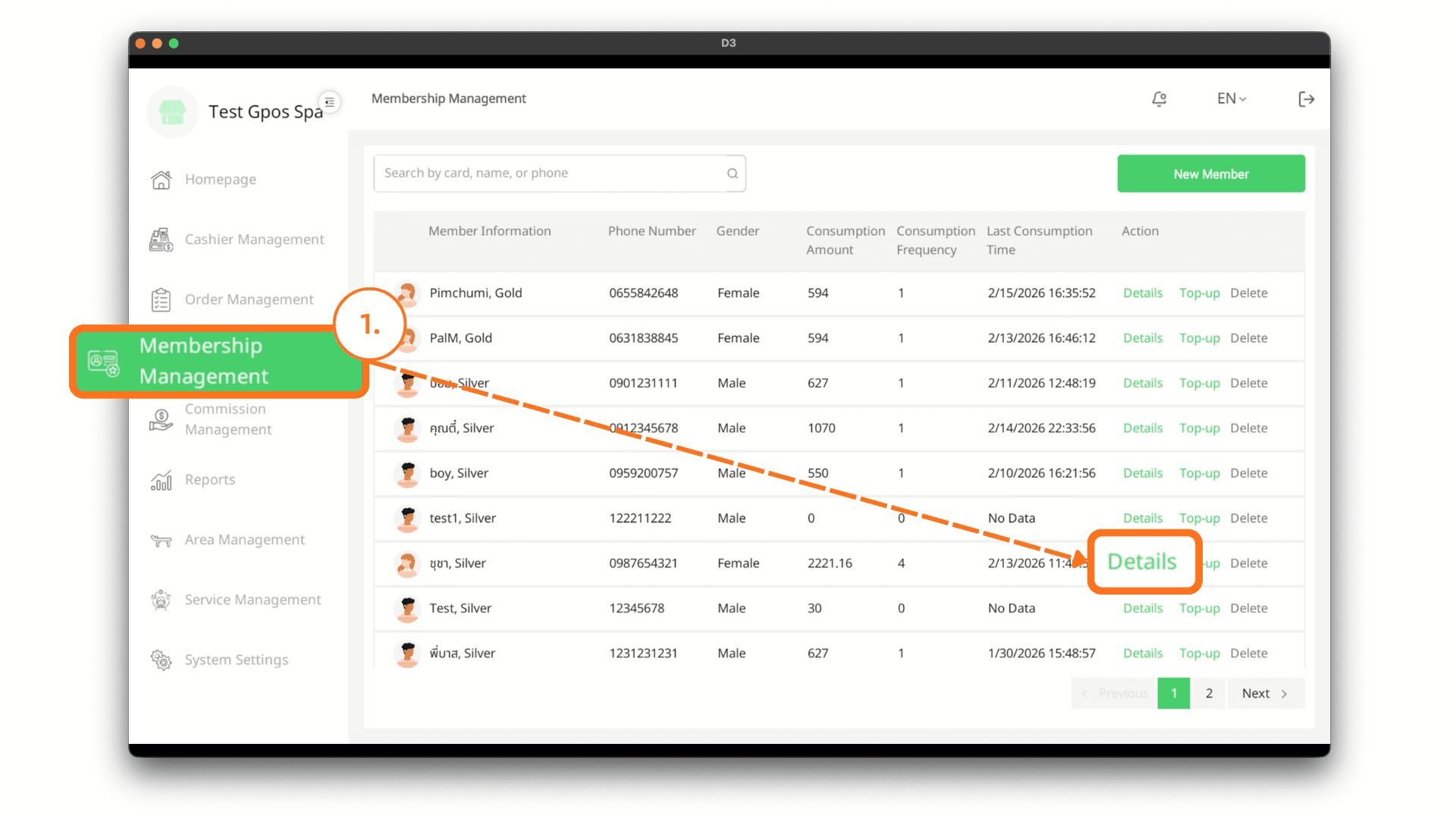
On the login page, enter your email and password, then click Log In. After successfully logging in, go to the Membership Management menu and click the Details button for the member you want to view.
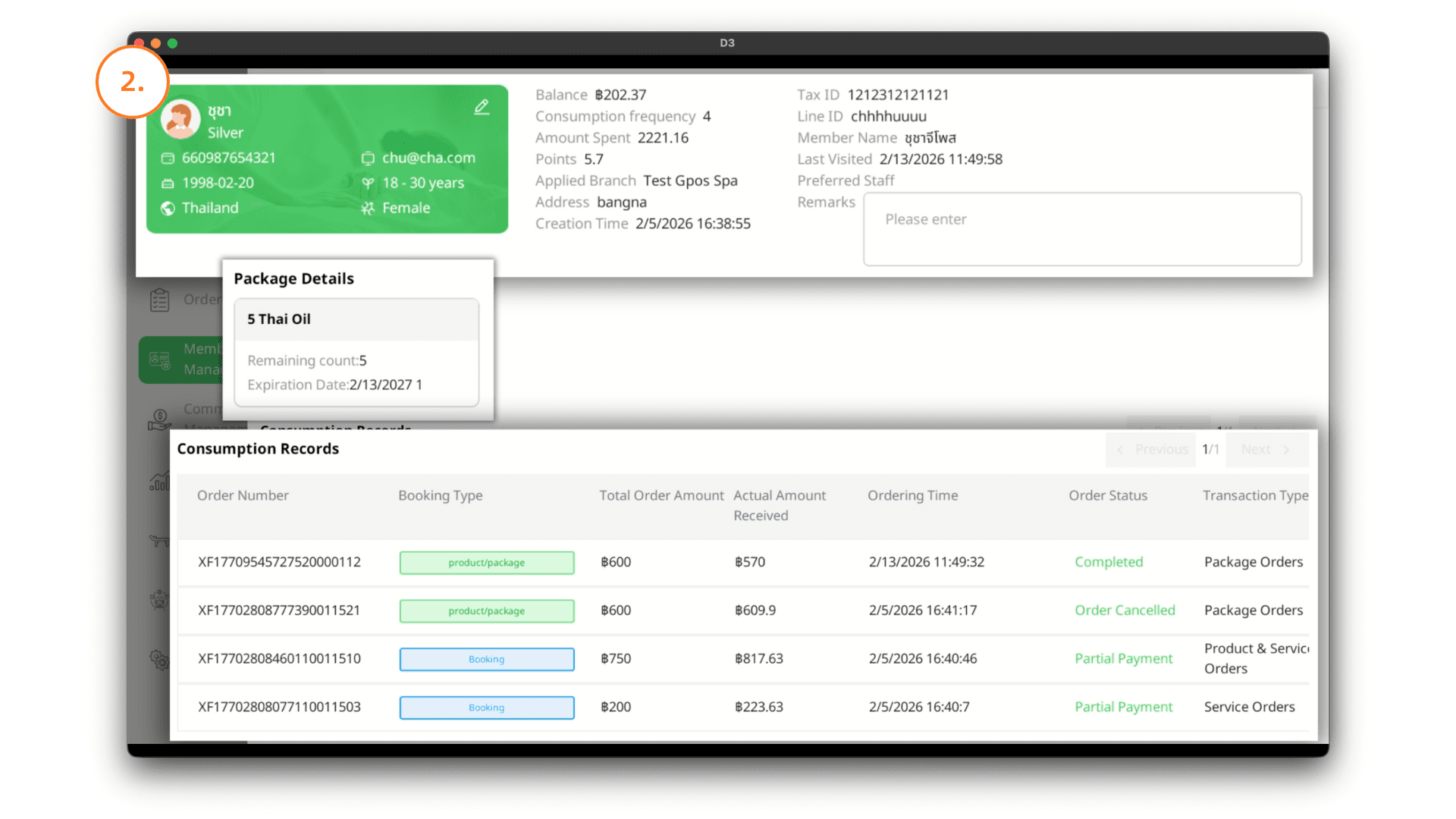
2. Member Details
The system will display the member’s information and details, including:
- The member’s most recent visit time
- The regular staff member assigned to the member
- Details of the packages the member has purchased
- The member’s spending history in the store
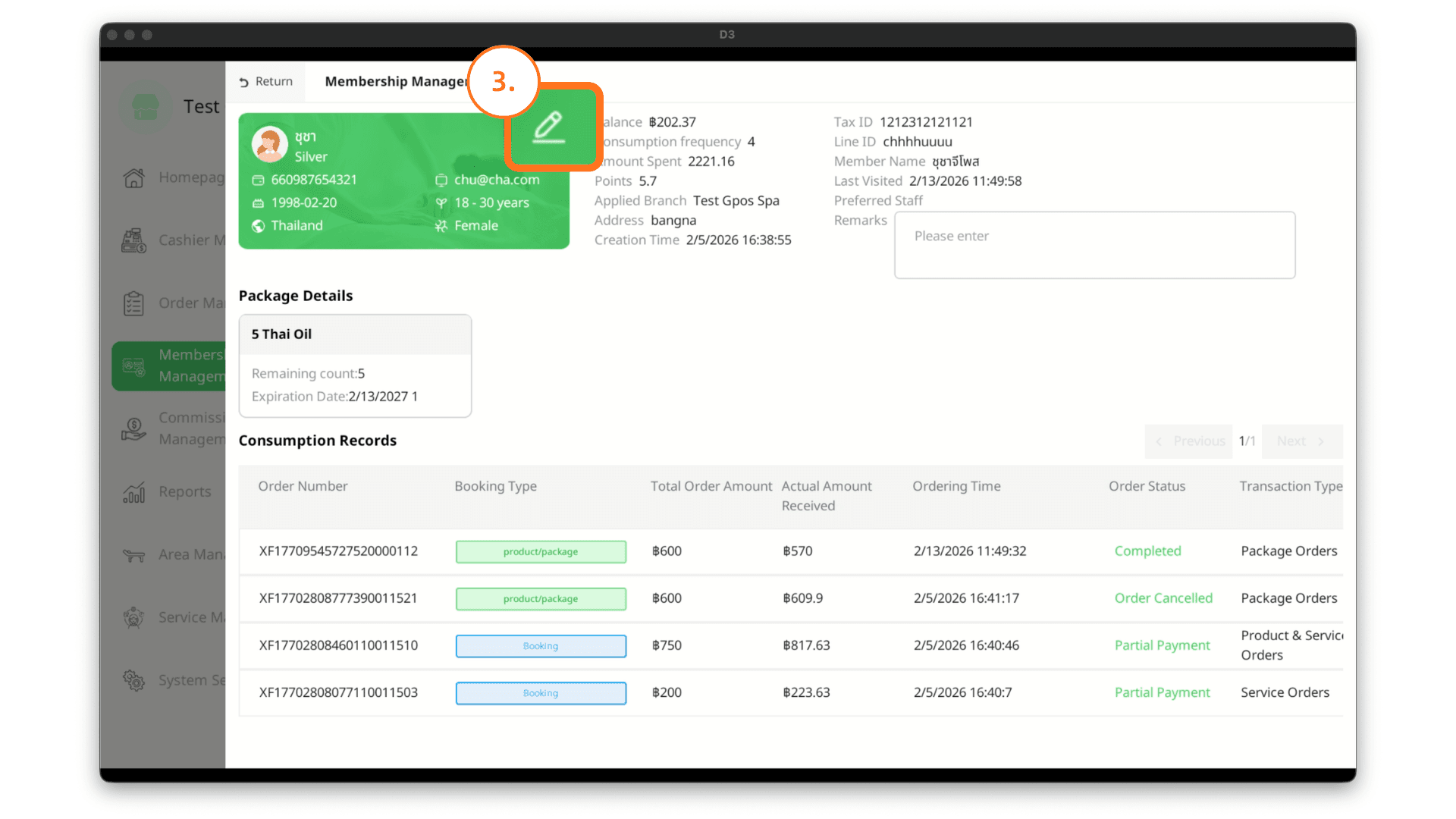
3. Editing a Member
On the member details page, click the Edit icon to modify the member’s information.
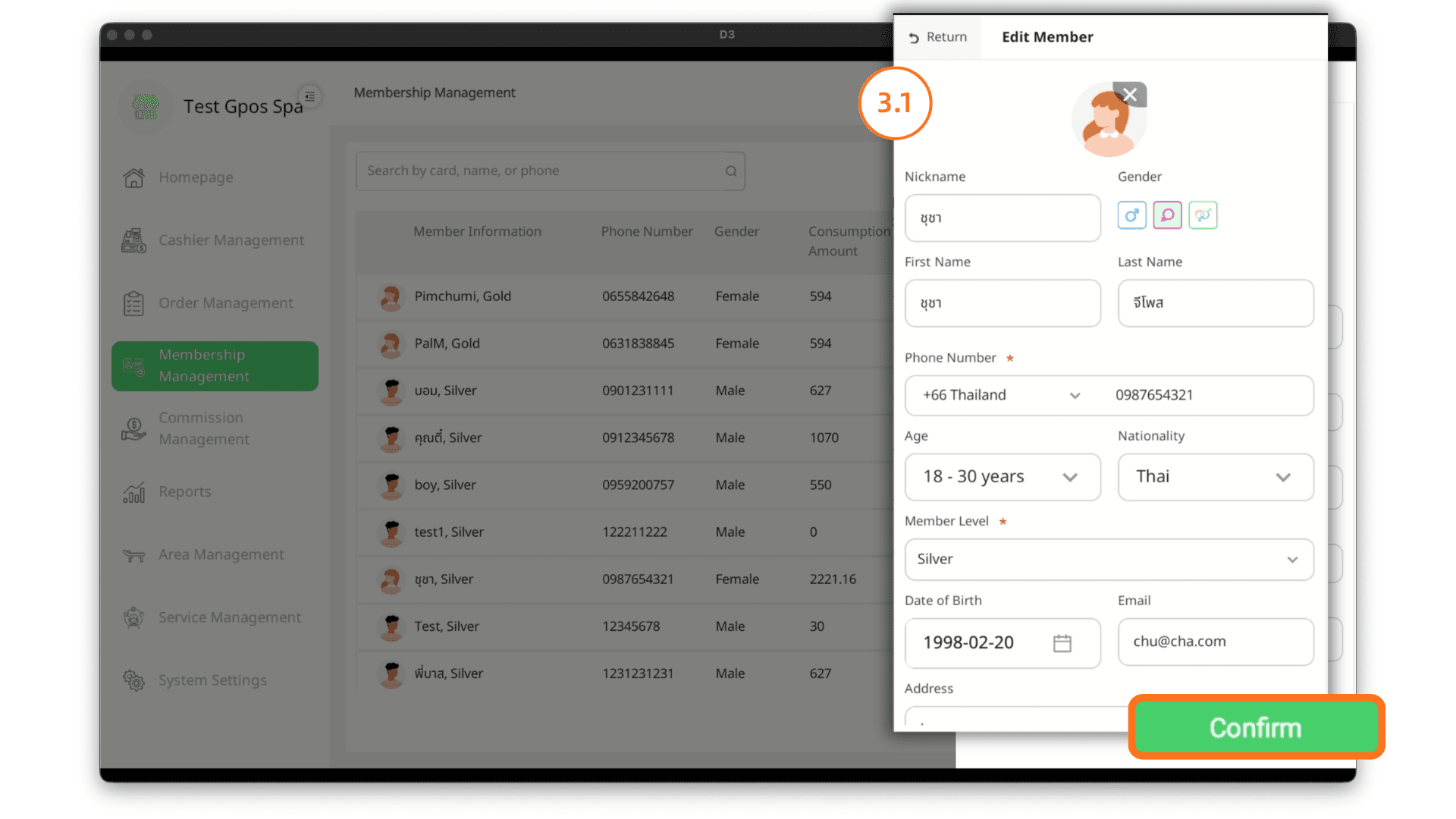
3.1 Editing Information
After entering the edit member page, update the required information.
Then click the Confirm button to save and confirm the changes.