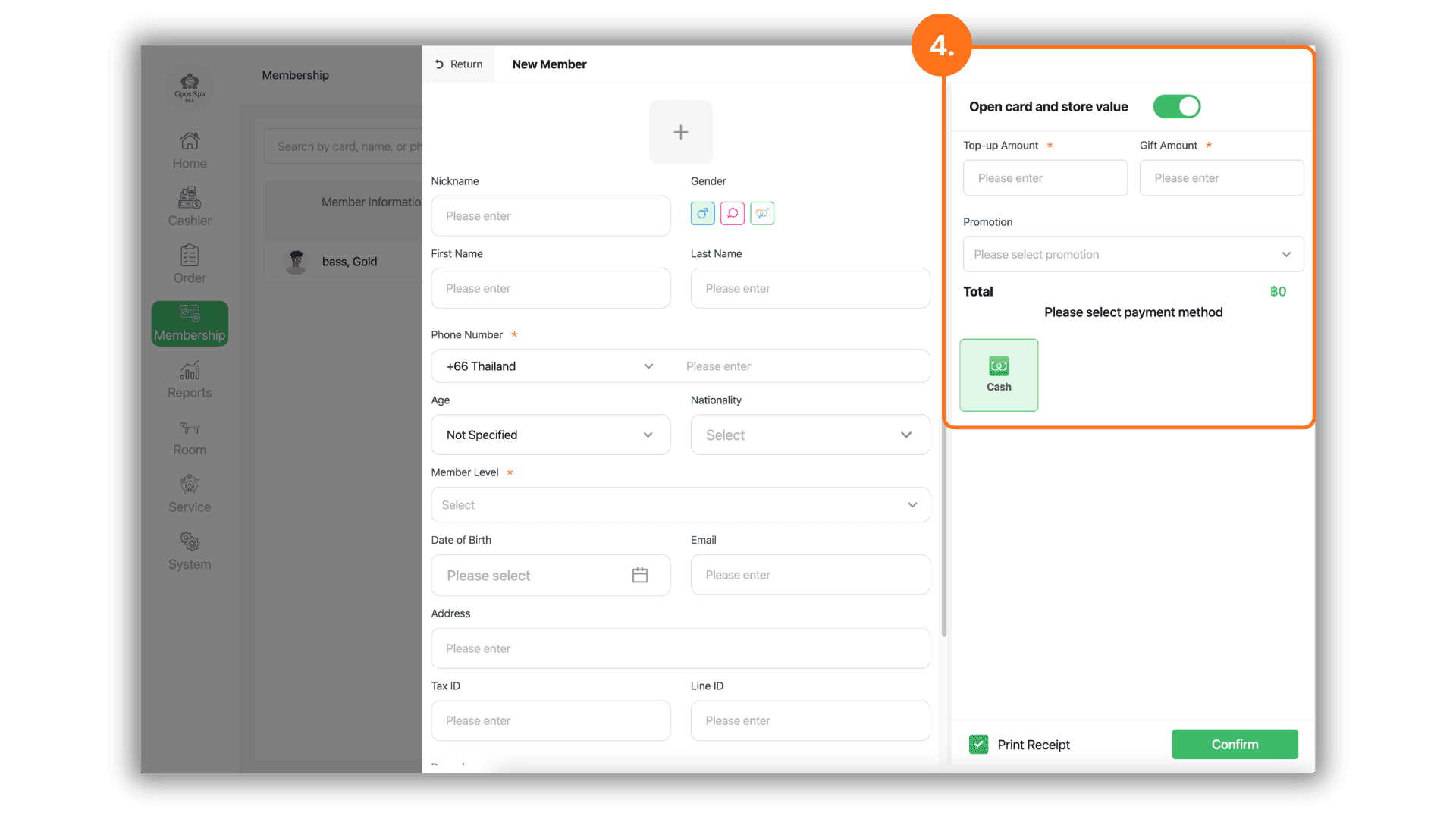
1.Select the Service Branch
- Begin by selecting the specific Store or Branch where the customer is receiving services to ensure their profile is registered within the correct local database.
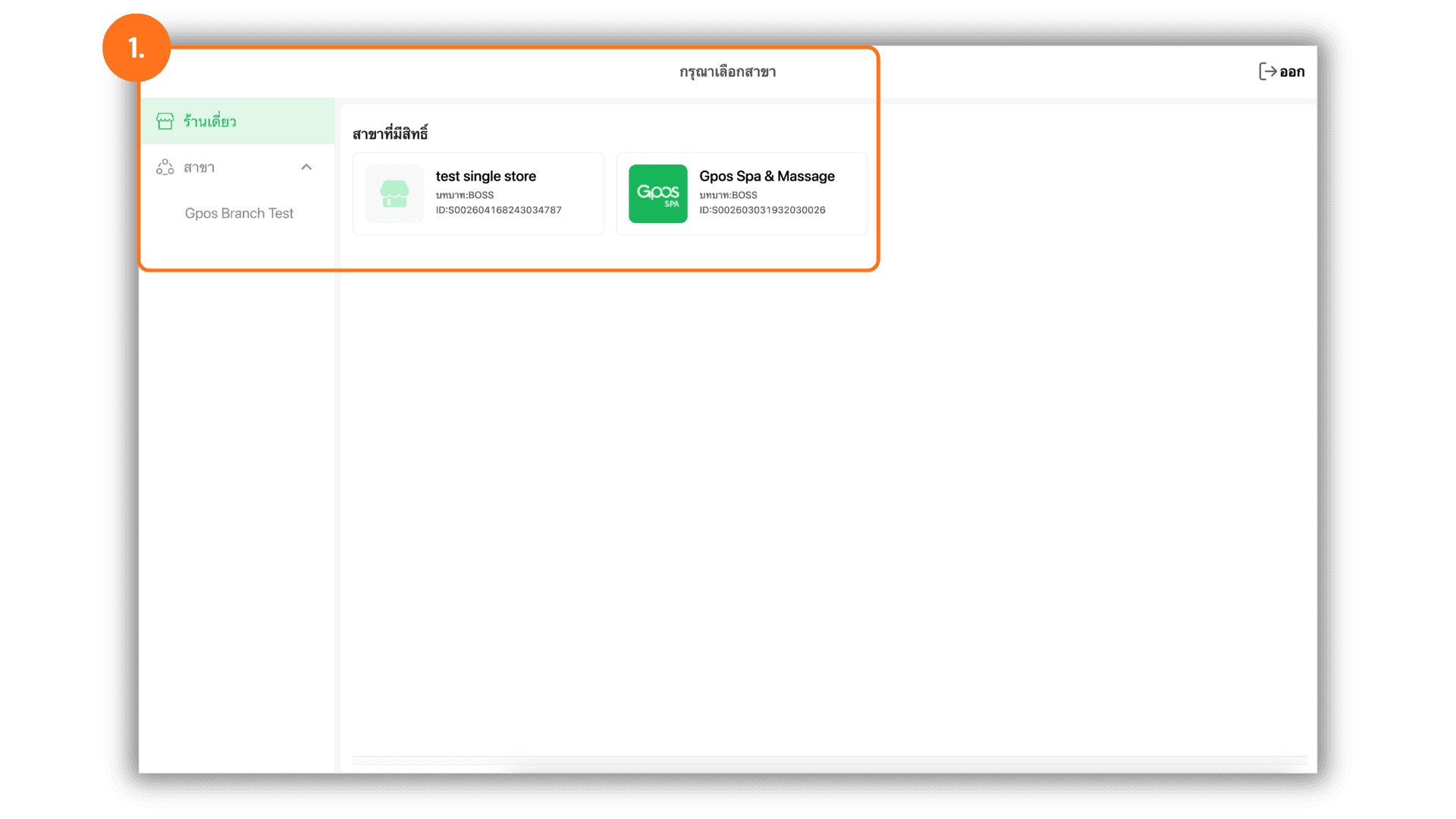
2.Access the Add Member Interface
- Navigate to the "Member" menu on the dashboard and click the "Add Member" button to open the registration form.
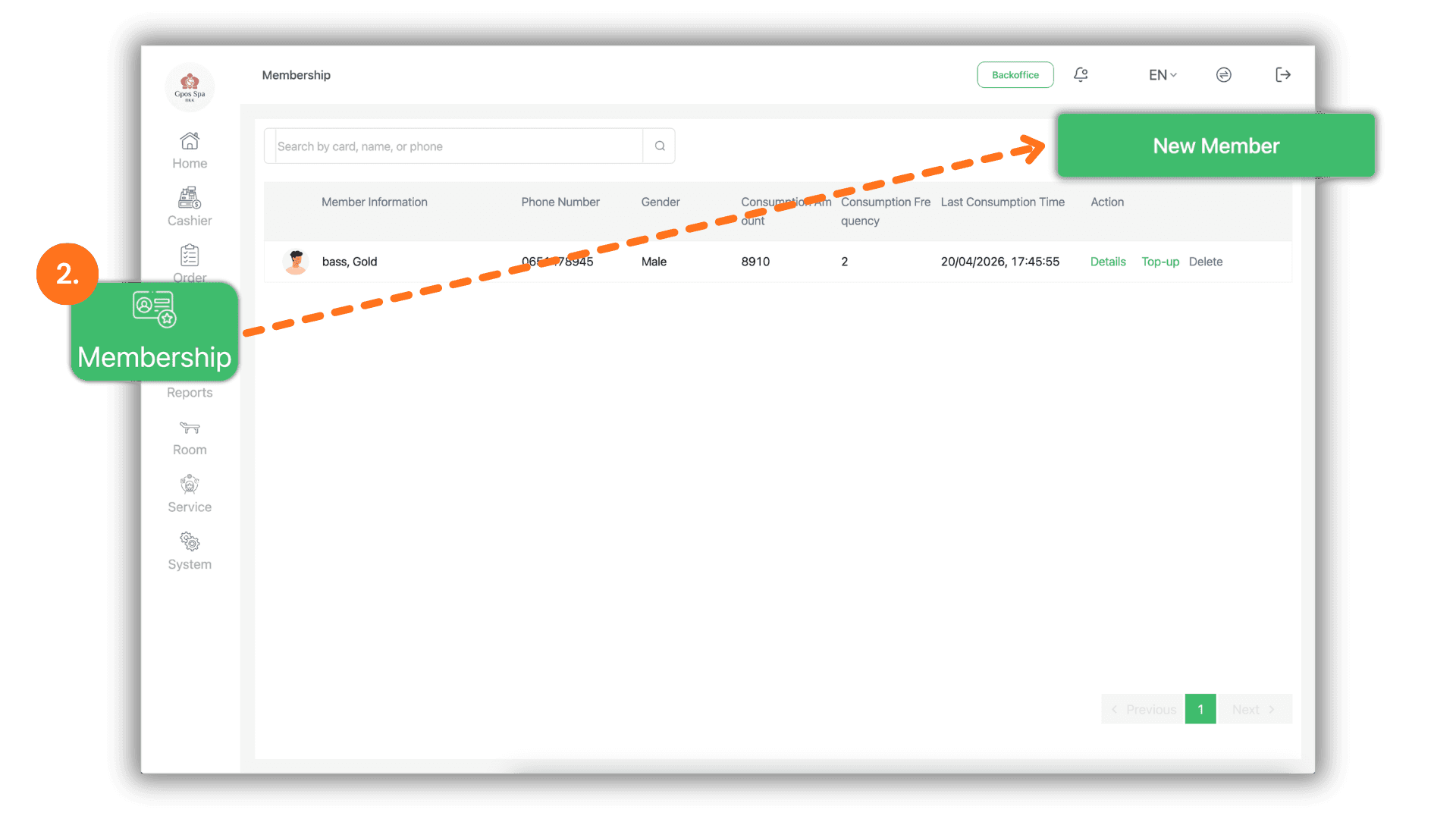
3.Enter Customer Profile Information
- Input the customer's primary details into the system :
- Customer Name : Enter the full name of the service user.
- Phone Number : Provide a valid contact number (used for account searching and point accumulation).
- Member Level : Select the appropriate membership tier or category for the customer.
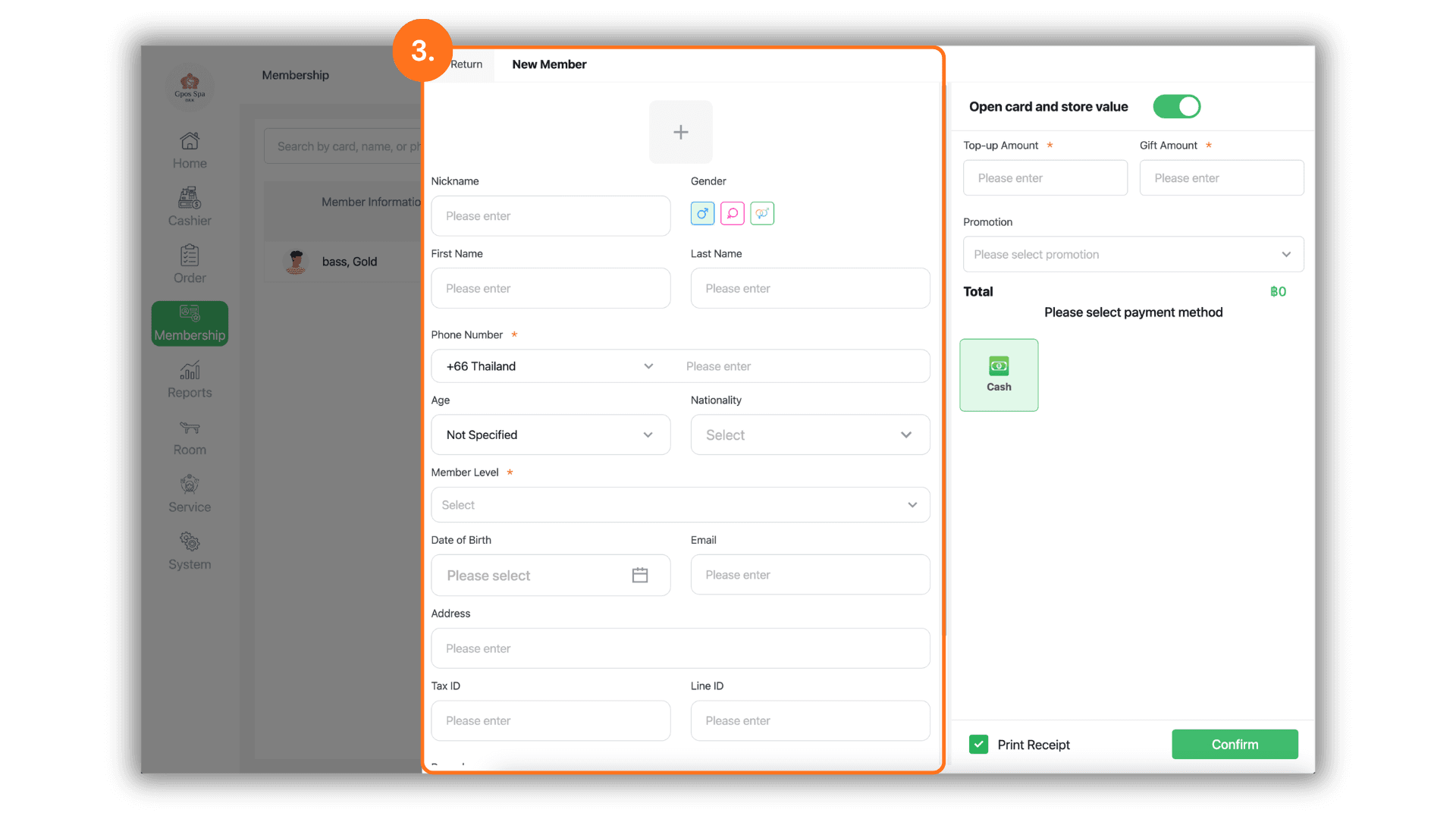
4.Process Initial Top-up and Payment
- If the customer wishes to add credit to their account immediately, utilize the top-up section:
- Top-up Amount : Enter the actual cash amount paid by the customer.
- Bonus Credit : If a promotion is active, enter the amount of free credit to be added as a gift.
- Payment Type : Select the customer's preferred payment method (e.g., Cash, Transfer) to finalize the registration.