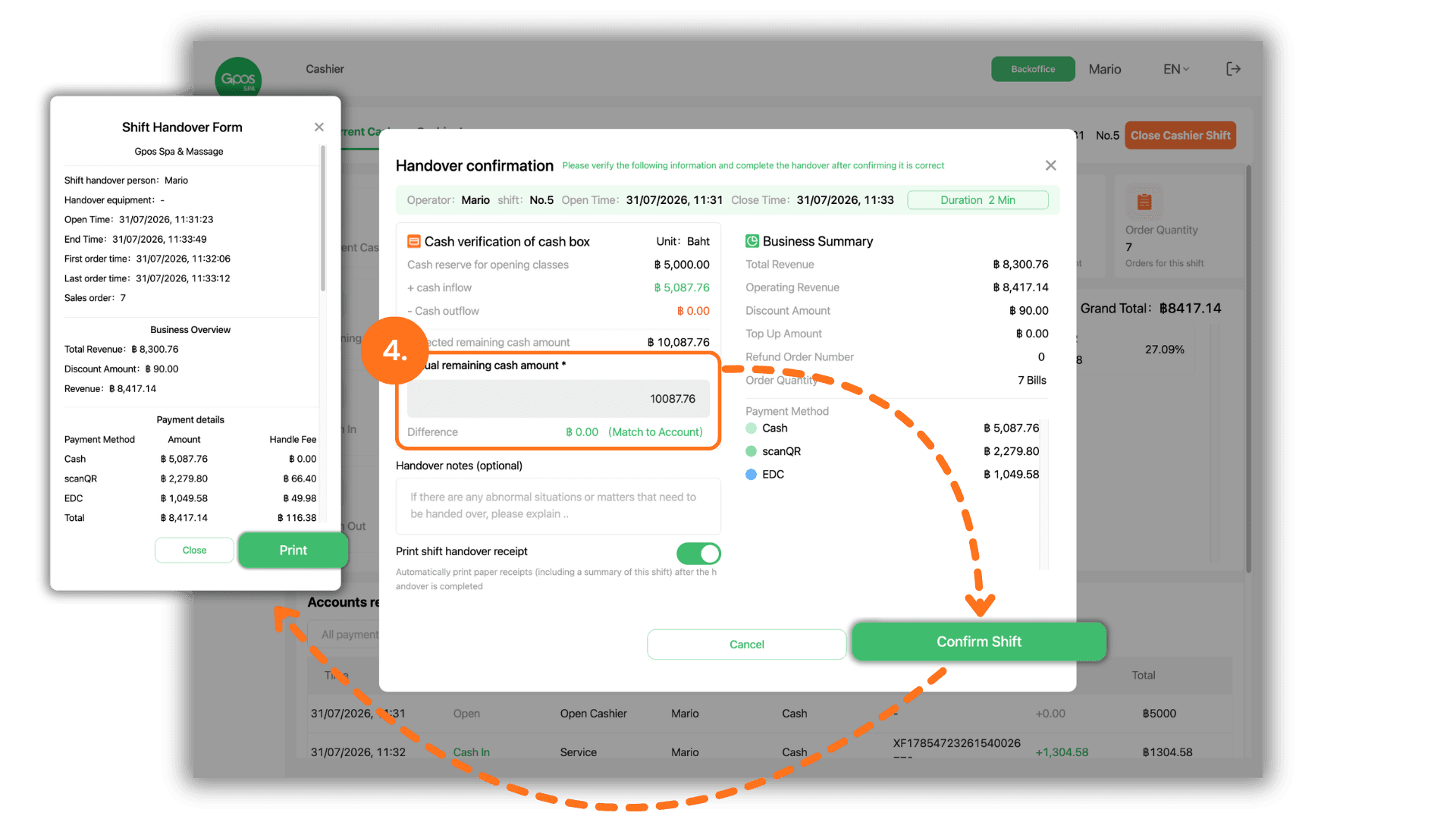
1. Select the desired store to provide service
Start by clicking to select the store you wish to operate from the "Please select a store" screen under "The store I joined".
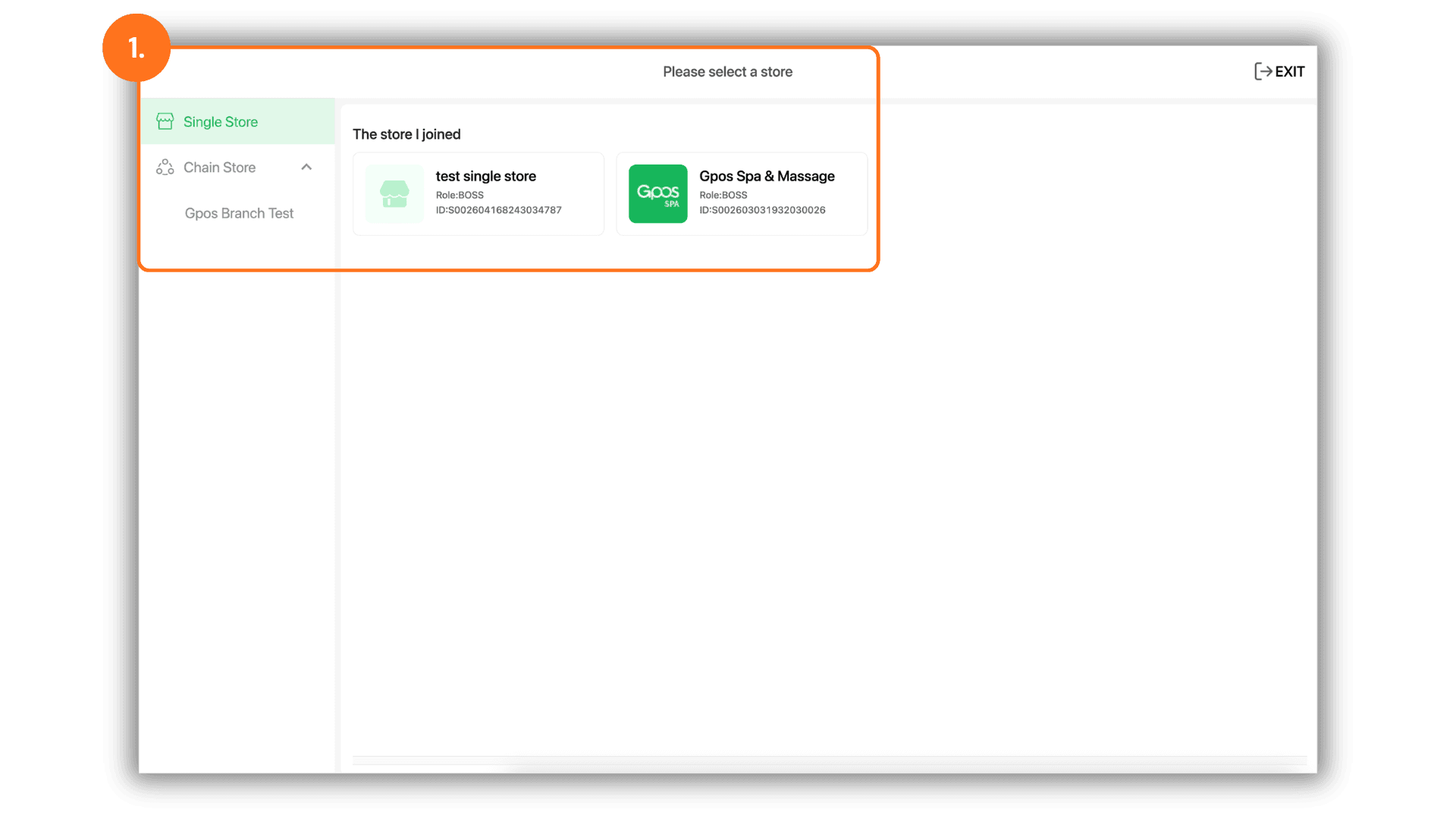
2. Open cashier shift to begin service
To start a shift, click Cashier on the left menu, then click the Open Cashier Shift button. Enter the starting cash amount for the drawer into the Current Cash Balance field and click Save.
• Note: It is recommended to enter the exact physical cash amount so system totals align with drawer cash.
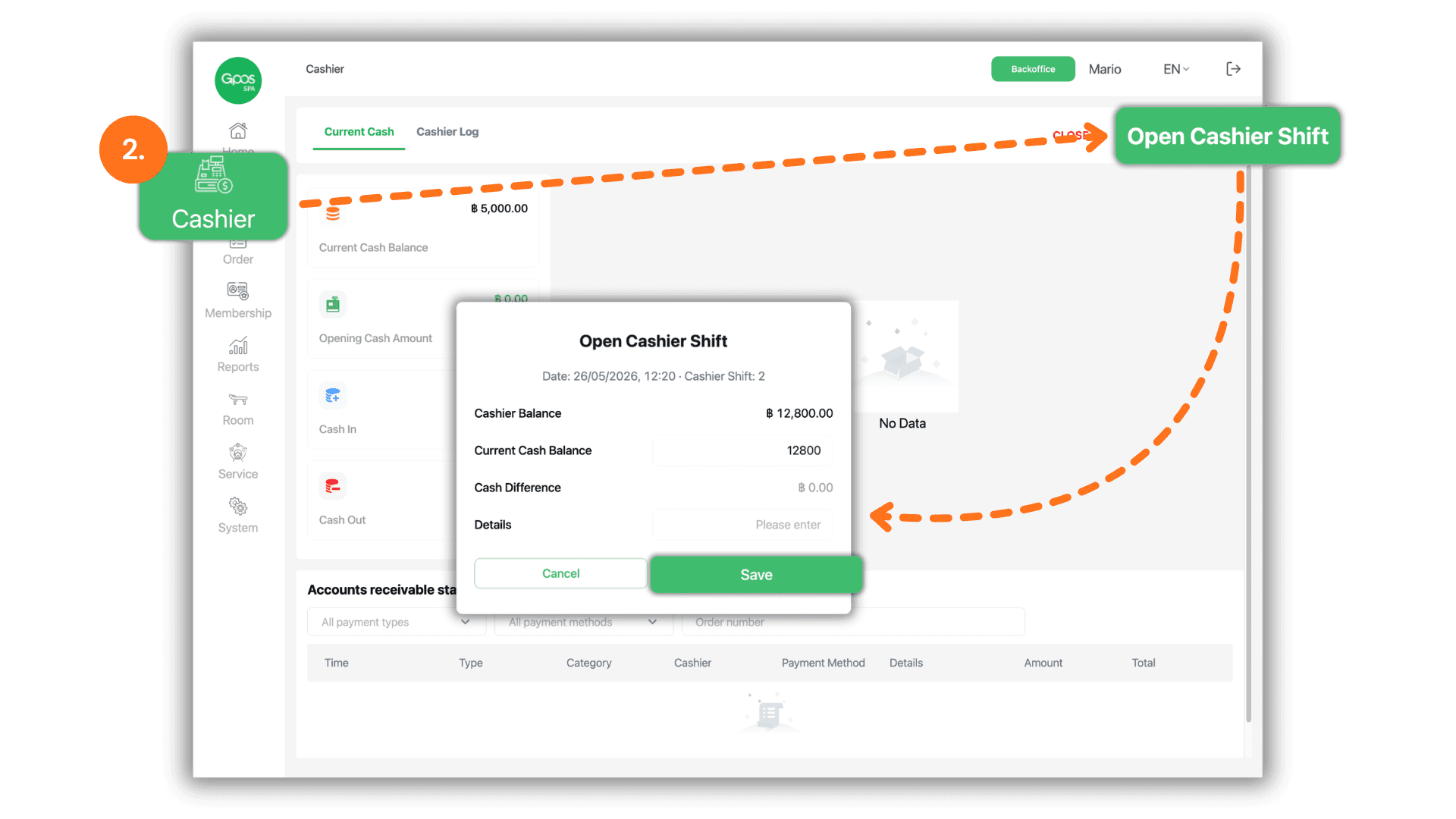
3. Close cashier shift to summarize daily sales
When ending a work shift or daily operation, go to the Cashier menu and click the Close Cashier Shift button to prepare for shift closure.
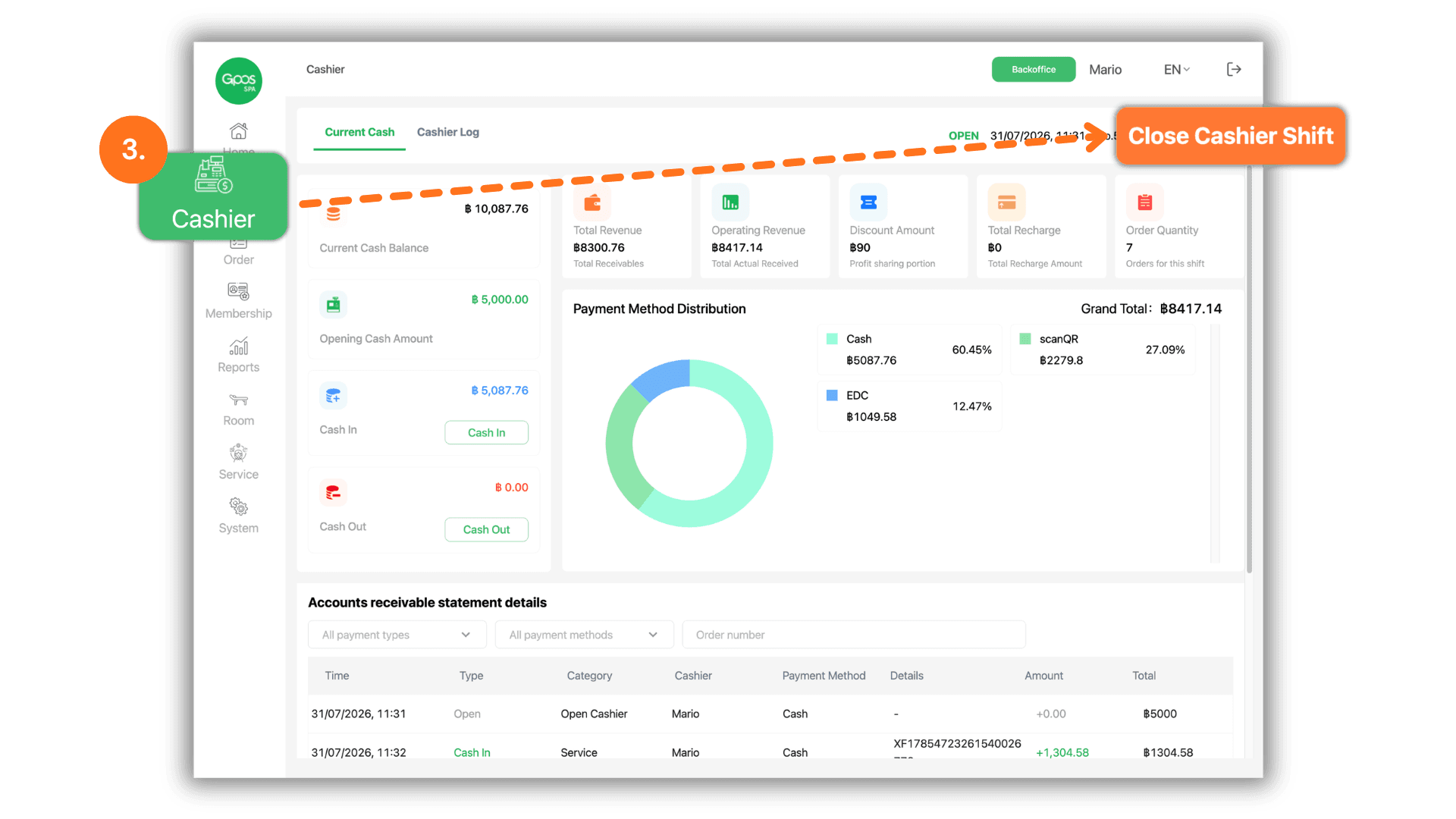
4. Verify sales summary, enter actual cash, and print shift report
Review the revenue breakdown on the Handover confirmation screen. Count all physical cash in the drawer and enter the total into the Actual remaining cash amount *** field for the system to calculate any variance. Click Confirm Shift, then click Print on the receipt pop-up to issue the shift handover report.
• Note: Entering actual counted figures every time ensures accurate records for post-shift auditing.