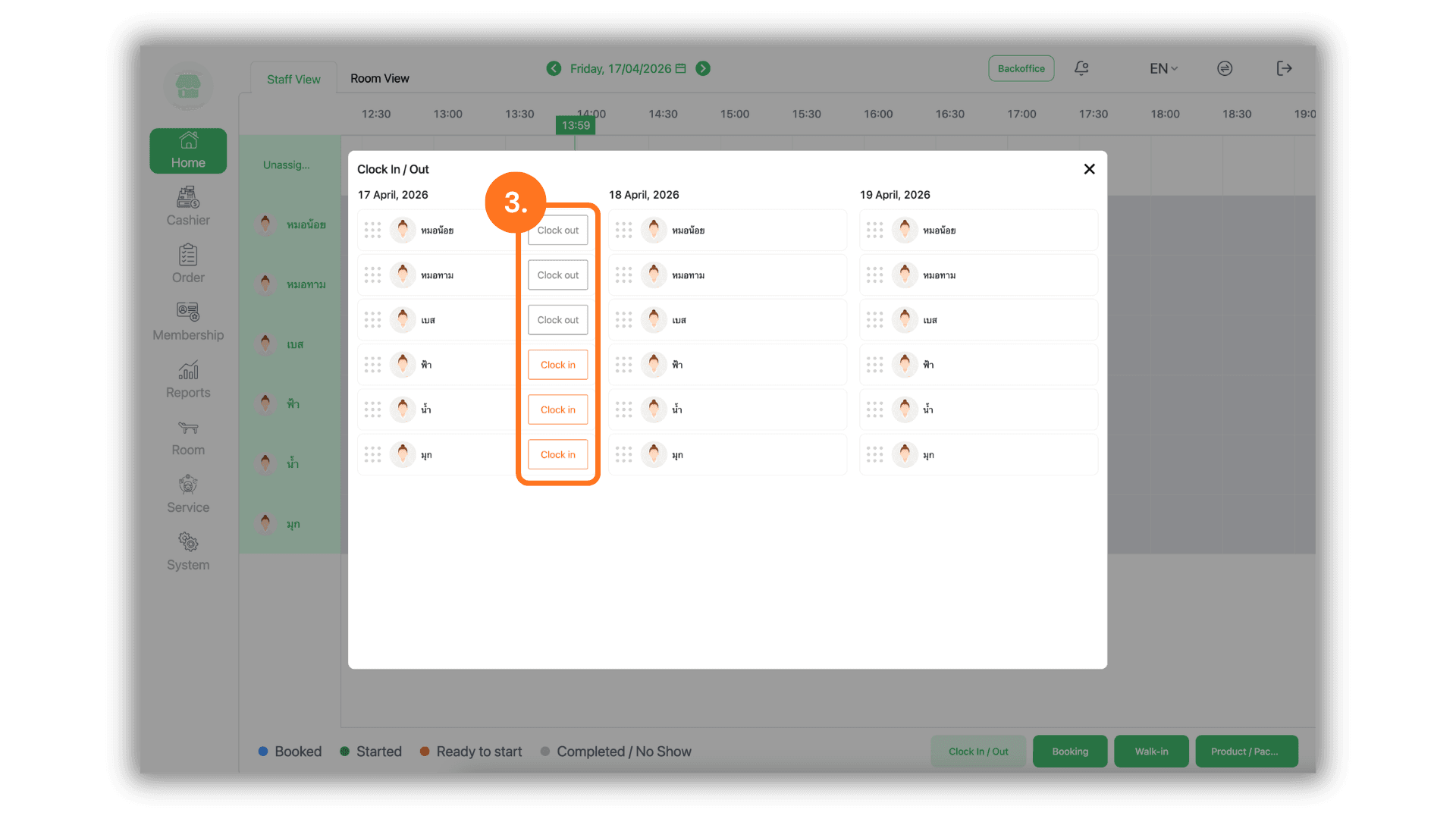
1.Branch Selection
- Begin by selecting the specific Store or Branch where you are reporting for duty. This ensures that your working hours are accurately assigned to the correct location.
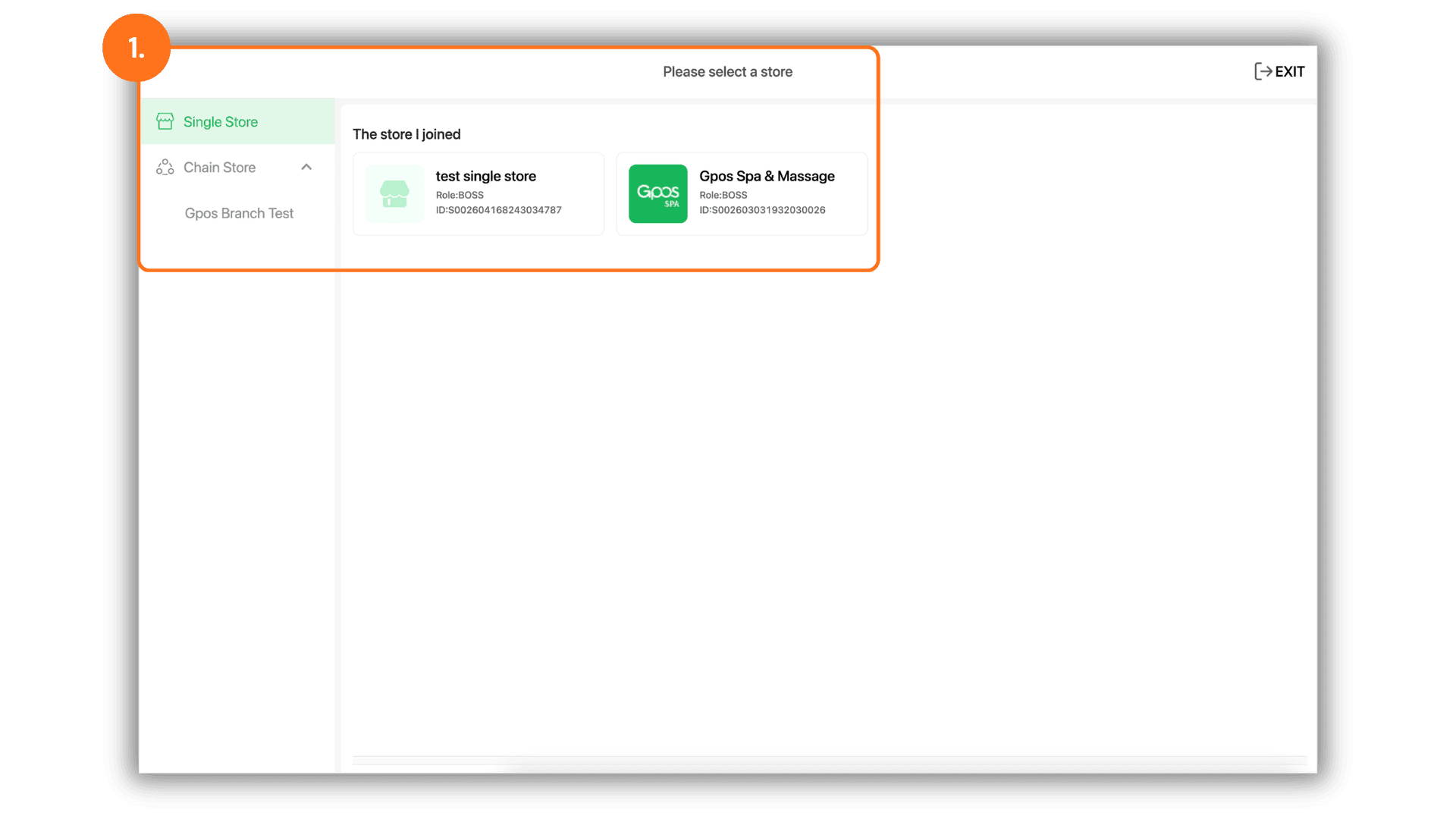
2.Navigate to Time Attendance
- From the main dashboard or "Home" screen, locate and click the "Clock-in/out"button to access the time tracking module.
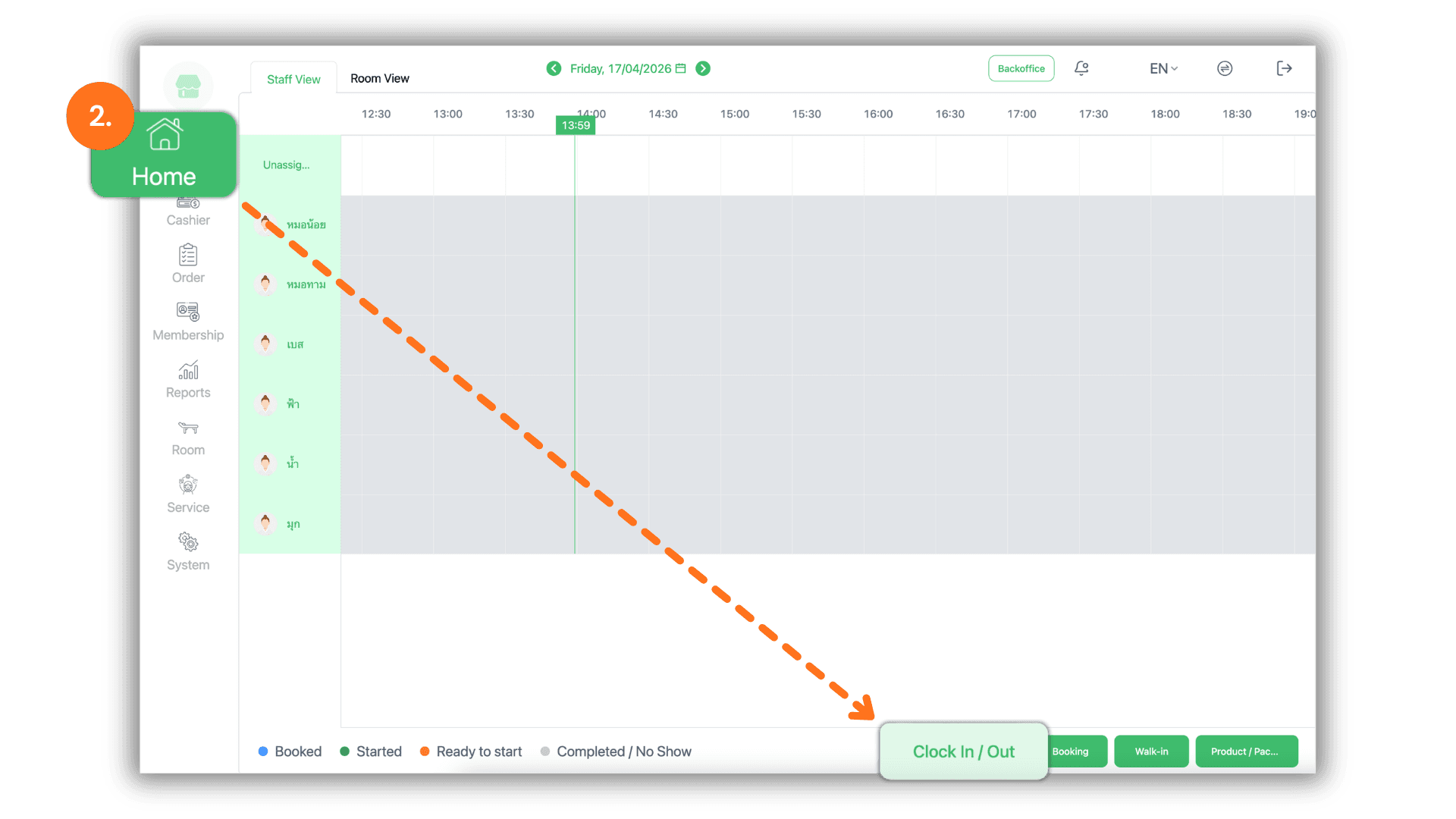
3.Record Work Hours
- On the attendance recording screen, verify the current date and time:
- Click the "Clock-in" button to record the start of your shift.
- Click the "Clock-out" button to record the end of your shift.