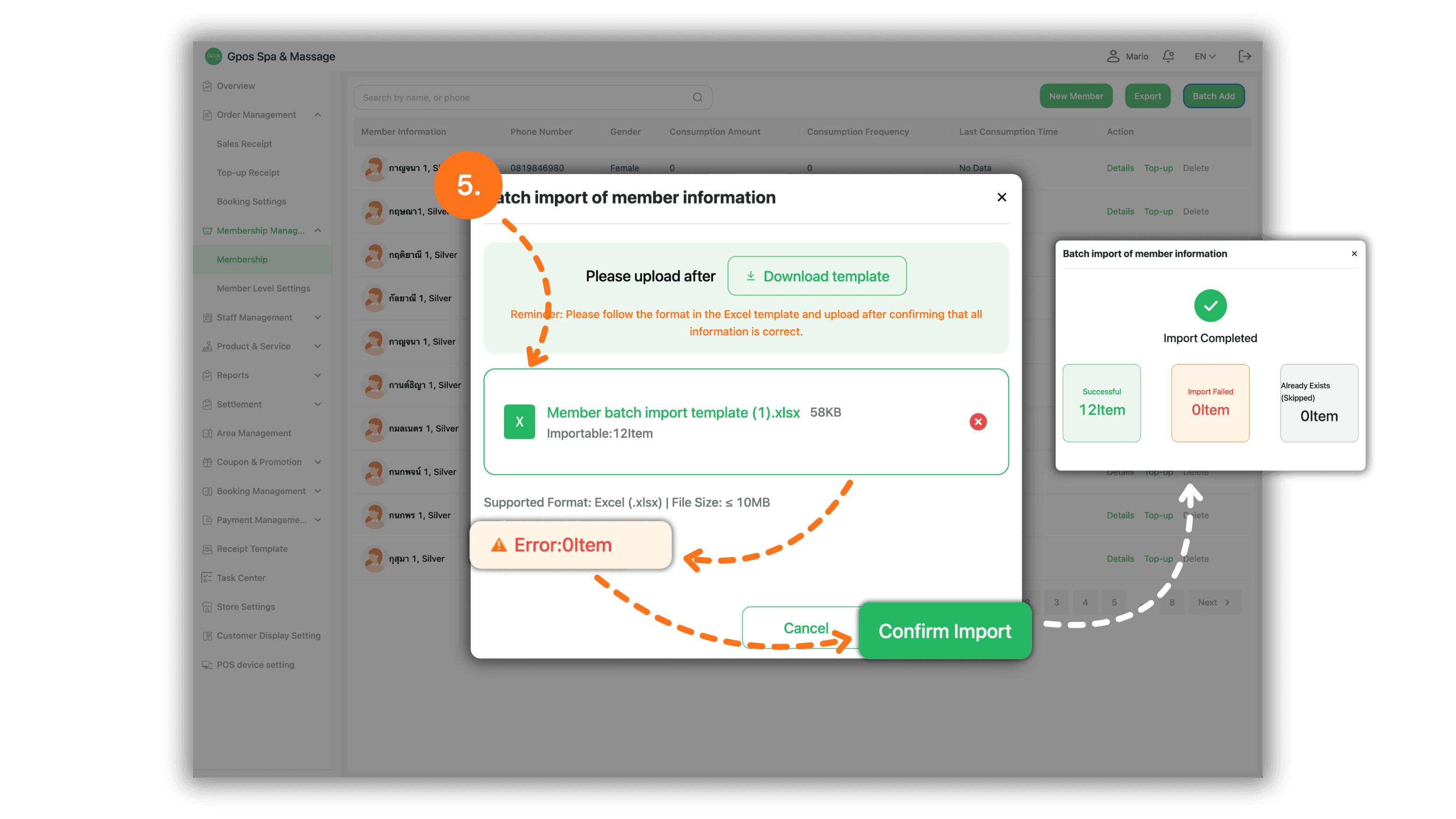
1. Select the Store Branch
On the Please Select a Branch page, select the store or branch where you want to import the member information.
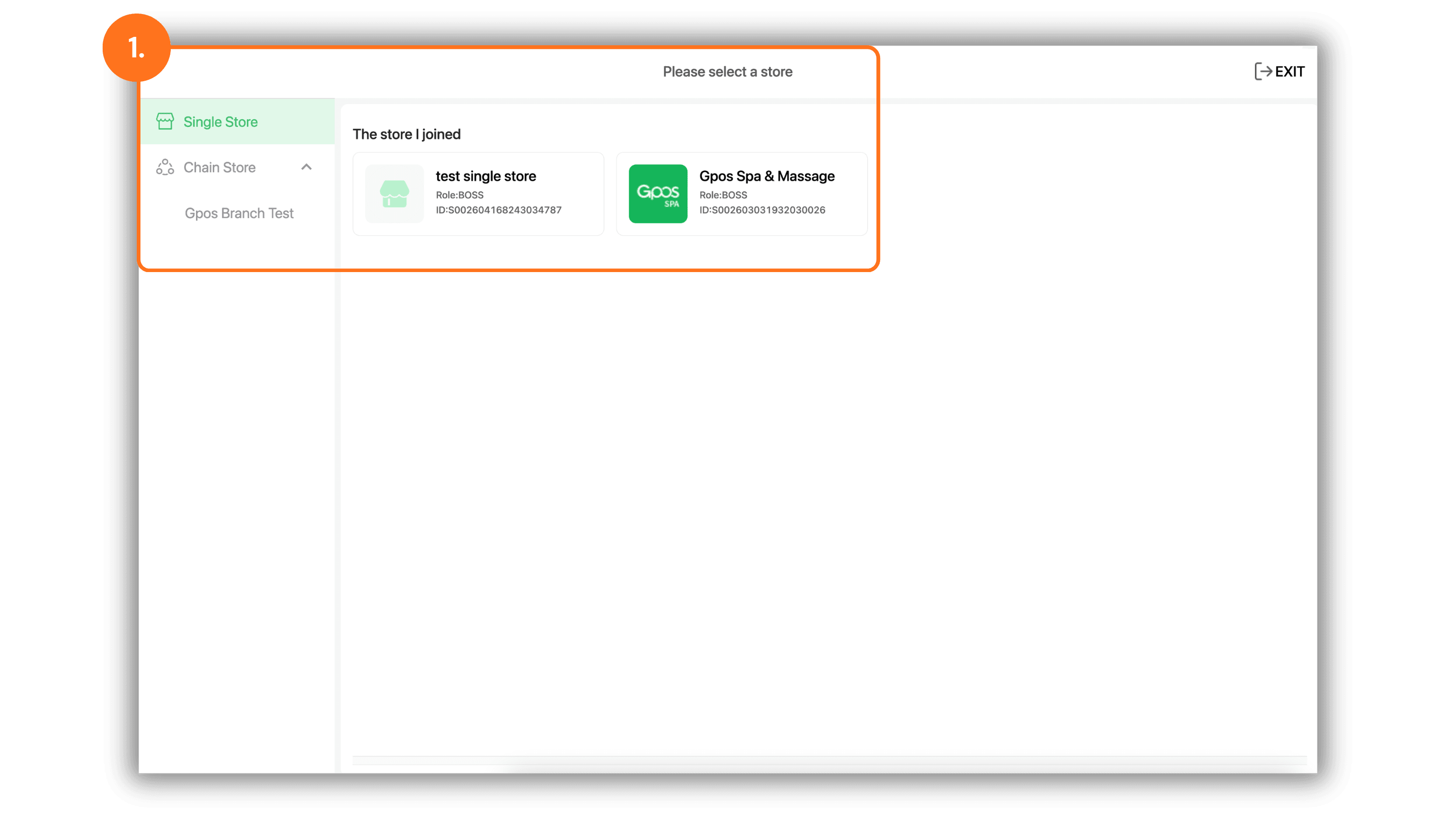
2. Open the Member Import Page
From the menu on the left, select Member Management, then select Members. Click the Import button in the upper-right corner to begin the import process.
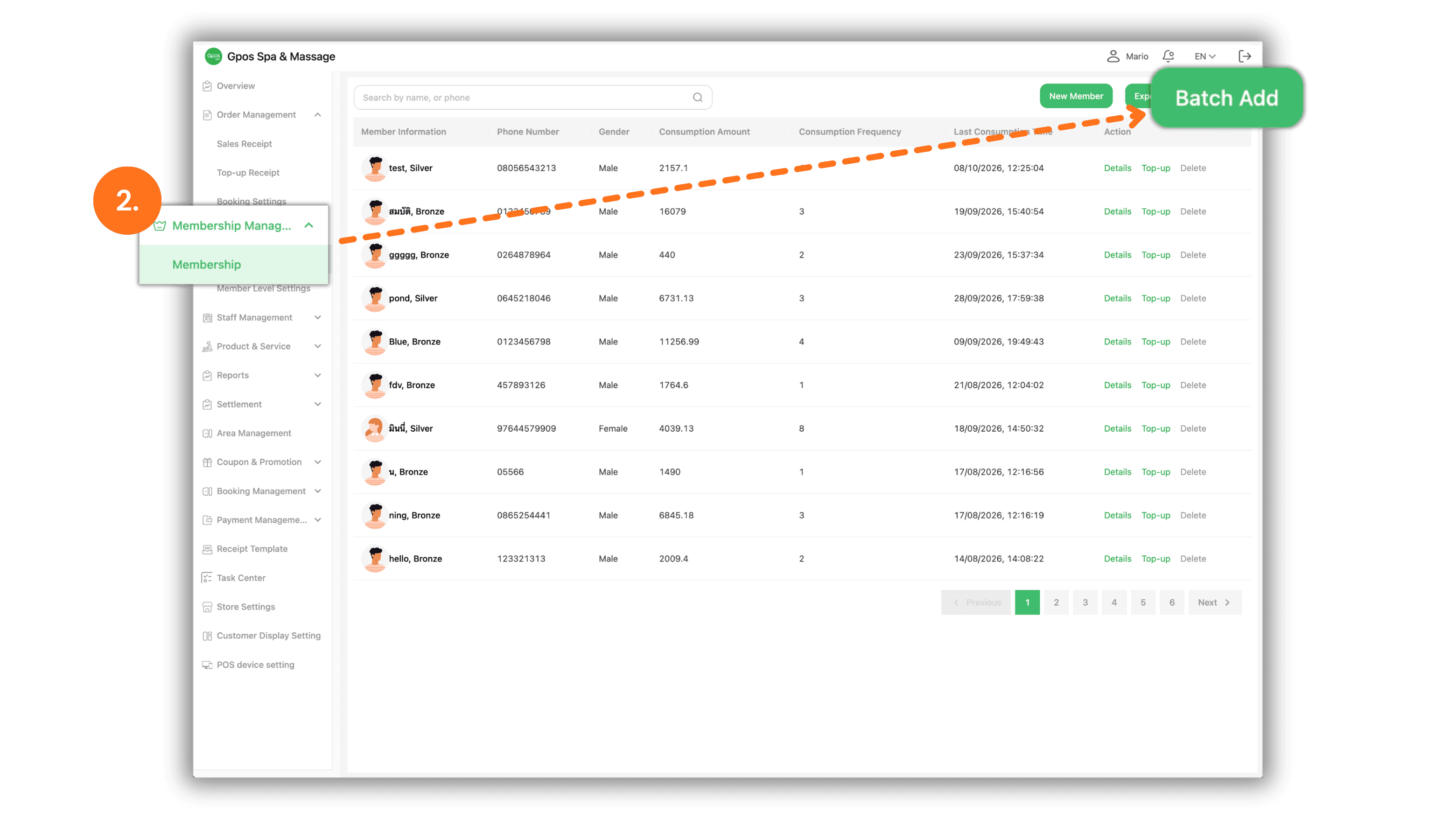
3. Download the Template
When the Bulk Member Import window appears, click Download Template to download the Excel template used for entering member information.
Note: Always use the template downloaded directly from the system. Do not rename, remove, or rearrange the columns.
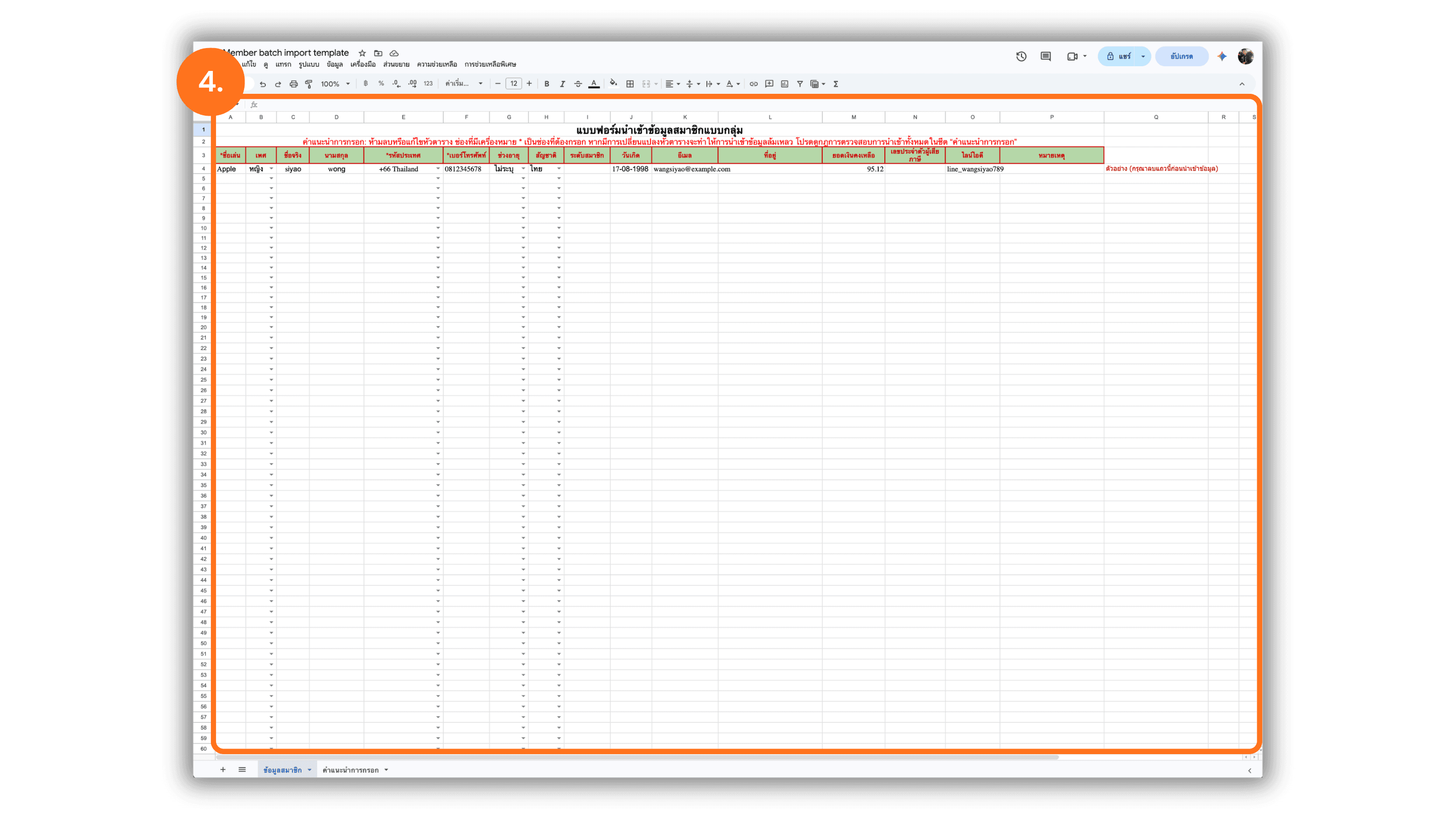
4. Enter the Member Information
Open the downloaded template and delete the first sample data row before entering actual member information. Fields marked with an asterisk (*) are required.
- Nickname: Enter the member’s nickname.
- Country Code: Select the country code that corresponds to the member’s phone number.
- Phone Number: Enter the member’s phone number.
- Other Information: Complete any additional fields as required.
After entering all member information, review the data for accuracy and save the file in Excel format.
Note: Always delete the sample data row before uploading the file to prevent sample information from being imported into the system.
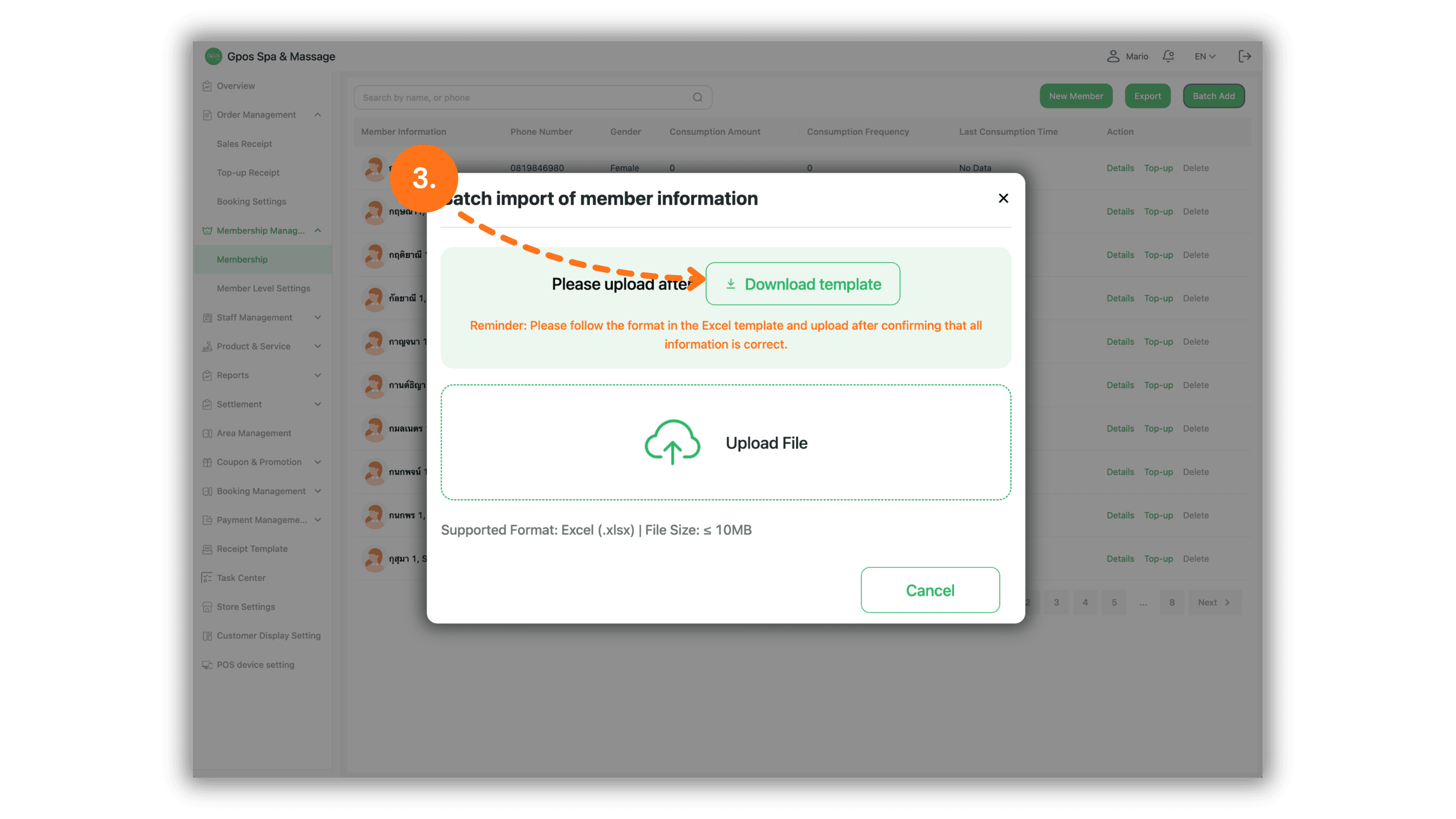
5. Upload and Confirm the Import
- Click the Upload File area and select the completed Excel file.
- Wait for the system to validate the information.
- Review the number of importable records and any detected errors.
- If no errors are found, click Confirm Import.
- After completion, the system will display the number of successfully imported, failed, and duplicate records.