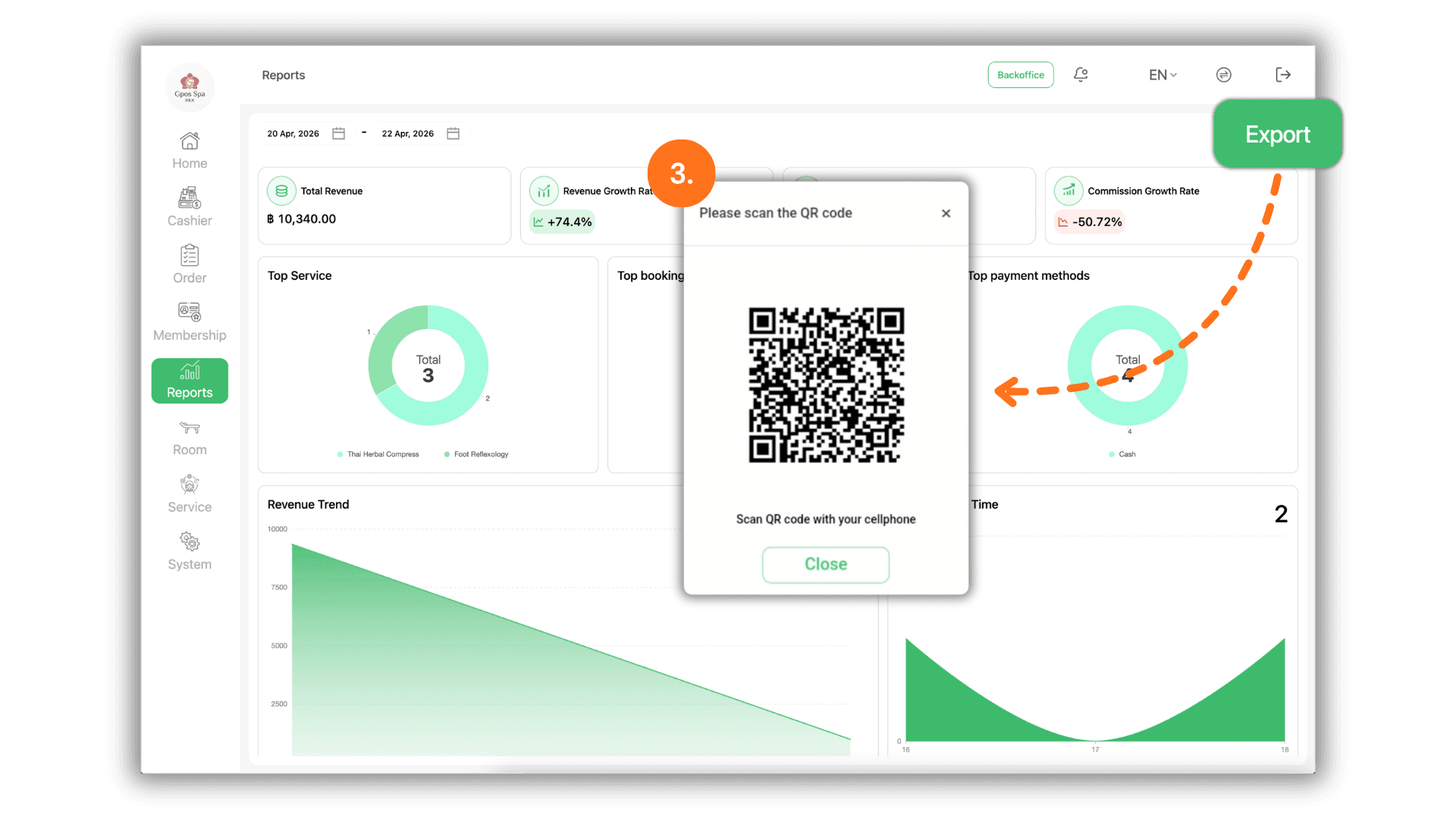
1.Select the Service Branch
- Begin by selecting the specific Store or Branch you wish to audit. This ensures the generated report contains data exclusively from the chosen location.
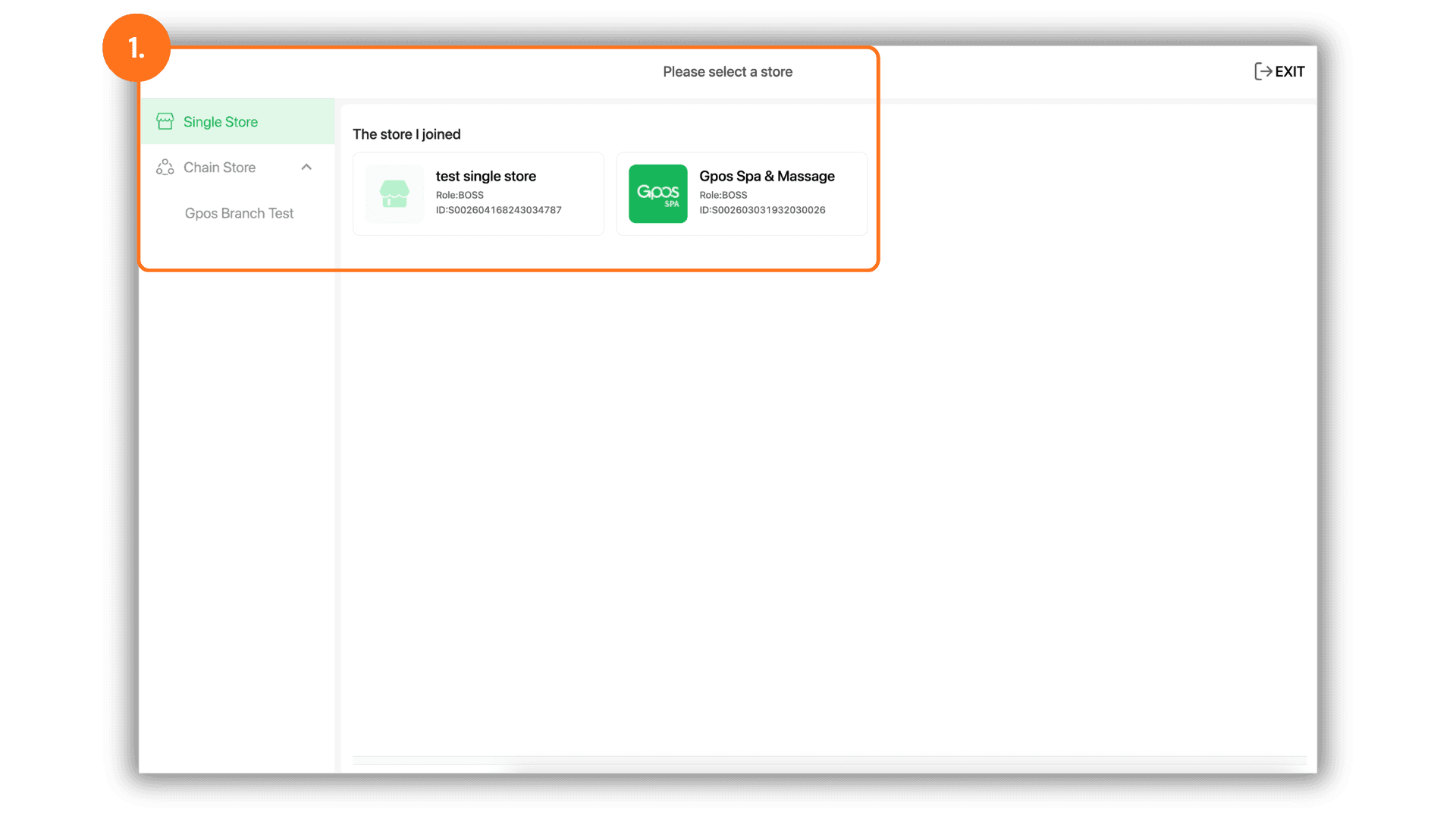
2.Access Reports and Filter by Date
- Navigate to the "Report" menu. Once inside, select the specific Date or Date Range you wish to verify. The system will automatically compile the data for the selected period.
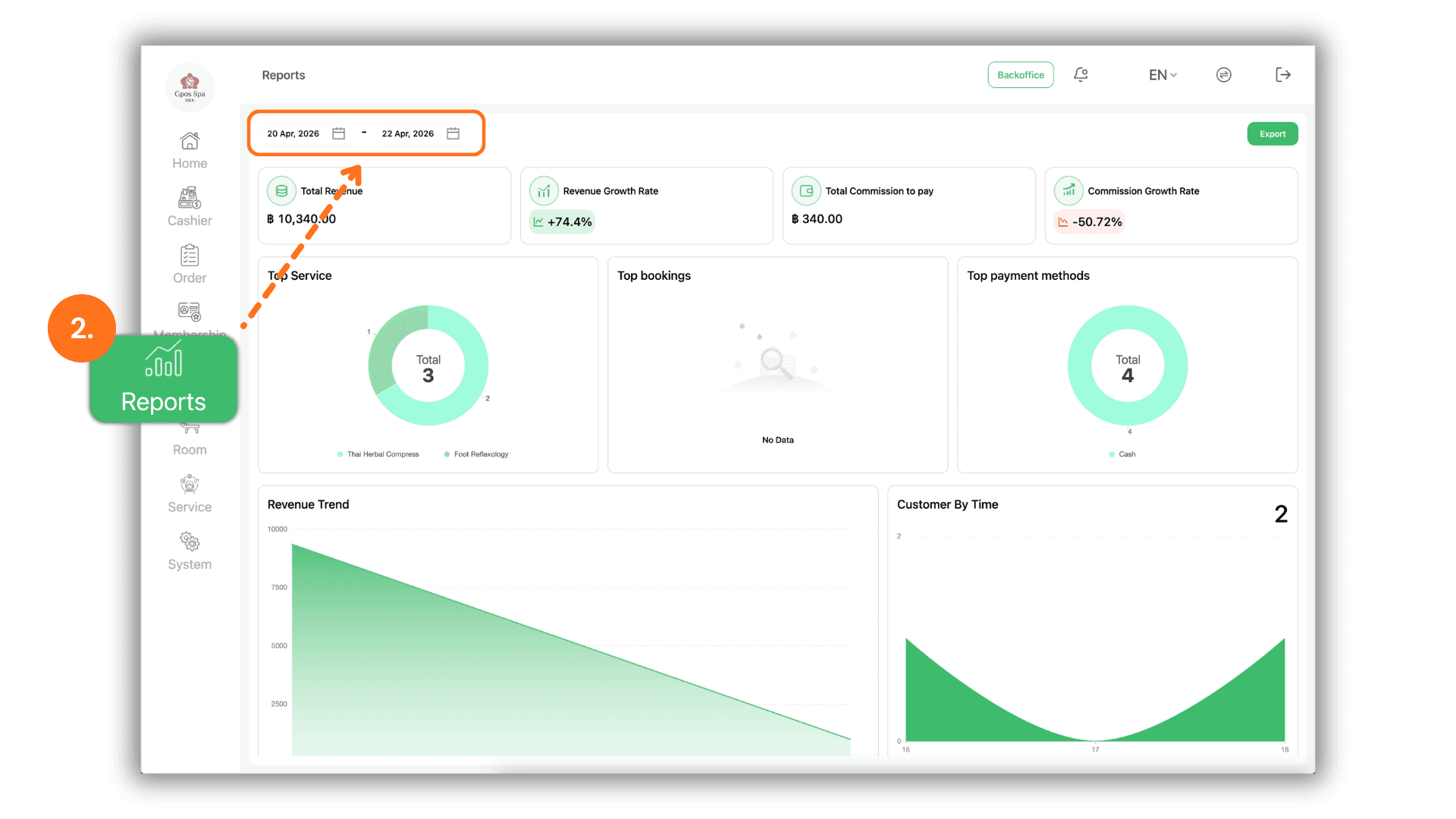
3.Export and Download via QR Code
- To obtain a physical copy of the data, click the "Export" button. A QR Code will appear on the screen :
- Use your smartphone to scan the QR Code.
- Follow the link provided to Download the Excel report file directly to your mobile device for immediate use.