
logo

Guide

User Guide

A single system that solves challenges for every role in your business, covering front-of-house operations, sales, management, and marketing in one complete solution.

Service Appointment Guide (Staff Pre-Clock In)

27 March 2026

4 views

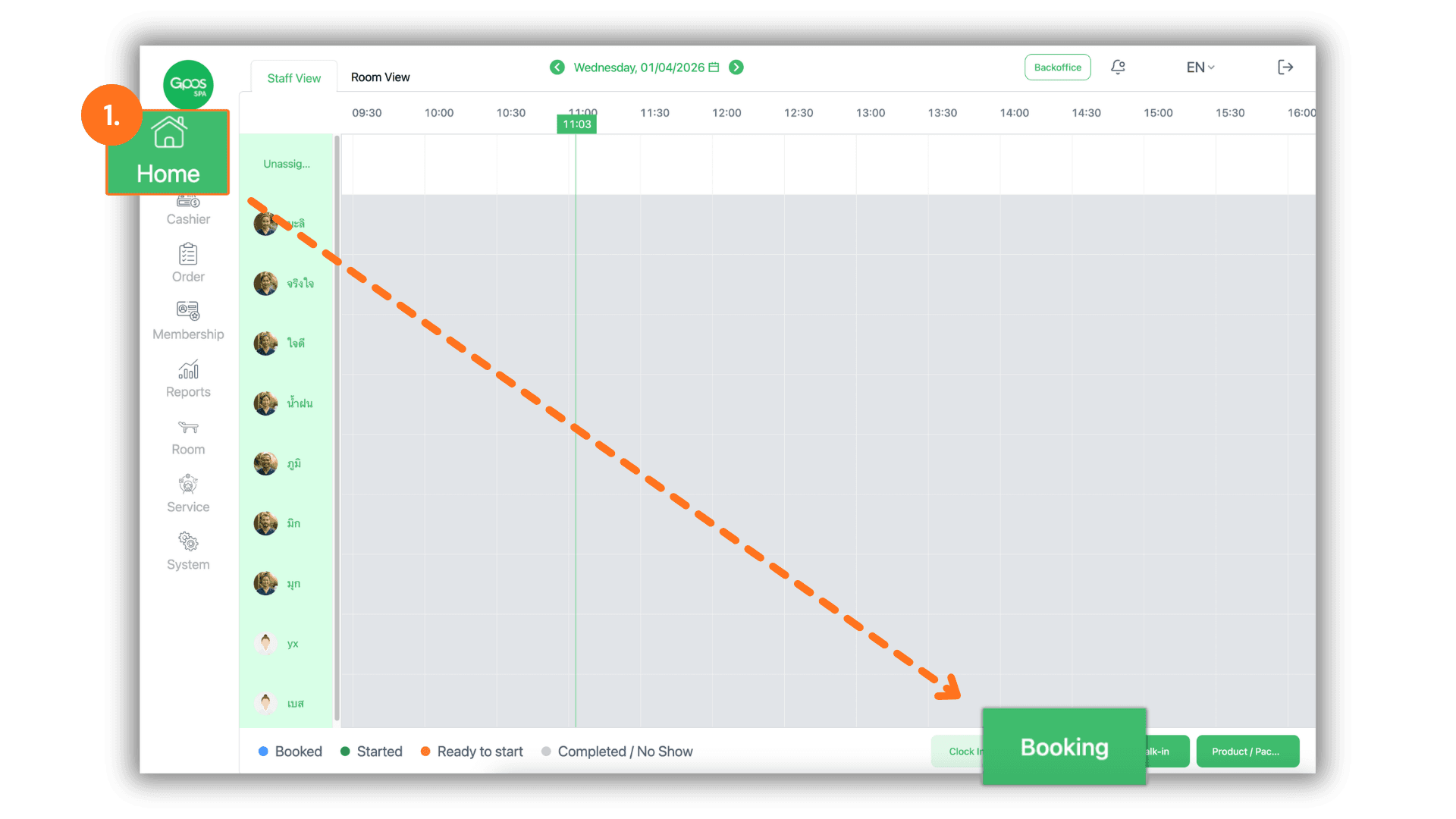
1.Access Booking

From the “Homepage,” click the “Booking” button to open the scheduling interface.
Event image

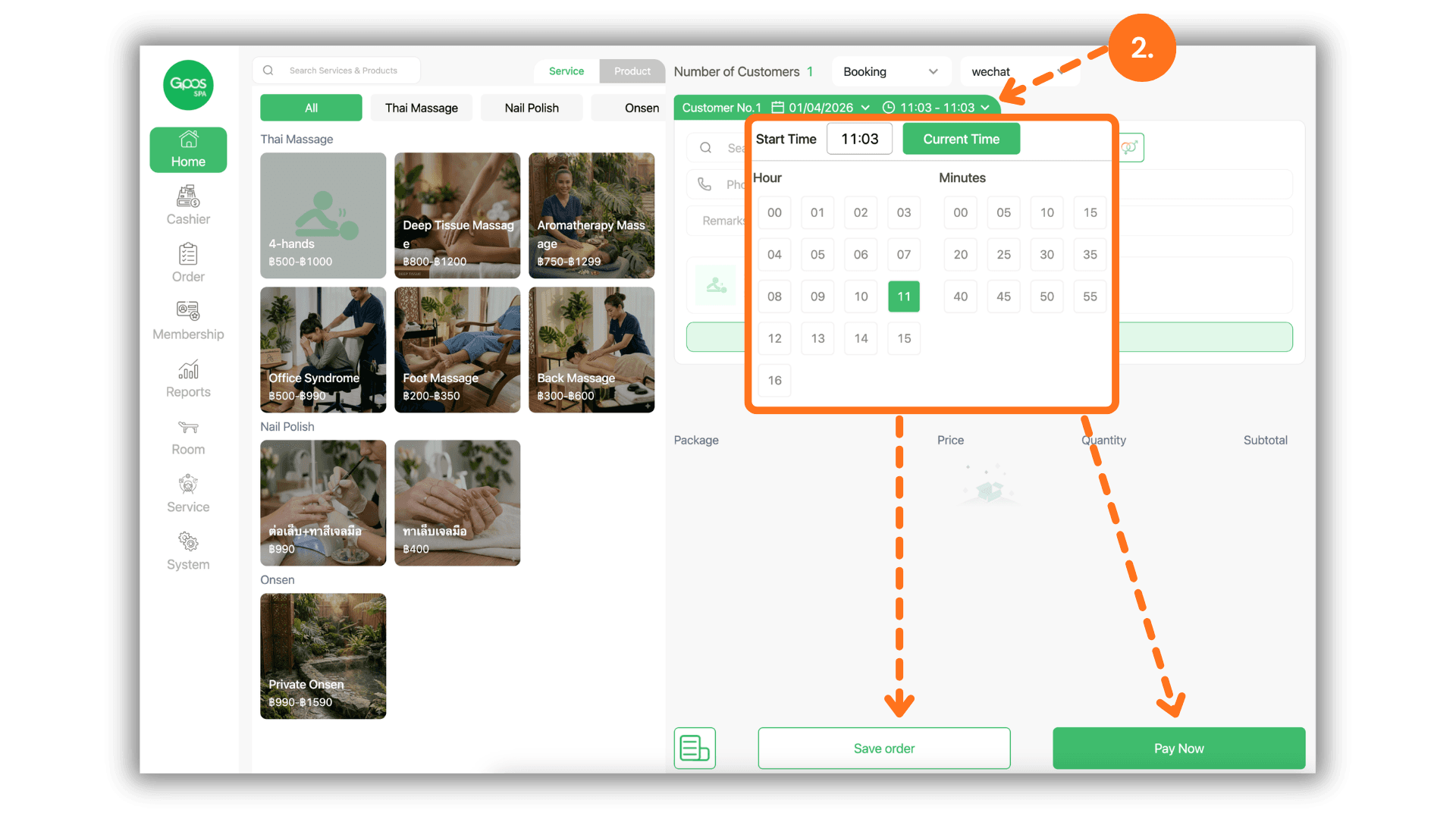
2.Select Time Slot

Choose the specific date and time the customer wishes to book the service on the calendar.

Confirm Booking: After finalizing the details, you have two options:

Save Order: To record the appointment in the system for later.

Pay Now: To proceed directly to the payment process and finalize the bill.
Event image

GPOS SPA

POS and spa management system that helps your business run more efficiently — from bookings and sales to reporting and insights.

© 2026, All Rights Reserved

Picture of the authorPicture of the authorPicture of the authorPicture of the author