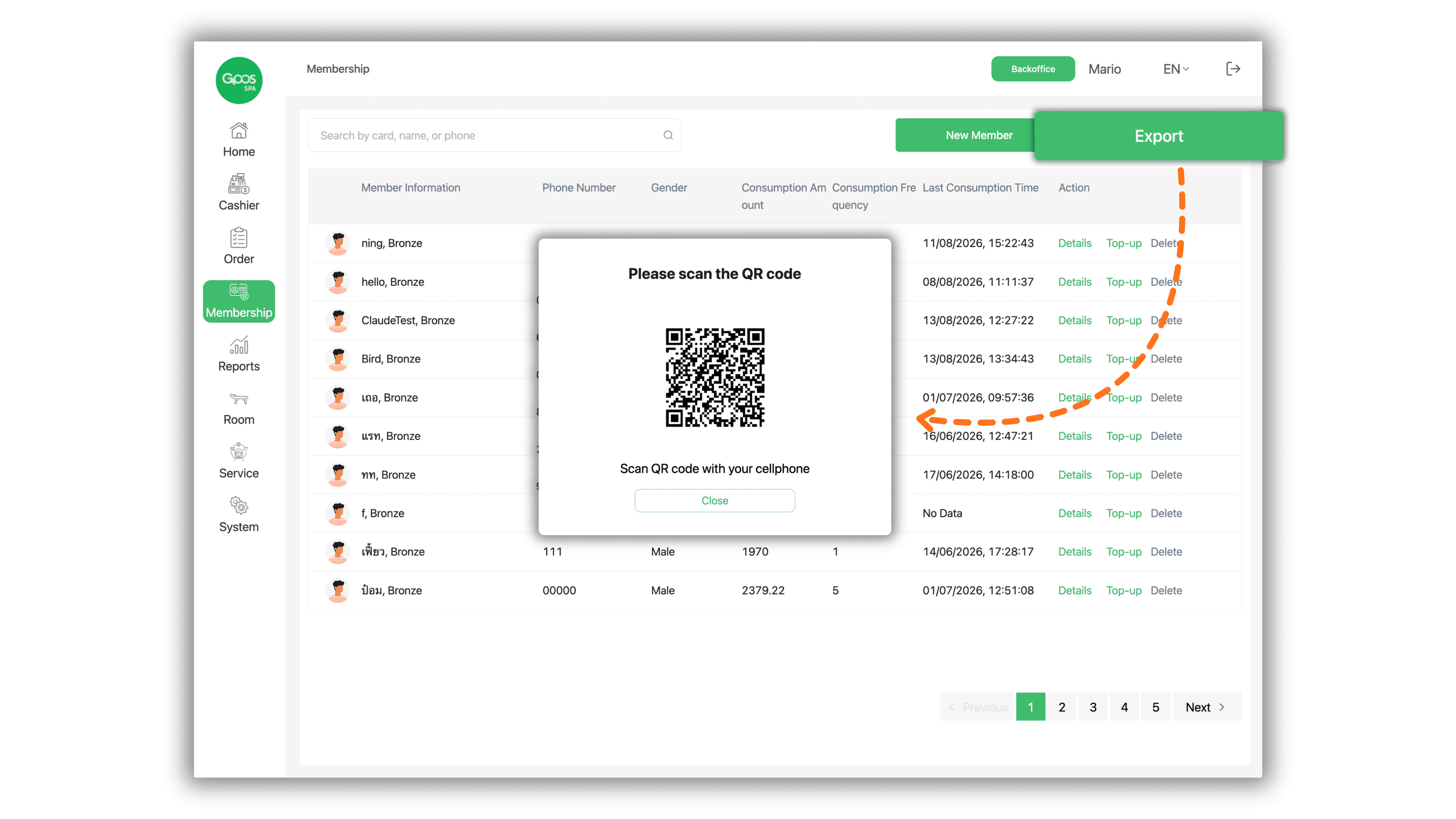
1. Select Store Branch
Select the desired store branch on the Please select a store page under The store I joined section to access the store management dashboard.
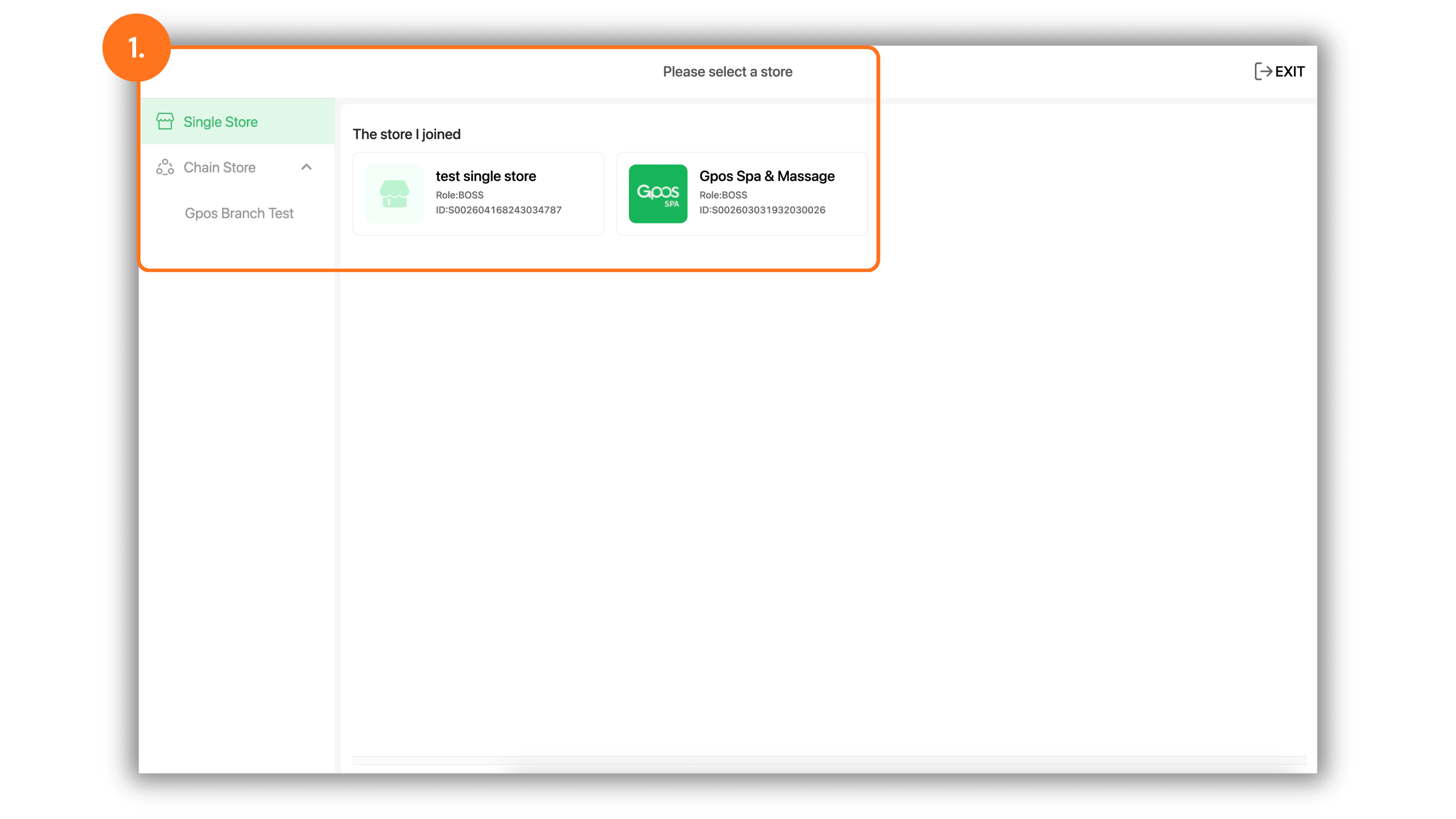
2. Navigate to Membership Menu
In the left sidebar menu, click Membership to access the member directory. The table displays member details including Member Information, Phone Number, Gender, Consumption Amount, Consumption Frequency, and Last Consumption Time.
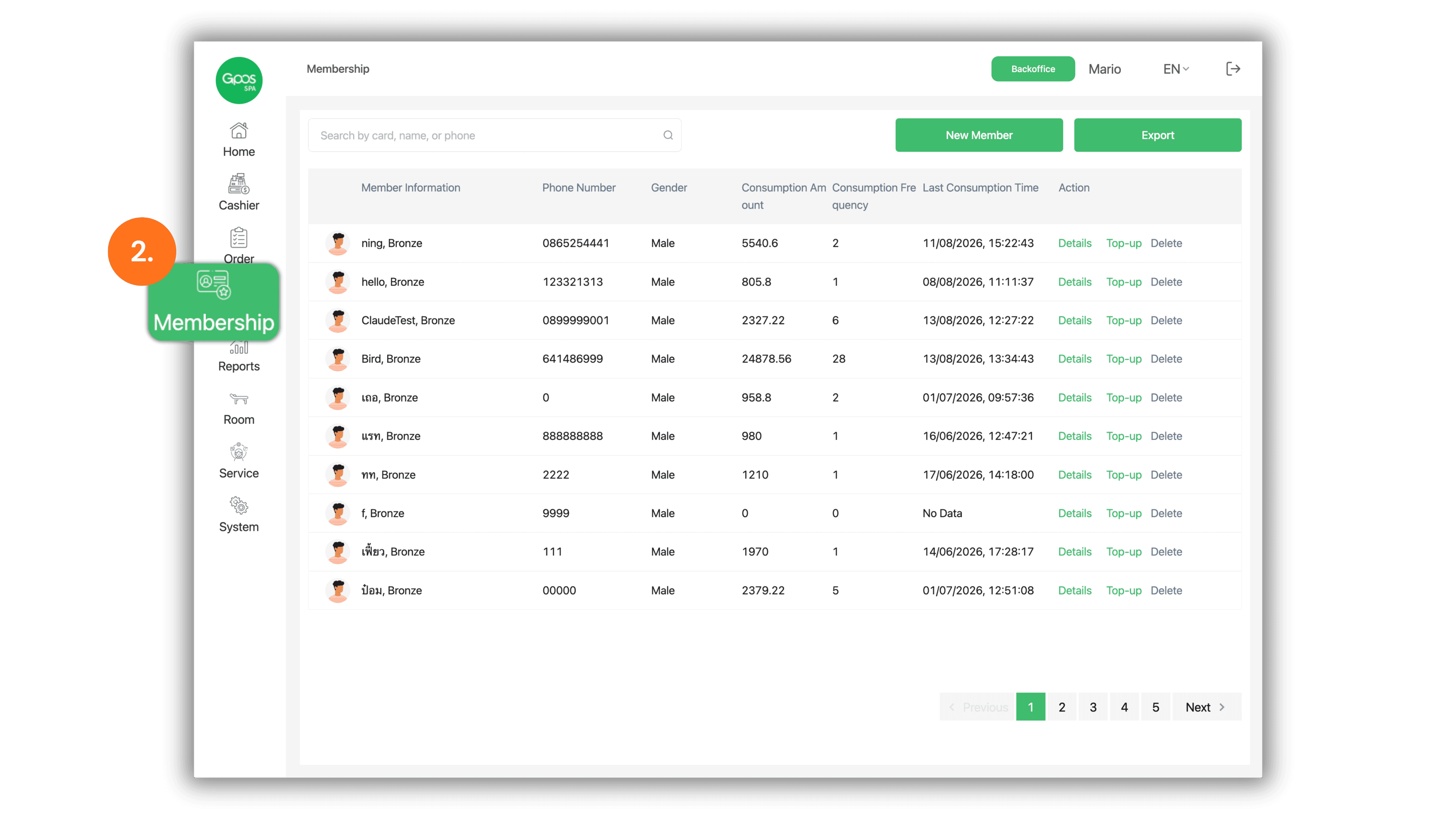
3. Export Member Data via QR Code
- Click the green Export button located at the top right corner of the page.
- A modal window titled Please scan the QR code will appear on the screen.
- Scan the displayed QR code using your smartphone (Scan QR code with your cellphone) to download the member information as an Excel file.