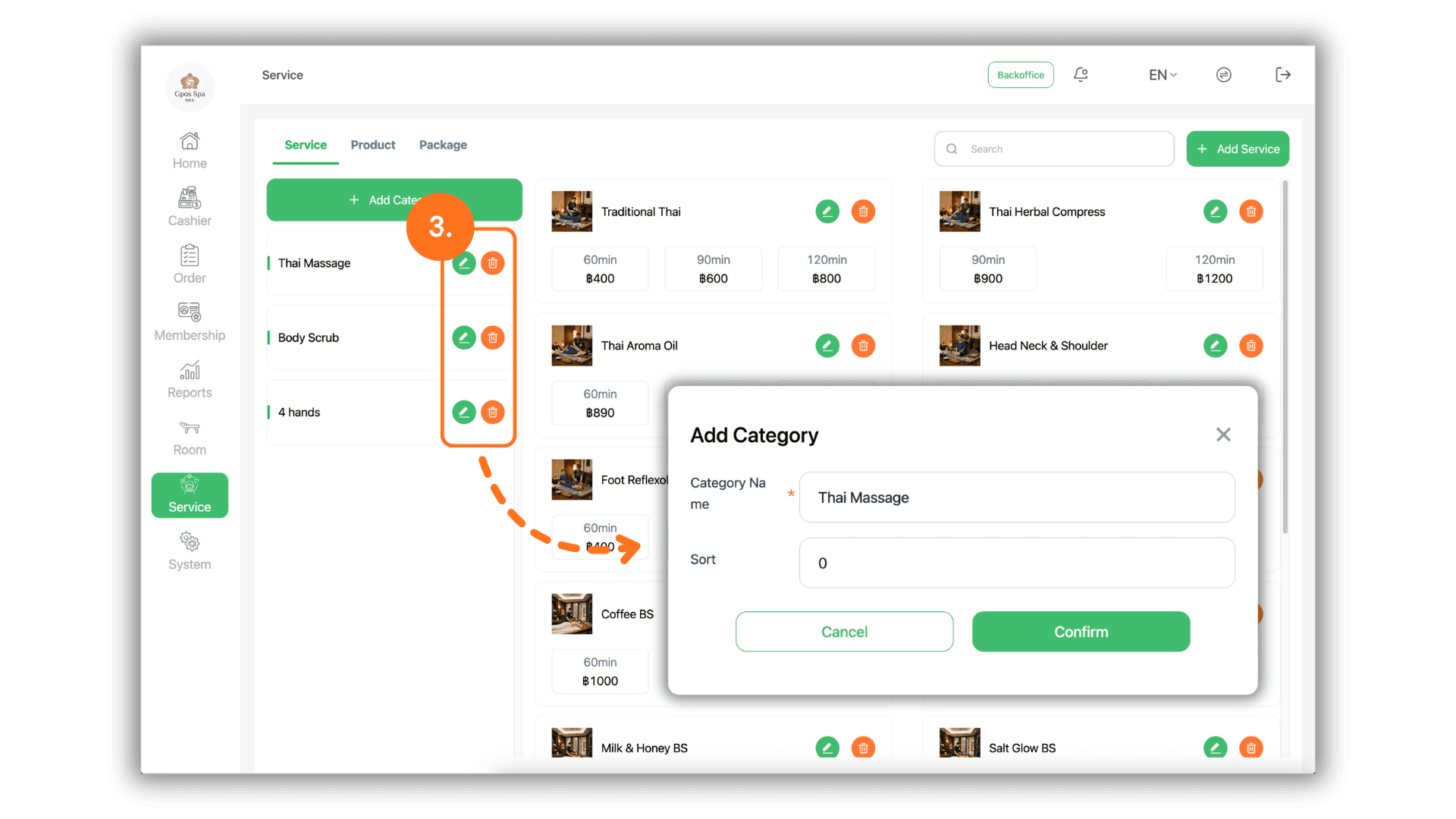
1.Select the Service Branch
- Begin by selecting the specific Store or Branch you wish to manage. This ensures that category updates are applied to the correct business location.
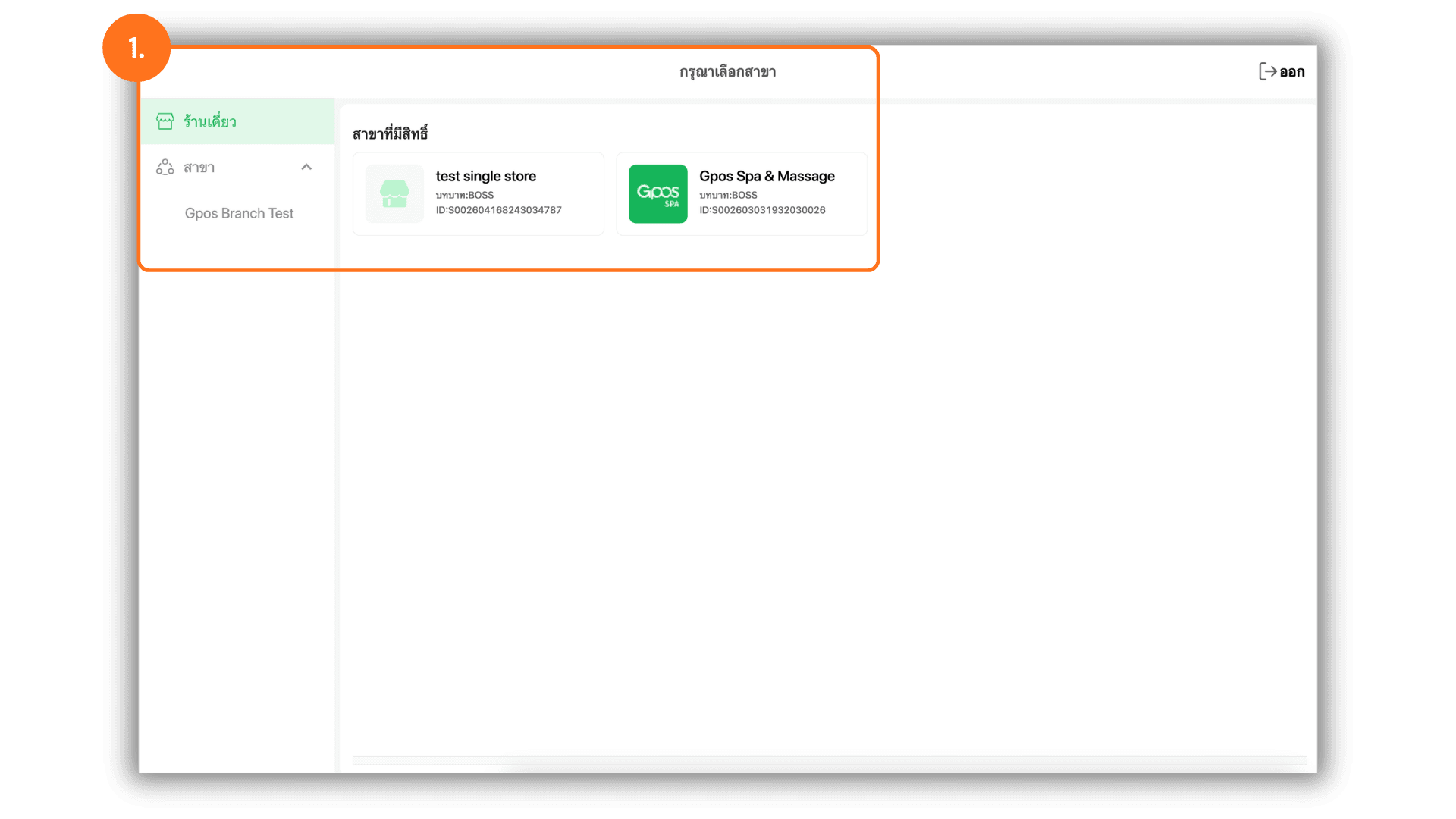
2.Access the Add Category Interface
- Navigate to the "Lists" menu and click the "+ Add Category" button to define a new grouping for your products or services.
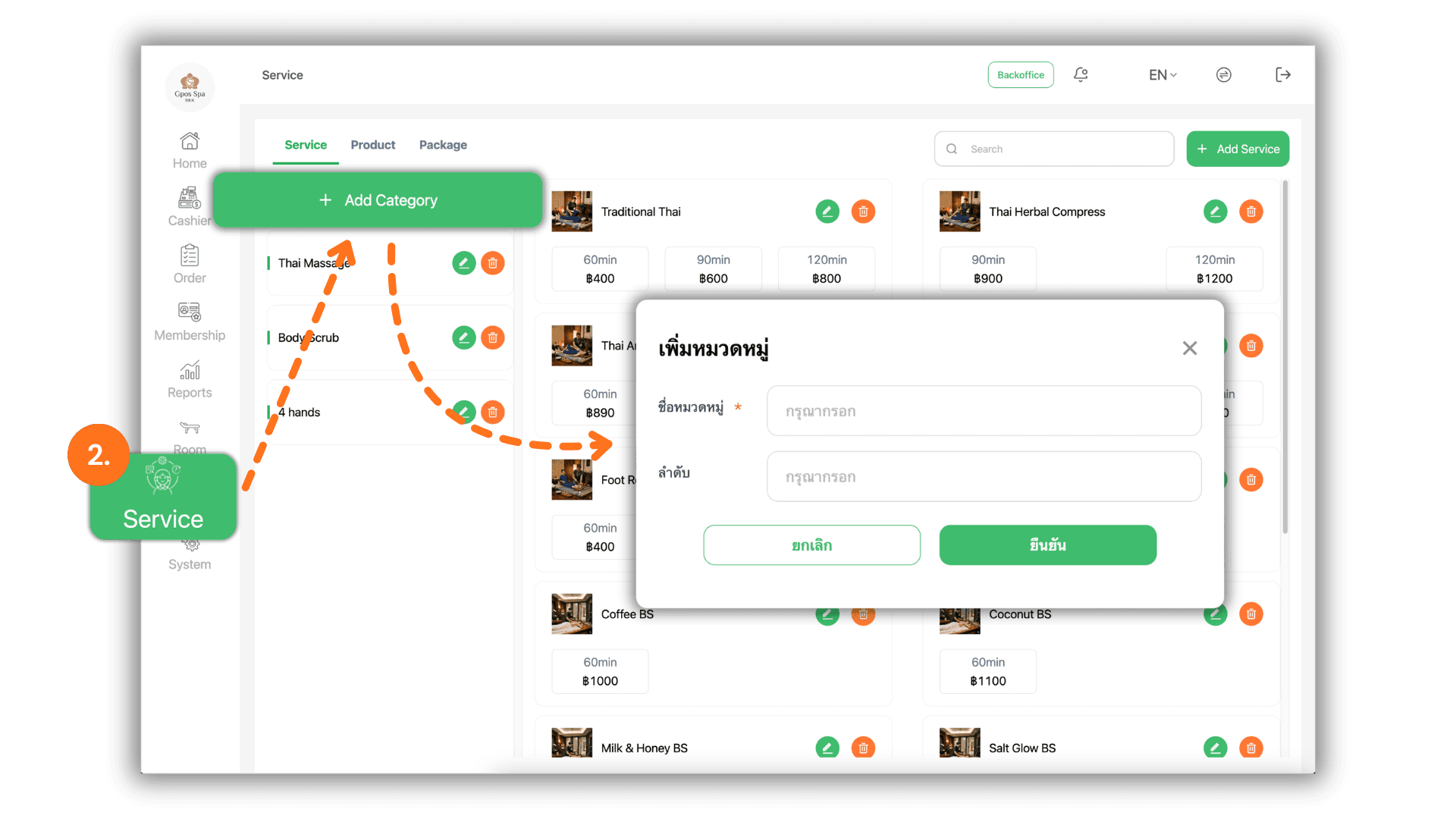
3.Edit or Remove Categories
- To manage existing categories, use the following controls :
- Edit : Click the "Edit" button (Pencil Icon) to rename or modify an existing category.
- Delete : Click the "Trash Can" icon to permanently remove a category that is no longer required in your system.