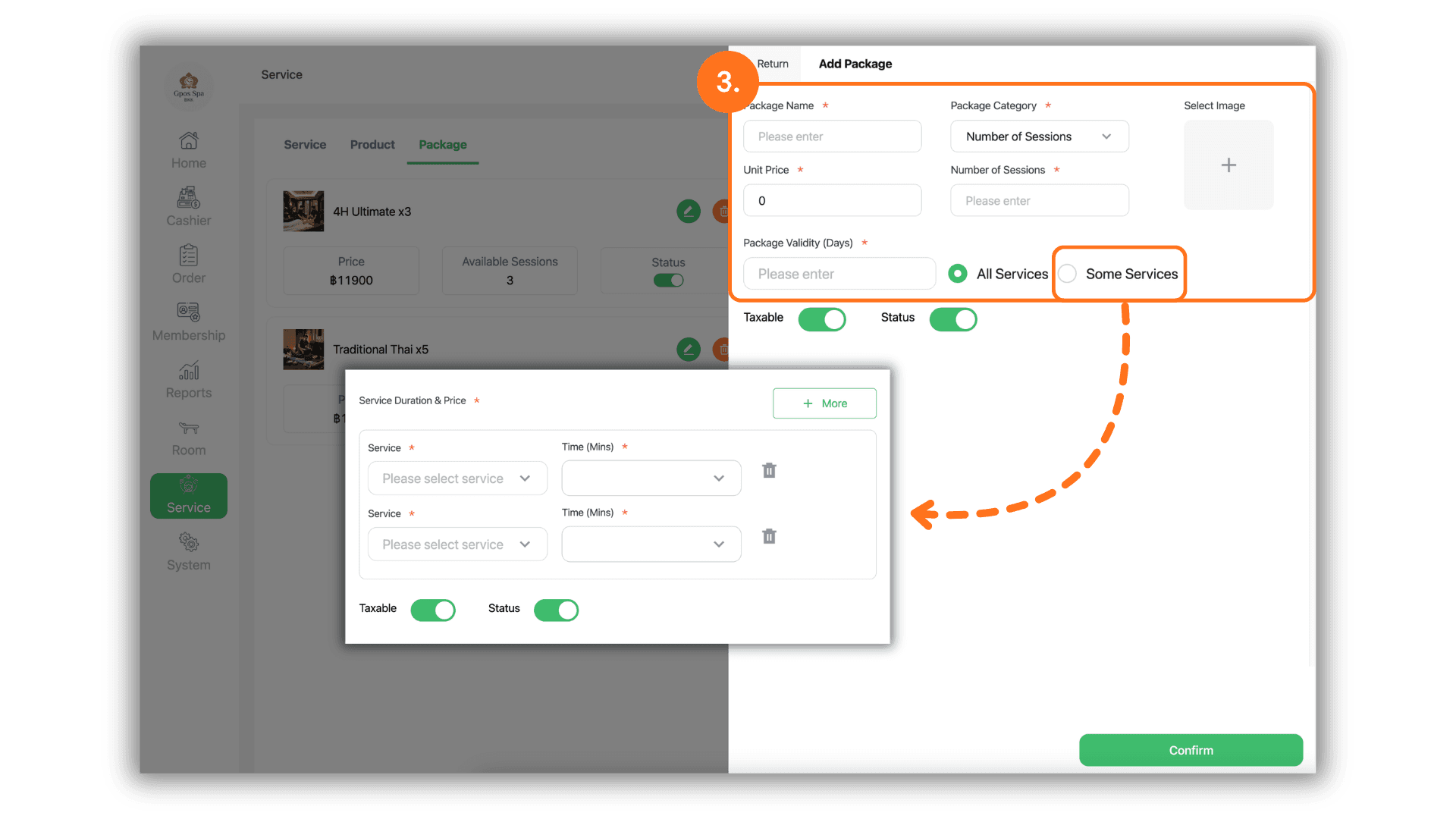
1.Select the Service Branch
- Begin by selecting the specific Store or Branch where you wish to create the package to ensure the data is saved and available for use in the correct location.
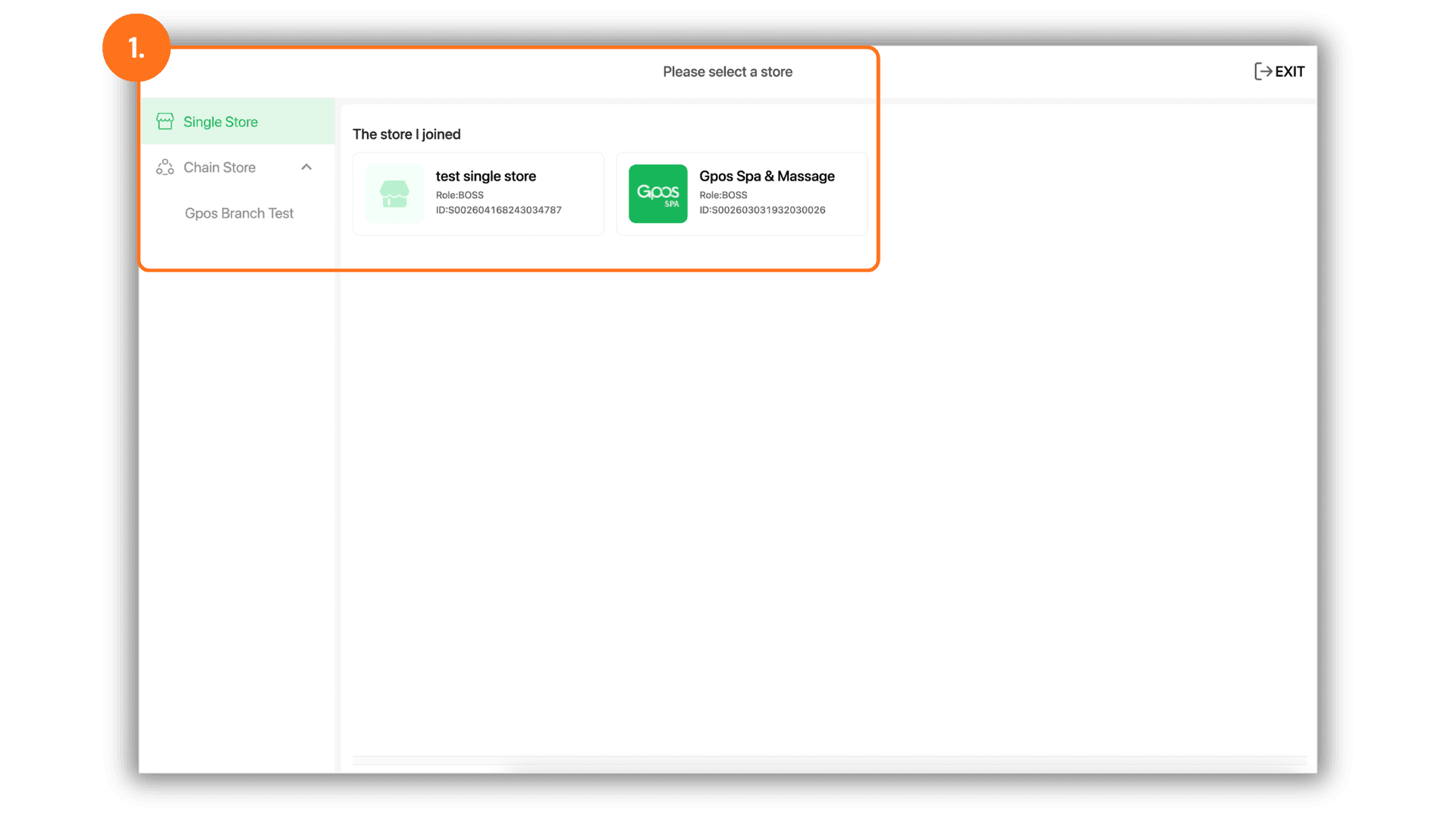
2.Access Package Management
- Navigate to the "Lists" menu, then select "Package." Click the "+ Add Package" button to start creating a new promotional offer for your customers.
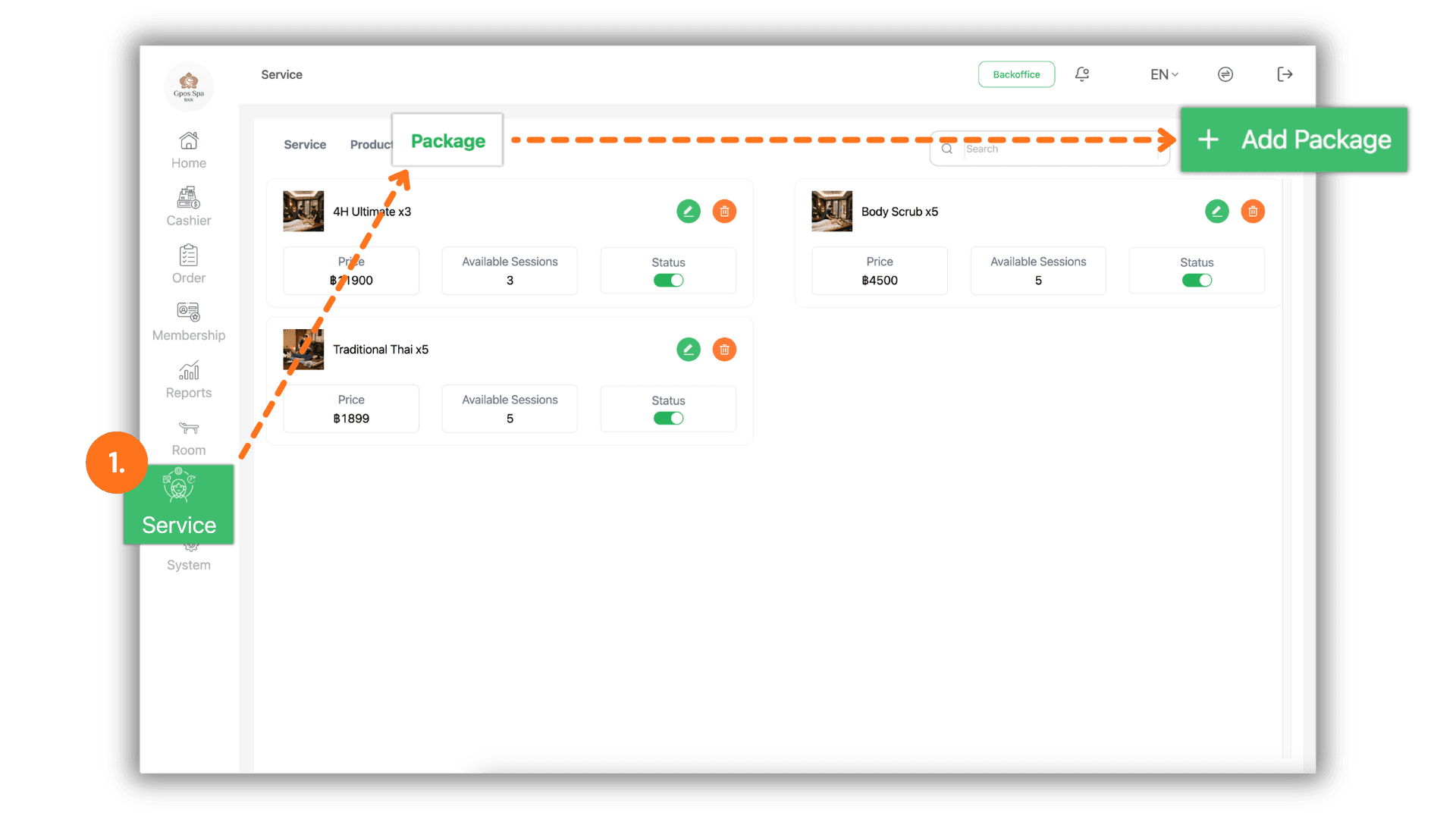
3.Configure Package Details and Conditions
- Enter the following information to define the package:
- General Info: Enter the Package Name and the Unit Price.
- Usage Terms: Specify the Usage Frequency (number of times it can be used) and the Expiration Period (number of days the package remains valid).
- Service Scope: Choose between "All Services" or "Some Services"
- If choosing Specific Services: Click the "+ More" button to select individual services and set specific time slots where the package is applicable.