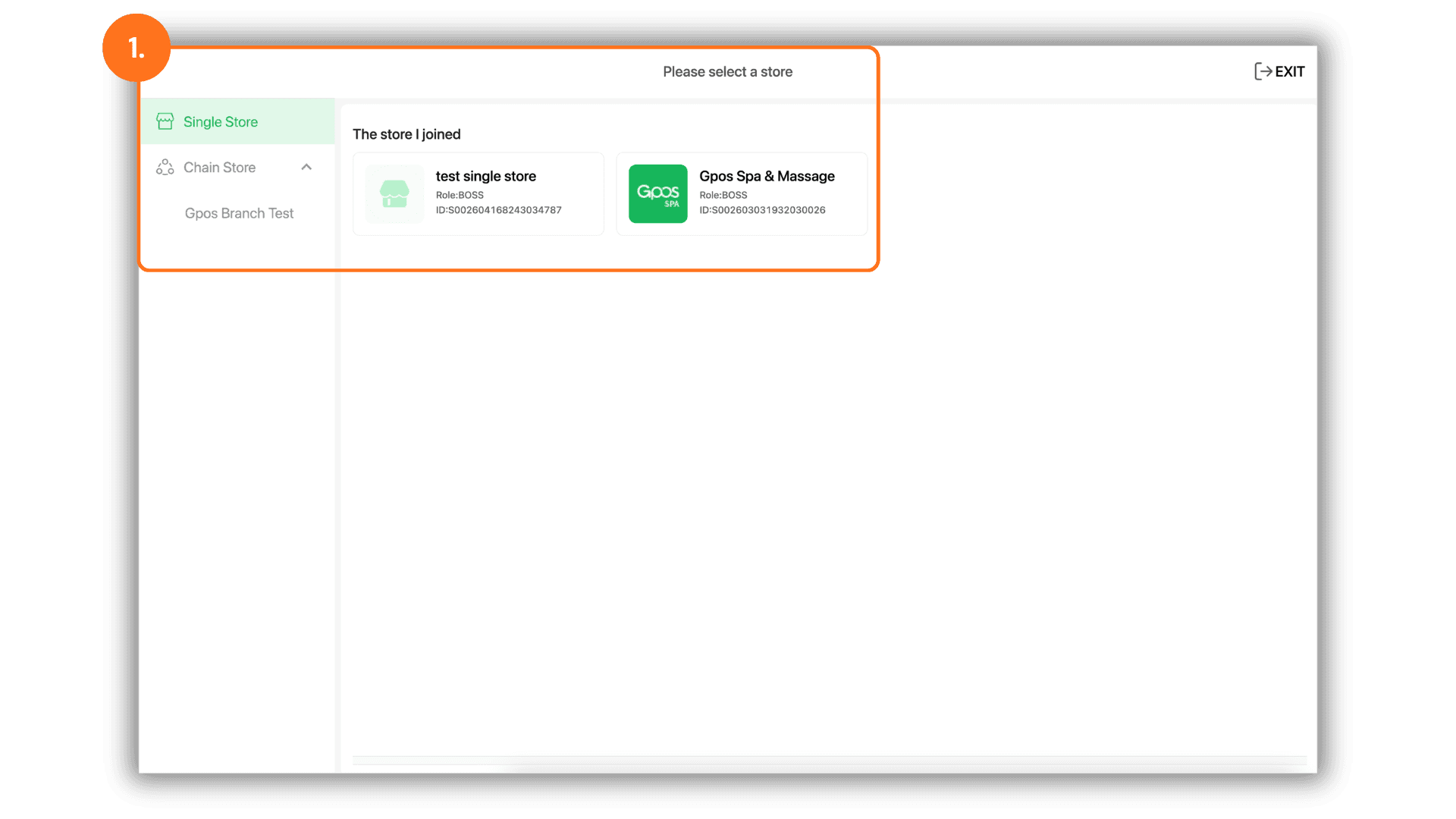
1.Select the Service Branch
- Start by selecting the specific Store or Branch you wish to manage to enter the administrative dashboard for that location.
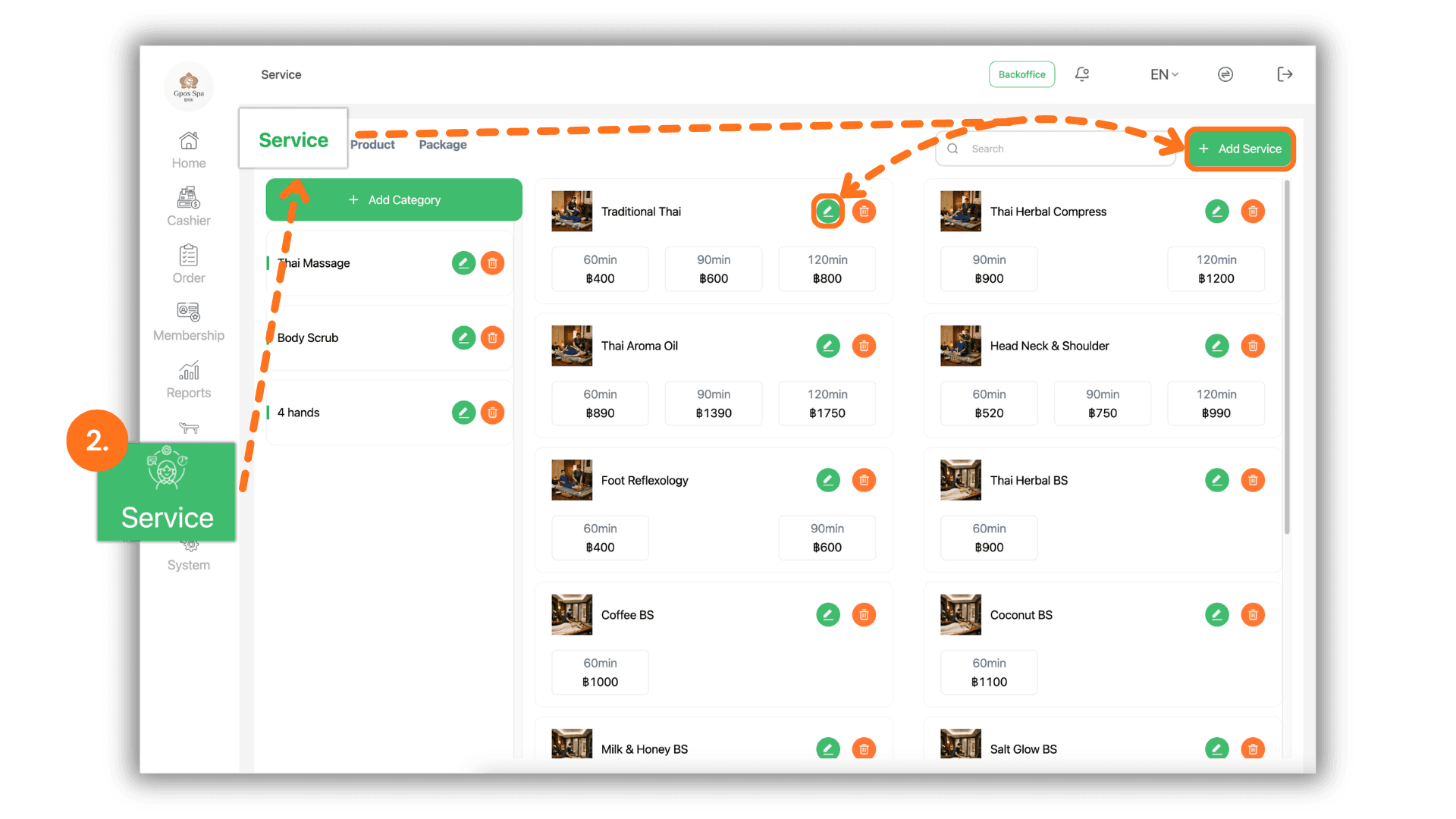
2.Access Service Management
- Navigate to the "Service." menu and select "Service." You can then create a new service entry or click the Pencil Icon on an existing service to modify its details.
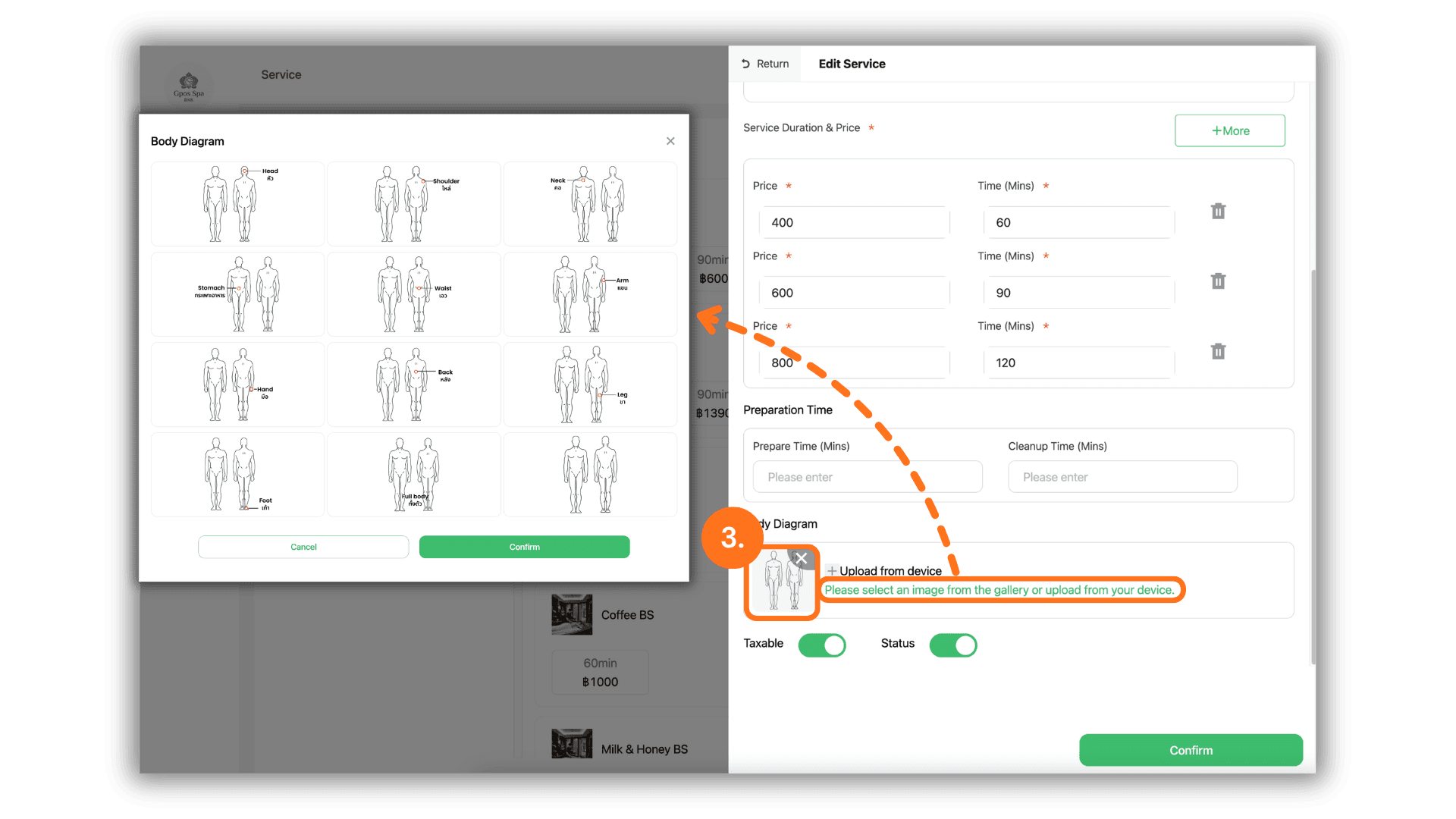
3.Upload or Select a Spa Card Image
- In the service editing interface, manage the visual display as follows:
- Click the "+" icon to upload a custom image directly from your store's files.
- Alternatively, click "Please select an image from the gallery or upload from device" to browse and select a professional spa card image from the system's built-in library.