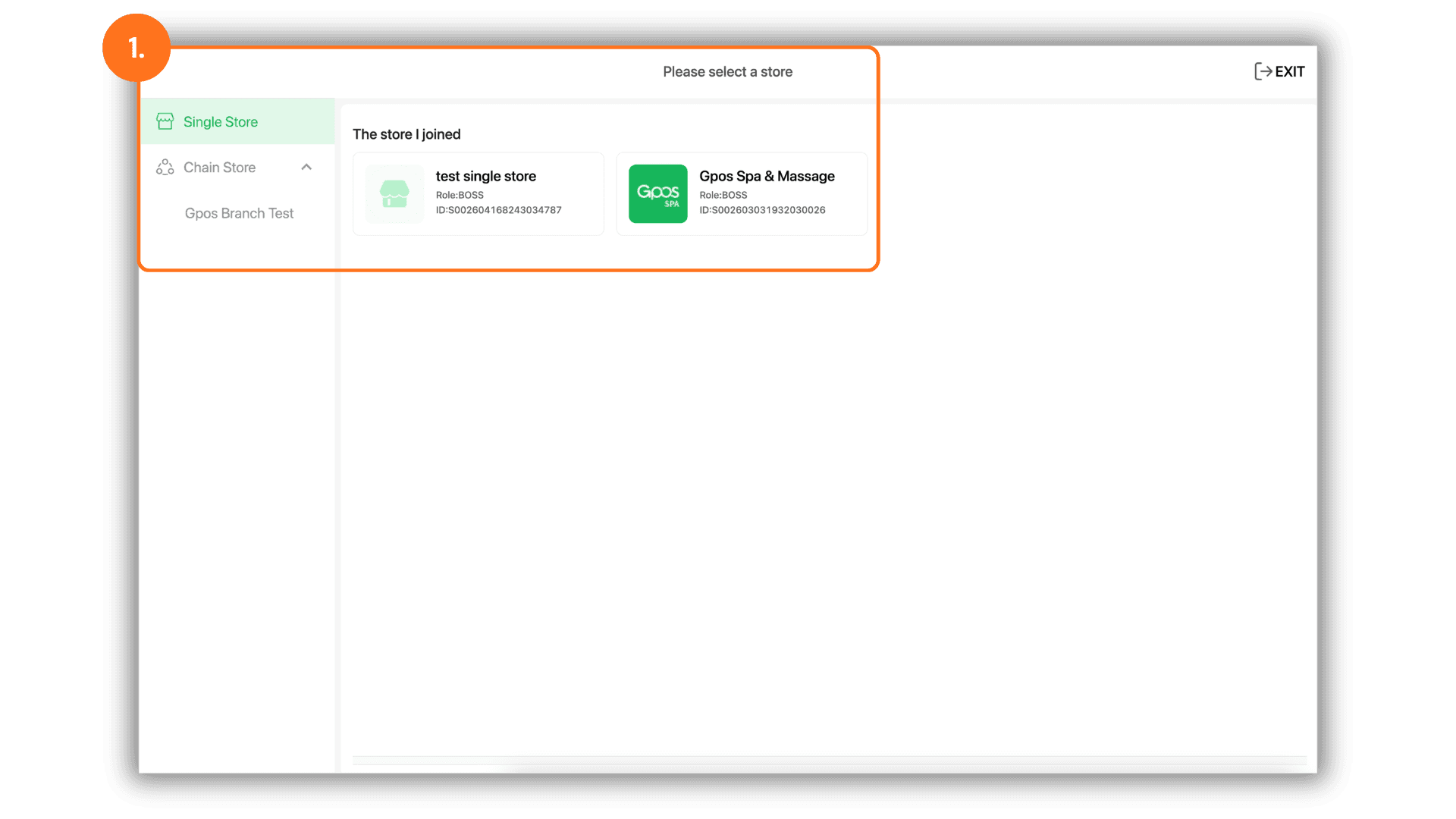
1.Select the Target Branch
- Begin by selecting the specific Store or Branch you wish to audit from the back-office dashboard. This ensures the report generated contains data exclusive to the selected location.
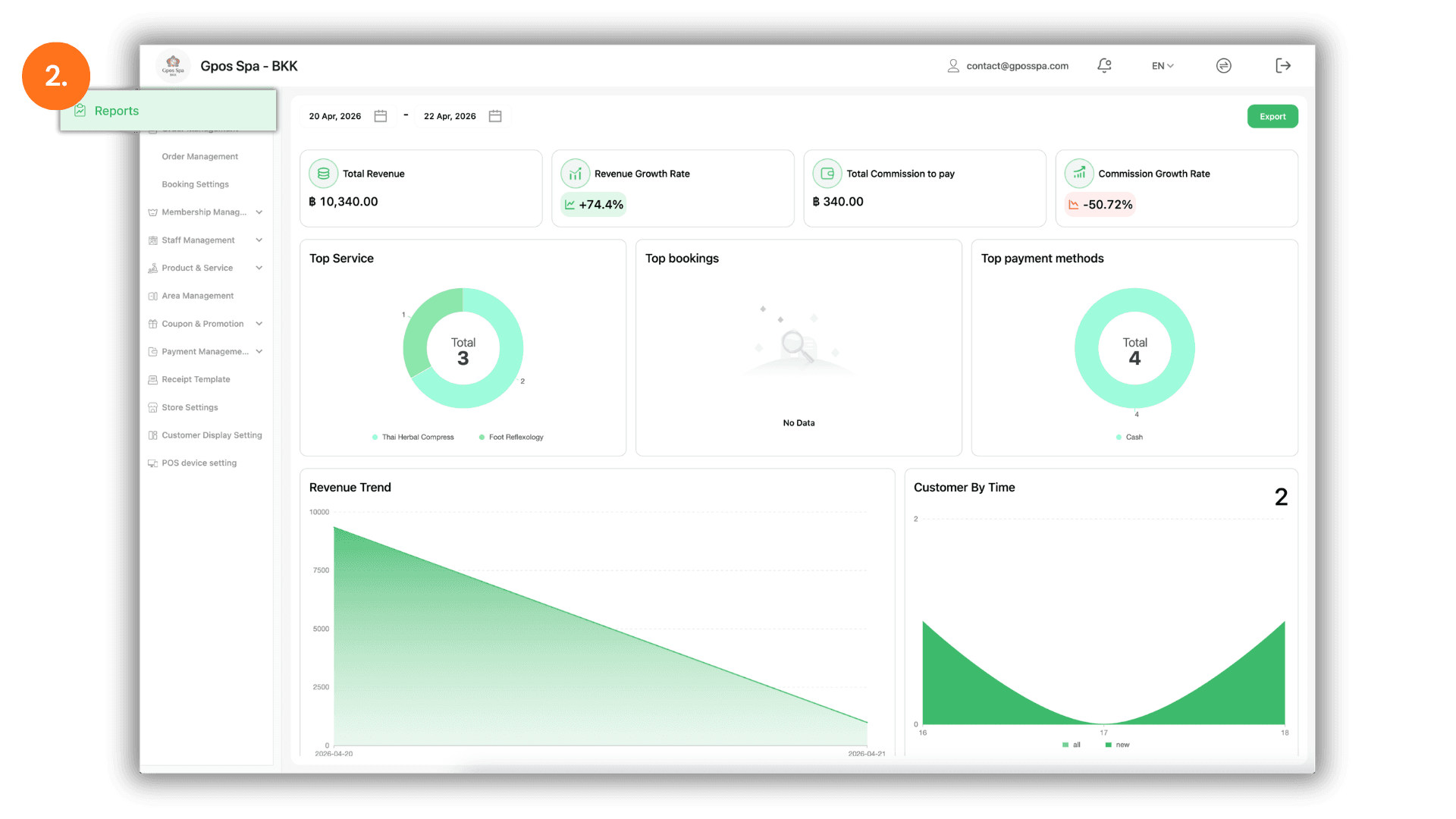
2.Access the Report Dashboard
- Navigate to the "Report" menu. This section provides a summarized view of your business metrics, allowing you to perform a preliminary check of your totals before exporting.
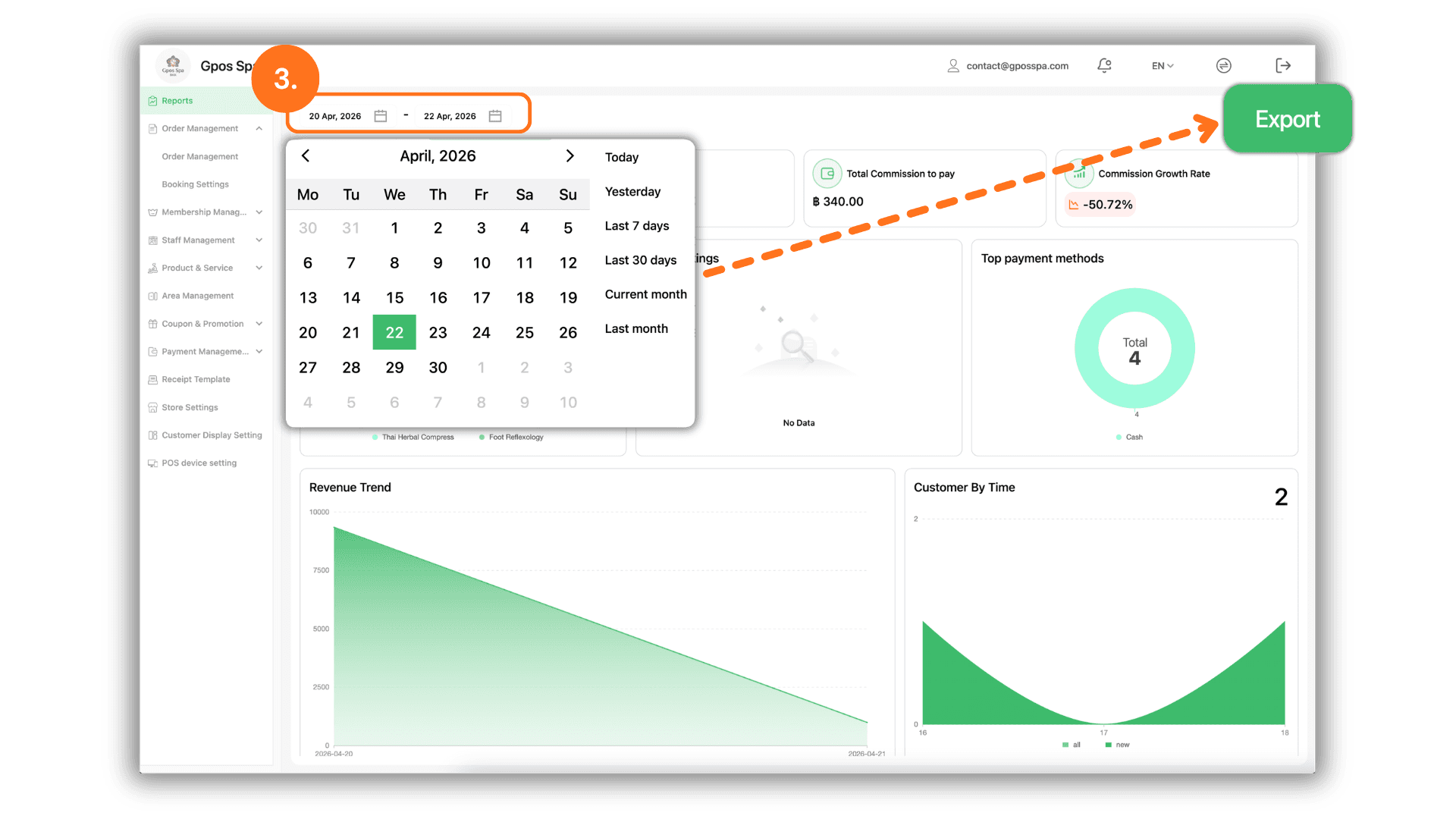
3.Filter Date Range and Download Excel
- Finalize your data retrieval by following these steps :
- Select Date: Click the calendar field to define the specific start and end dates for your report.
- Export to Excel: Once the dates are set, click the "Export" button to automatically process and download the comprehensive transaction report in Excel (.xlsx) format.