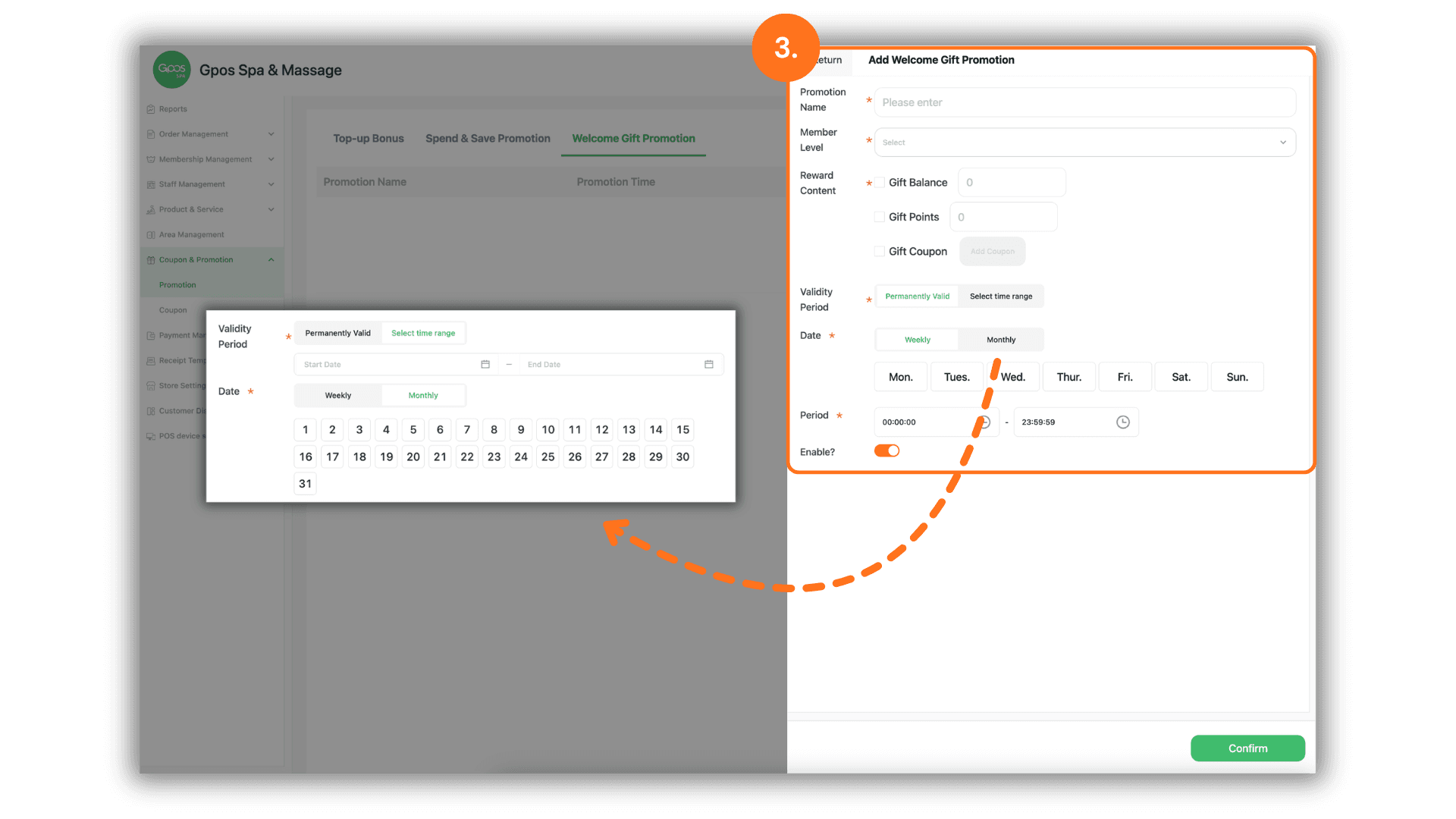
1. Access the Promotions Menu
- Instruction: From the sidebar menu, navigate to "Coupons & Promotions" and select the "Promotions" sub-menu to manage your active campaigns.
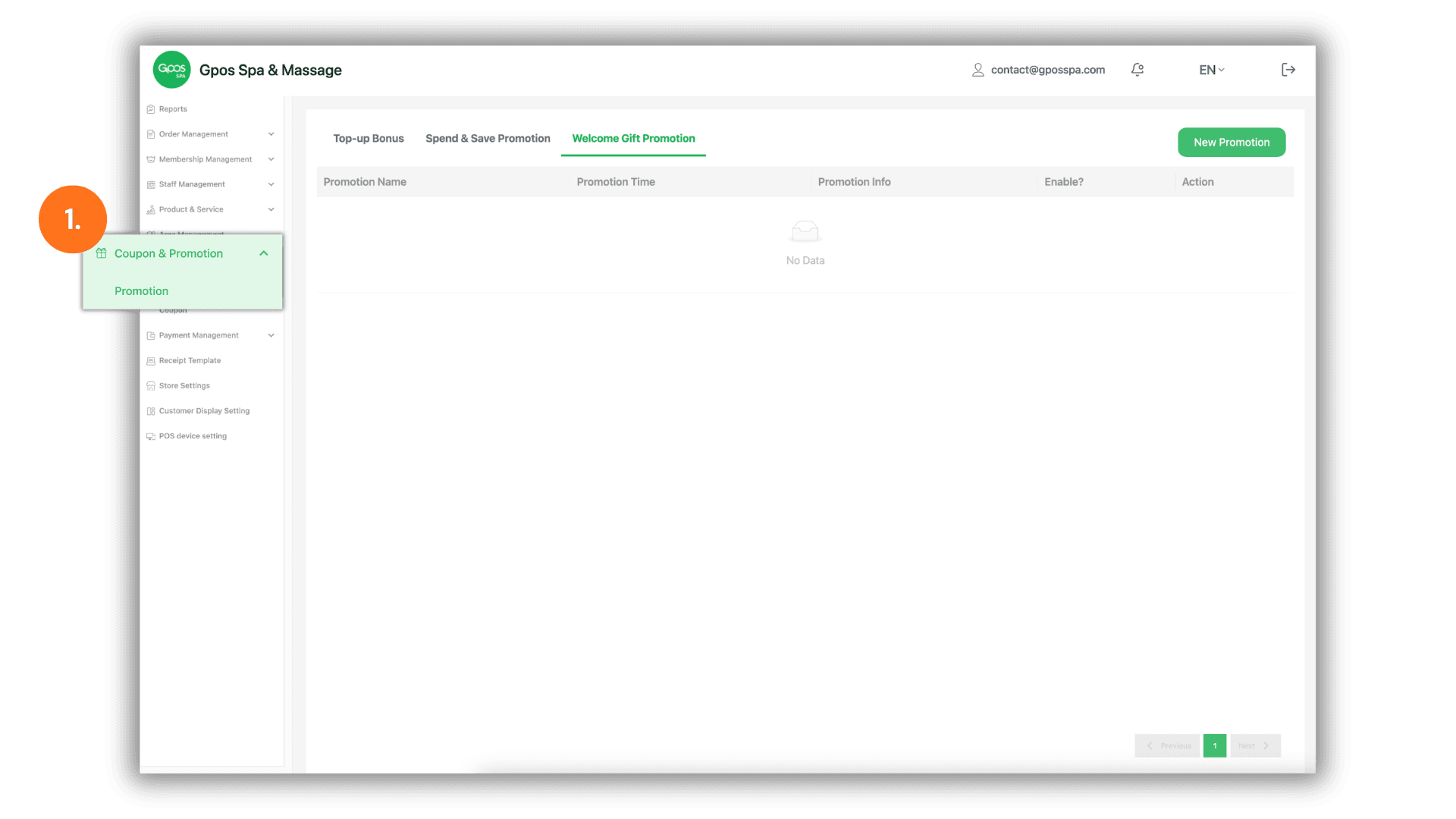
2. Create a New Welcome Campaign
- Instruction: Click on the "Welcome Gift Promotion" tab and then click the "New Promotion" button to start a new setup.
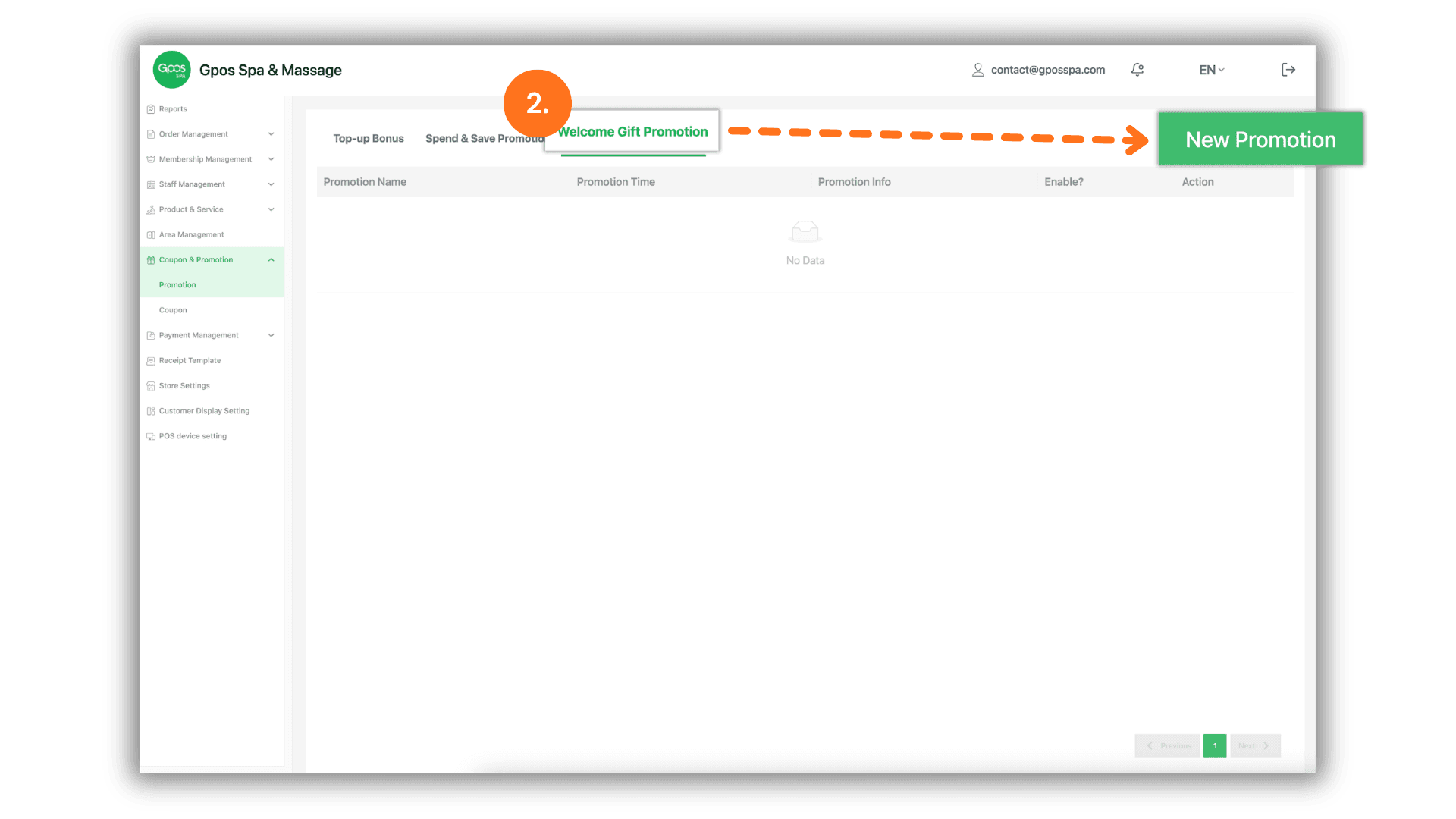
3. Configure Promotion Details & Rewards
Fill in the following fields to define your welcome package:
- Basic Campaign Information:
- Promotion Name: Enter a name for the campaign (e.g., "New Year Welcome Gift").
- Member Level: Select the specific membership tier(s) eligible for this promotion.
- Reward Content (Bonus Details):
- Gift Balance: Enter the amount of credit to be automatically added to the new member's digital wallet.
- Gift Points: Specify the number of loyalty points to be awarded upon registration.
- Gift Coupon: Select existing coupons from the system to be gifted as a welcome reward.
- Validity & Availability:
- Validity Period: Set an expiration date if the promotion is only available for a limited time.
- Date & Period Scheduling: Select the specific Dates and Time Periods (Time Slots) during which the promotion will be active and visible to new users.