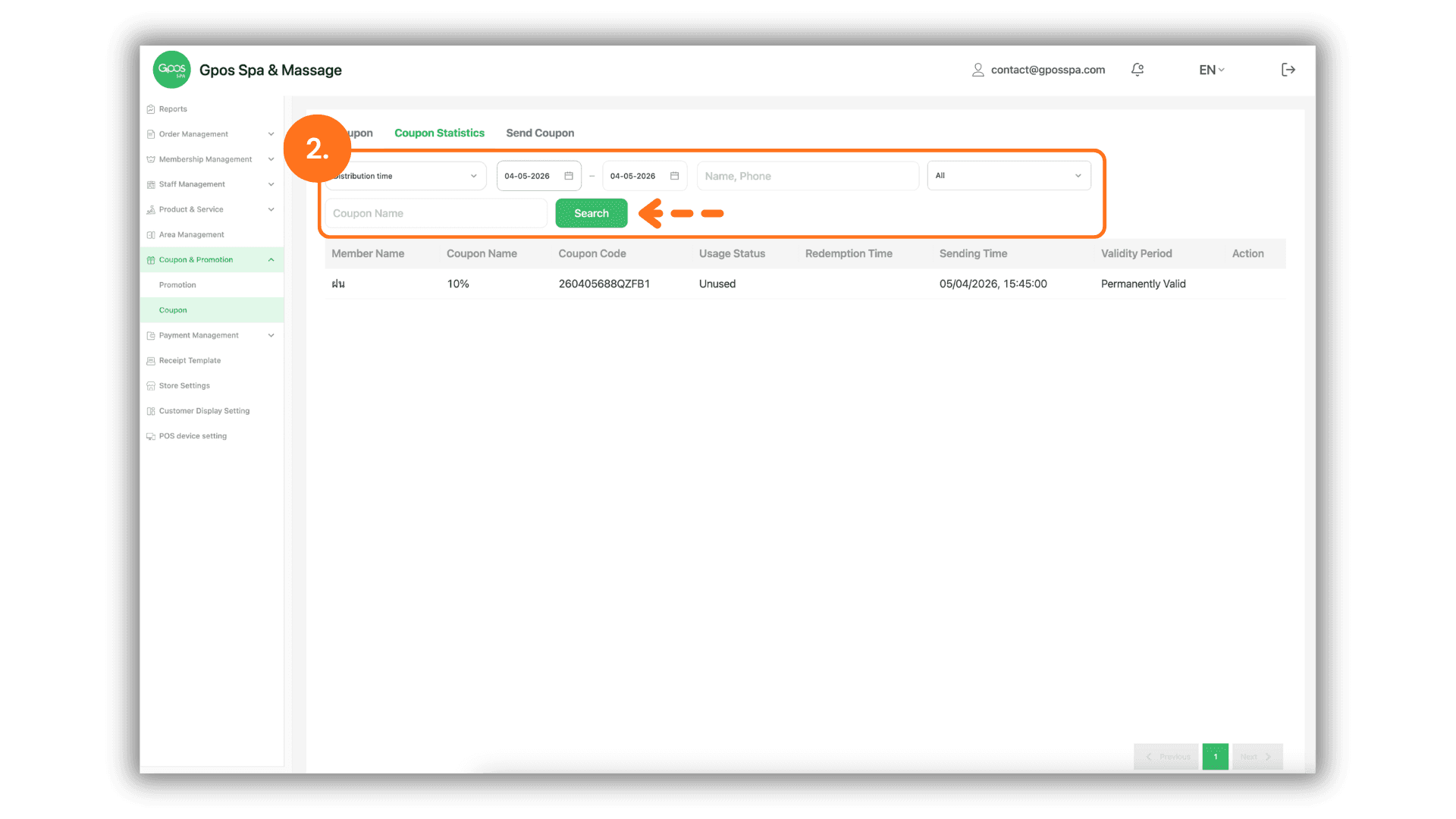
1. Access the Coupon Statistics Page
- Instruction: Click on the "Coupons & Promotions" menu on the left sidebar and select the "Coupons" sub-menu.
- Then, click the "Coupon Statistics" button located at the top right of the dashboard.
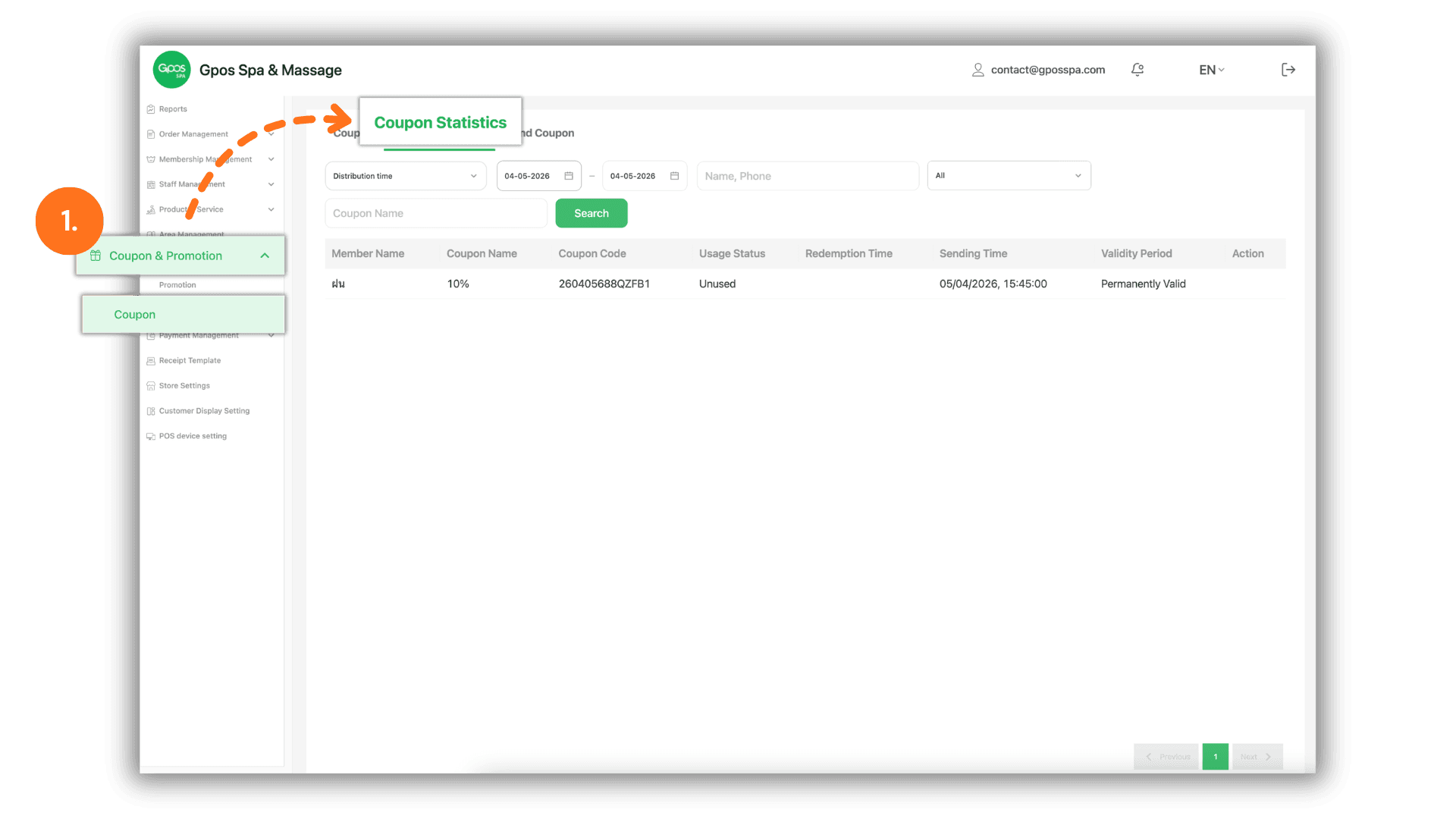
2. Search and Filter Usage Records
You can filter the data to find specific transaction records using the following criteria:
- Date Range: Select the specific Date or time period you wish to audit.
- Member Details: Enter the Member Name or Phone Number to track the usage history of a specific individual.
- Coupon Name: Search for a specific Coupon Name to see how many times that particular offer has been redeemed.
- Execute Search: Once the criteria are set, click the "Search" button to generate the list of relevant records.