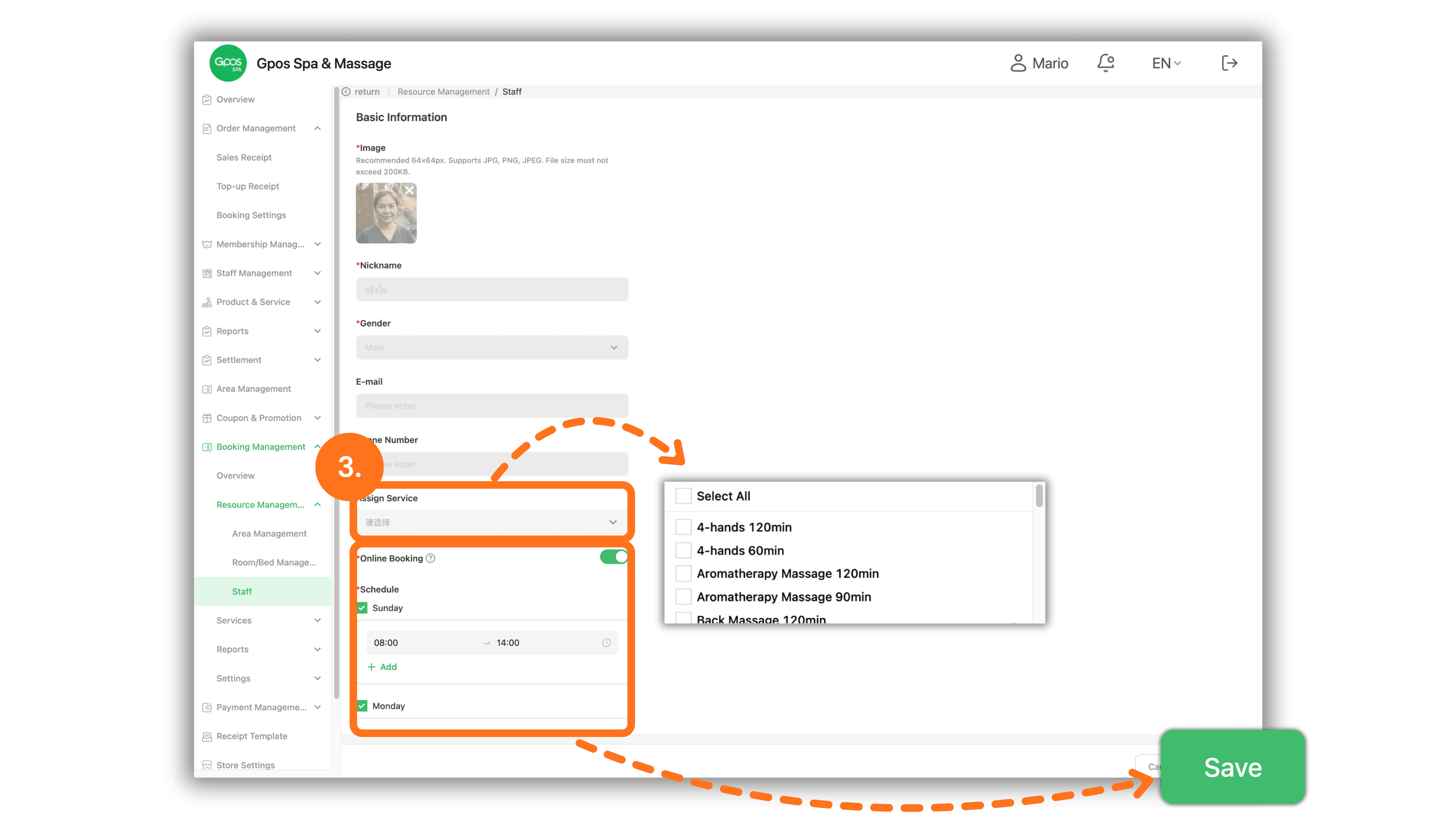
1. Select Branch Store to Access System
Start by selecting the desired branch store from the Please select a store page to enter the management dashboard.
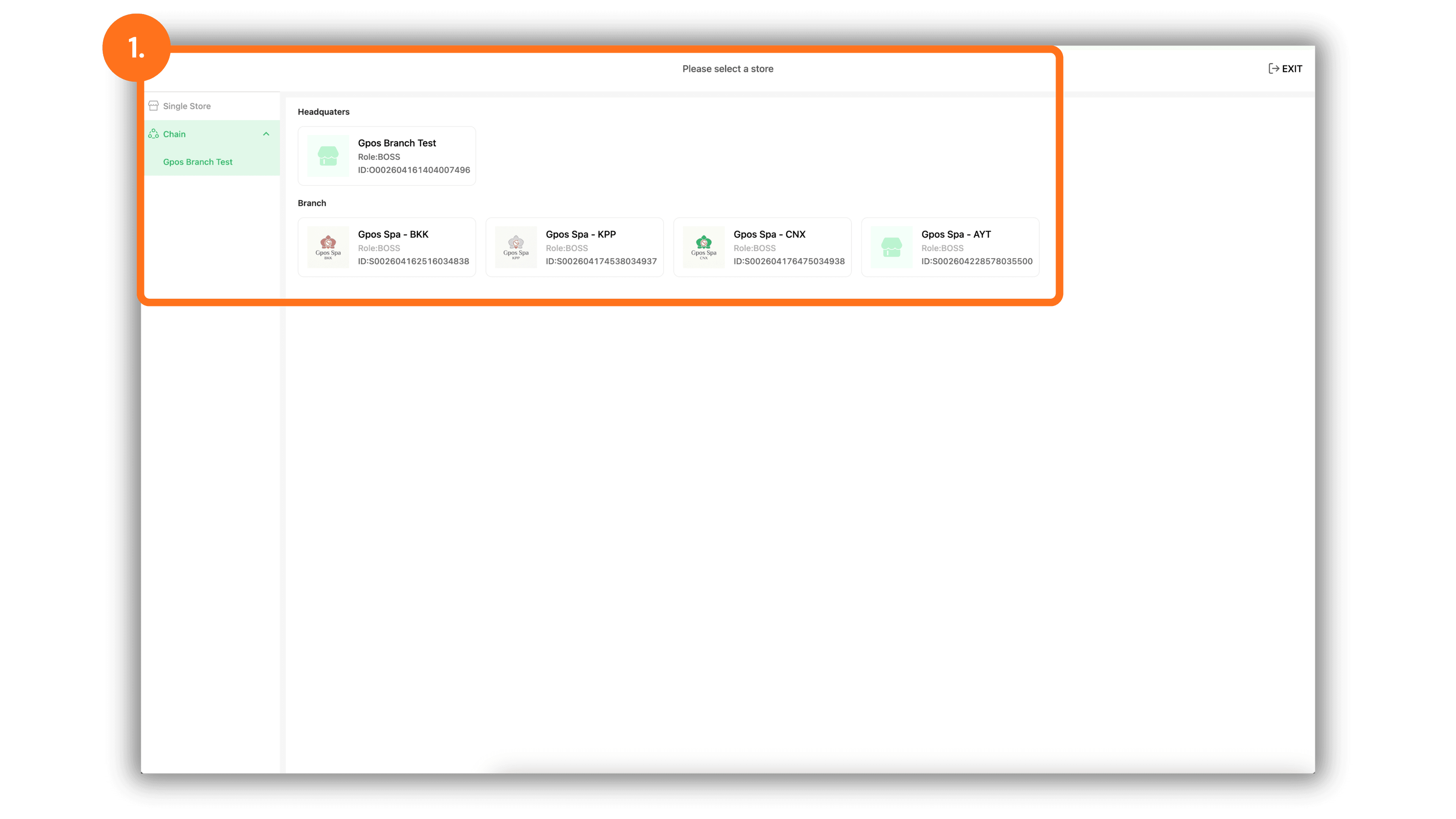
2. Access Staff Settings and Configure Initial Availability
In the left-hand menu, go to Booking Management > Resource Management > Staff to view the staff list:
- Online Booking Column: Toggle the switch ON or OFF to enable or disable direct online booking acceptance for specific staff members.
- Action Column: Click the Edit button to configure detailed working parameters for a staff member.
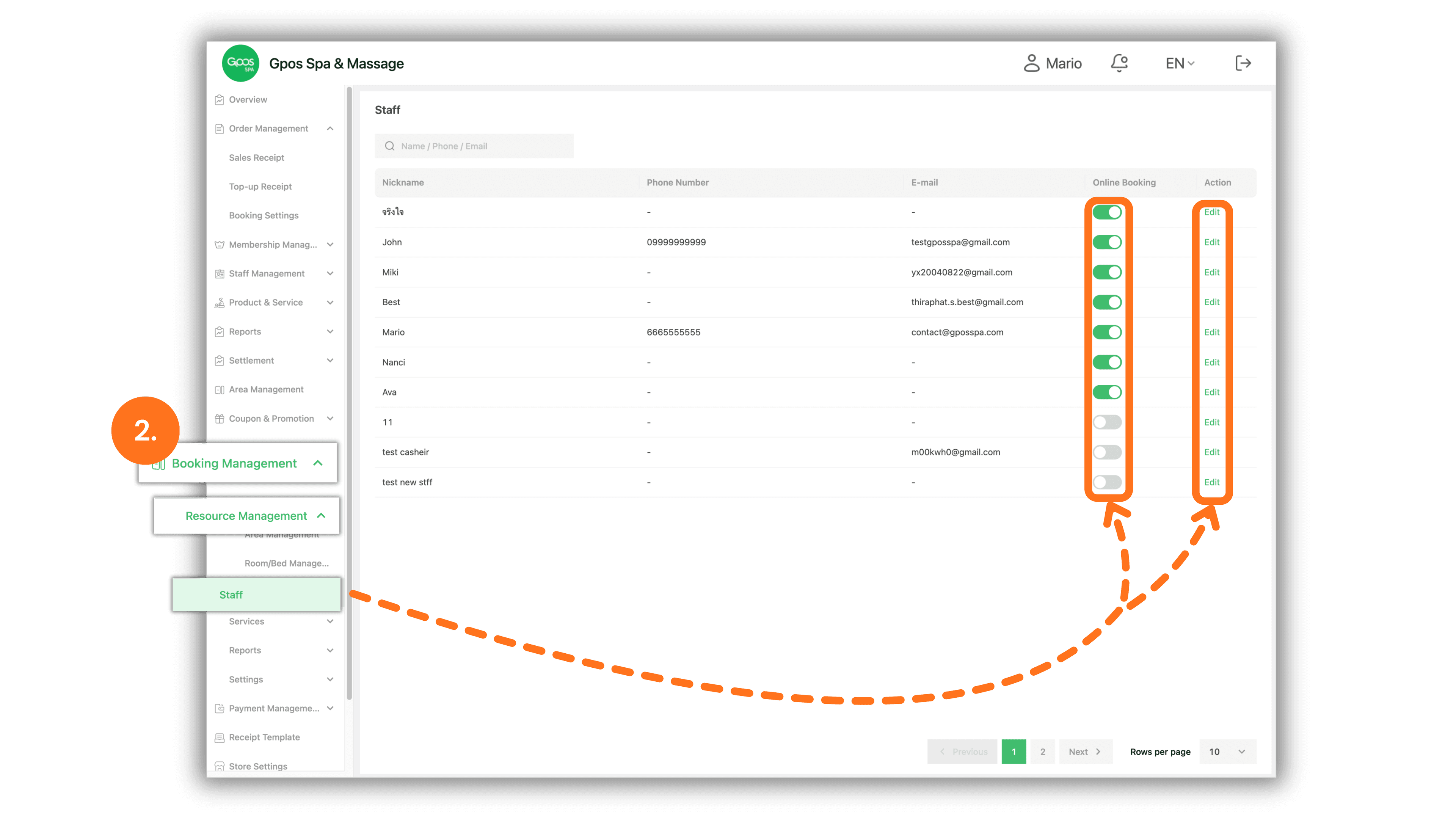
3. Assign Services, Set Online Booking Status, and Define Schedules
In the staff details edit page, adjust the following parameters:
- Assign Service: Click the dropdown to select specific services assigned to the staff member (e.g., 4-hands 120min, Aromatherapy Massage 120min).
- Online Booking: Turn the switch ON or OFF to set whether the staff member is active for online appointments.
- Schedule: Set individual working days and available service hours (e.g., Sunday 08:00 - 14:00).
- Click the green Save button at the bottom right to apply all changes.