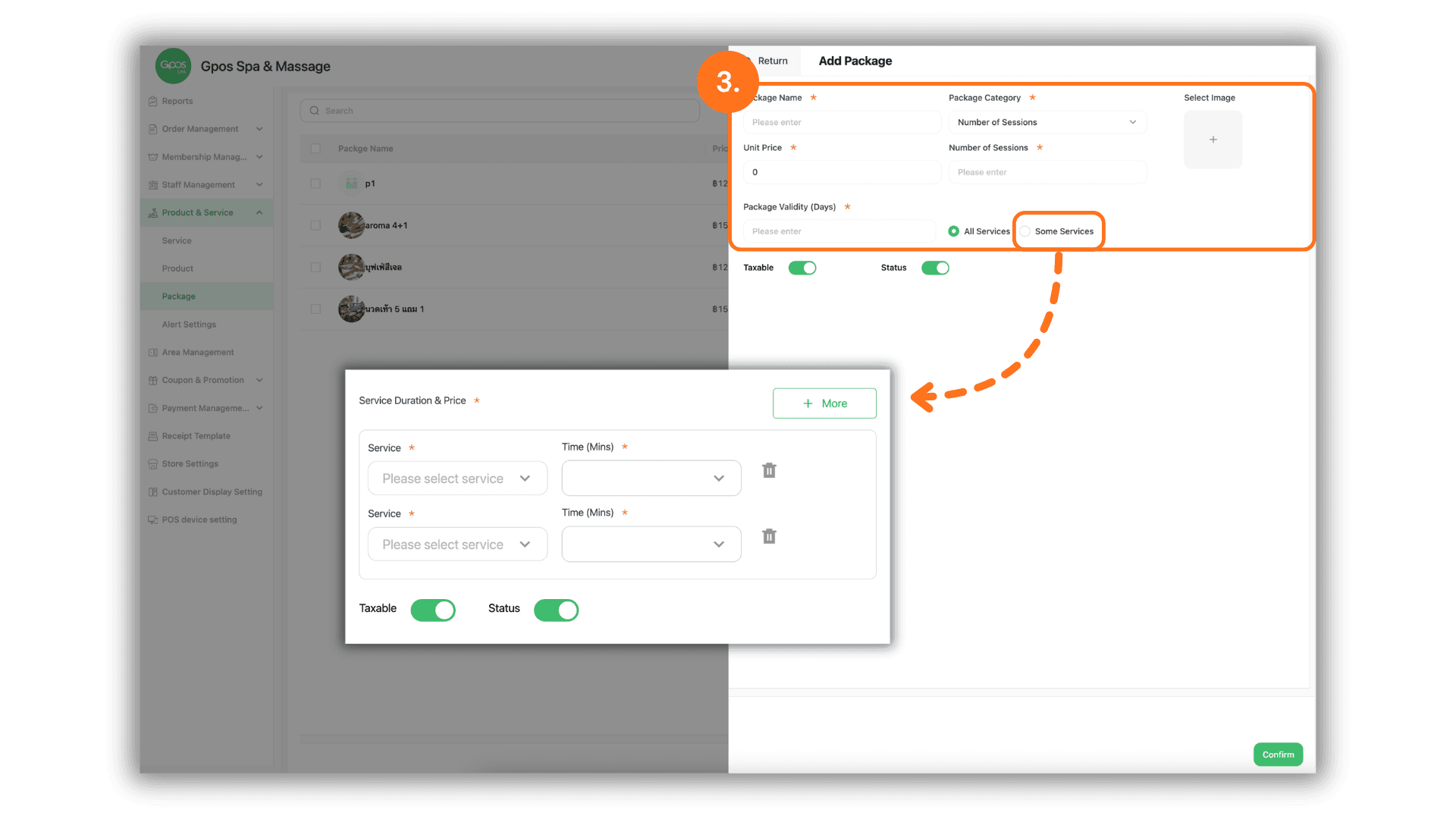
1.Select the Service Branch
- Begin by selecting the specific Store or Branch where you wish to create the package to ensure the settings are active in the correct location.
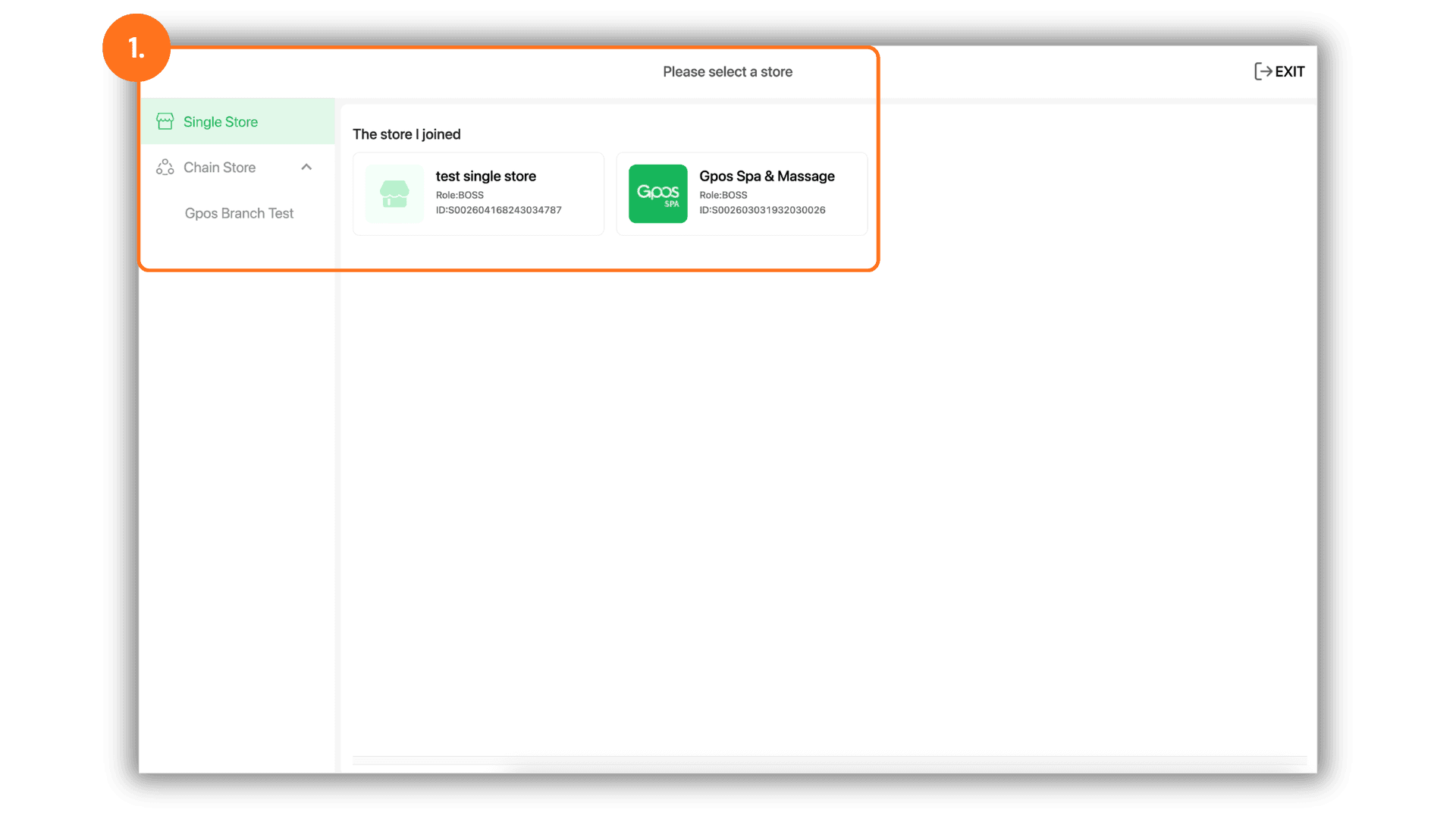
2.Access Package Settings via Products & Services
- Navigate to the "Products & Services" menu, then select "Package." Click the "+ Add Package" button to initiate the creation of a new service bundle.
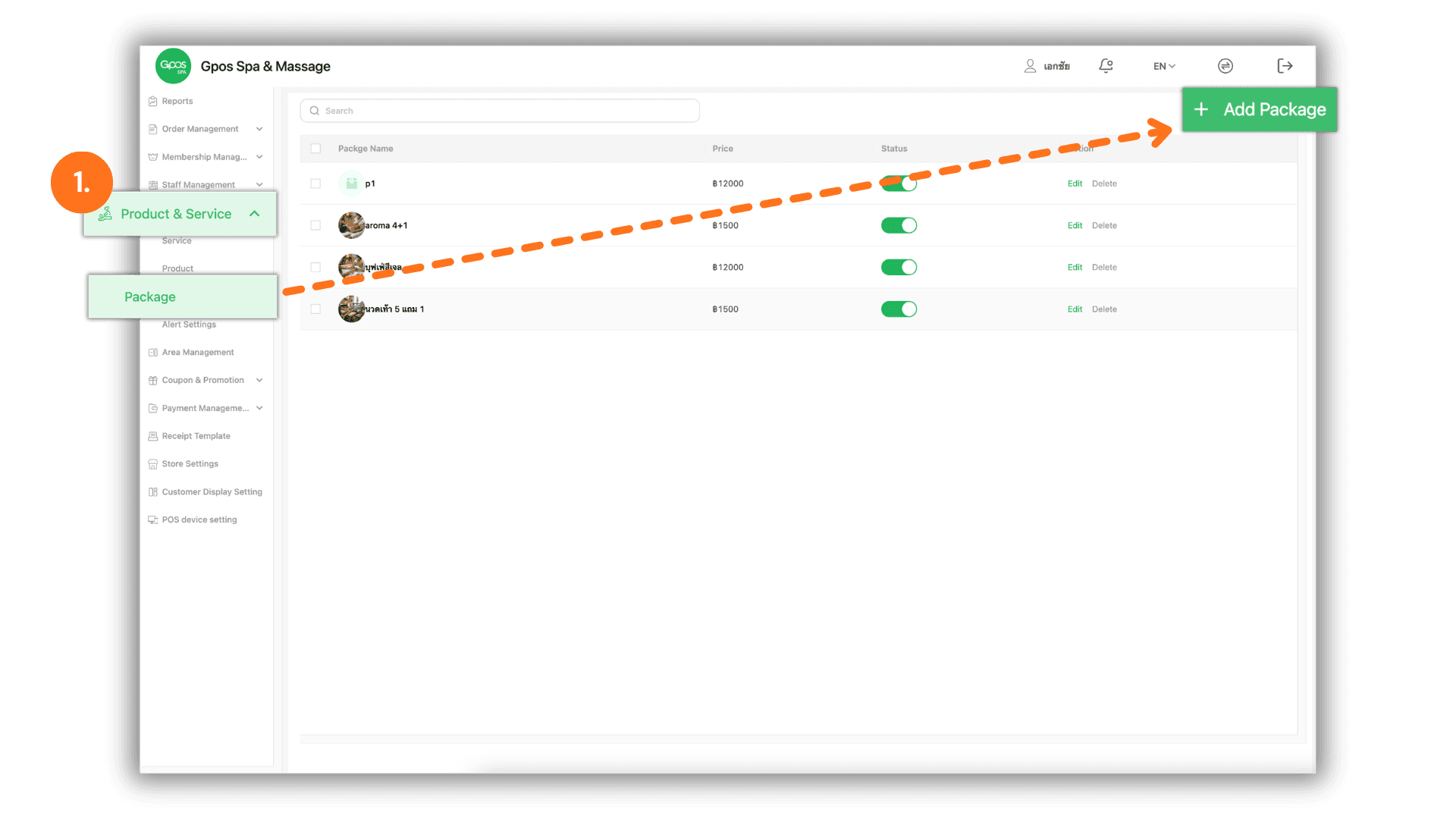
3.Define Package Data and Usage Terms
- Complete the package configuration with the following details:
- Package Identity: Enter the Package Name and the Unit Price.
- Validity Terms: Specify the Usage Frequency (total number of sessions) and the Expiration Period (number of days valid from purchase).
- Service Applicability: Choose between "All Services" or "Specific Services."
- For Specific Services: Click the "+ Add More" button to select the specific services and Time Slots where the package is eligible for use.