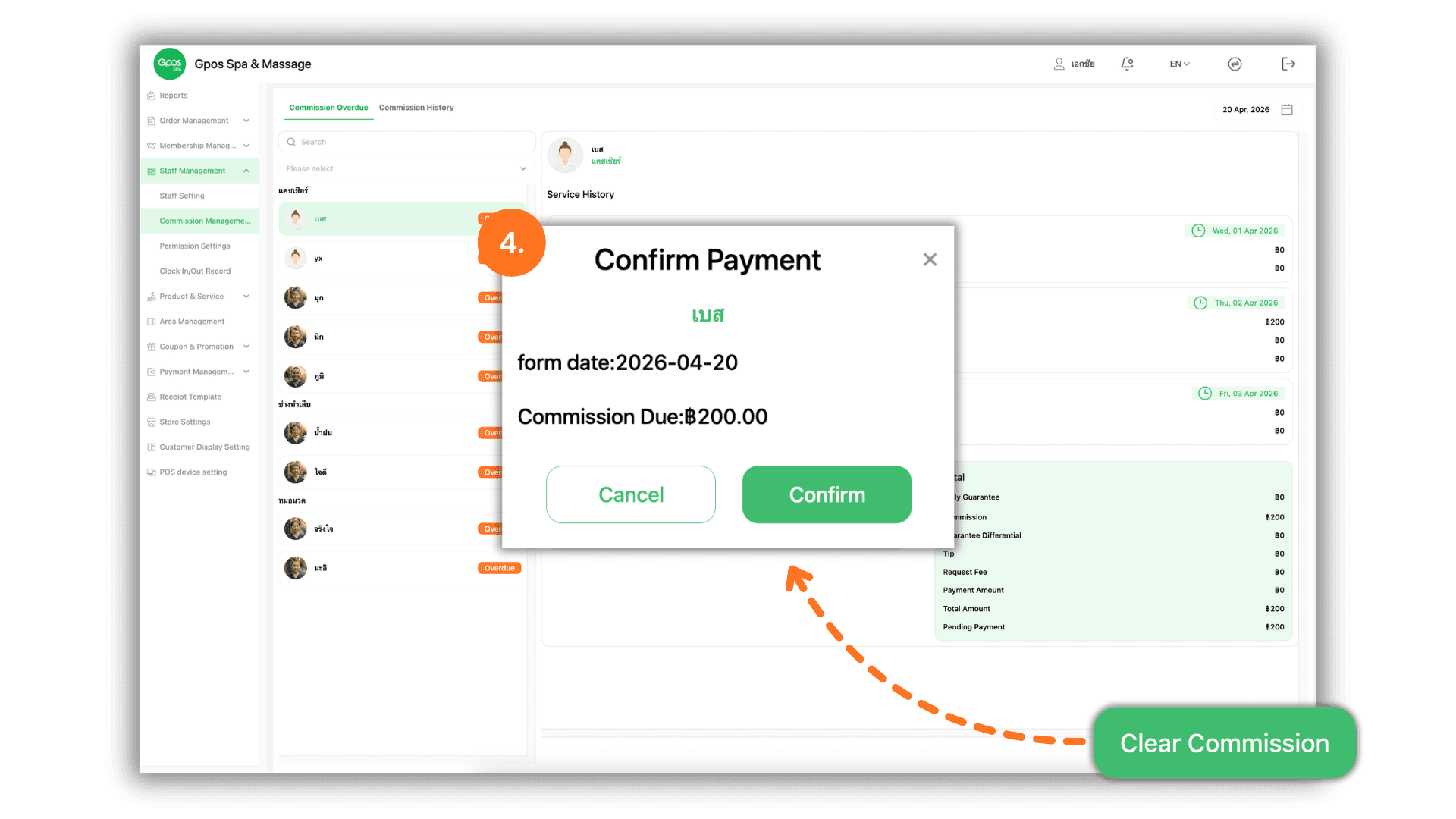
1.Select the Service Branch
- Begin by selecting the specific Store or Branch you wish to manage to ensure you are viewing the commission data for the correct location.
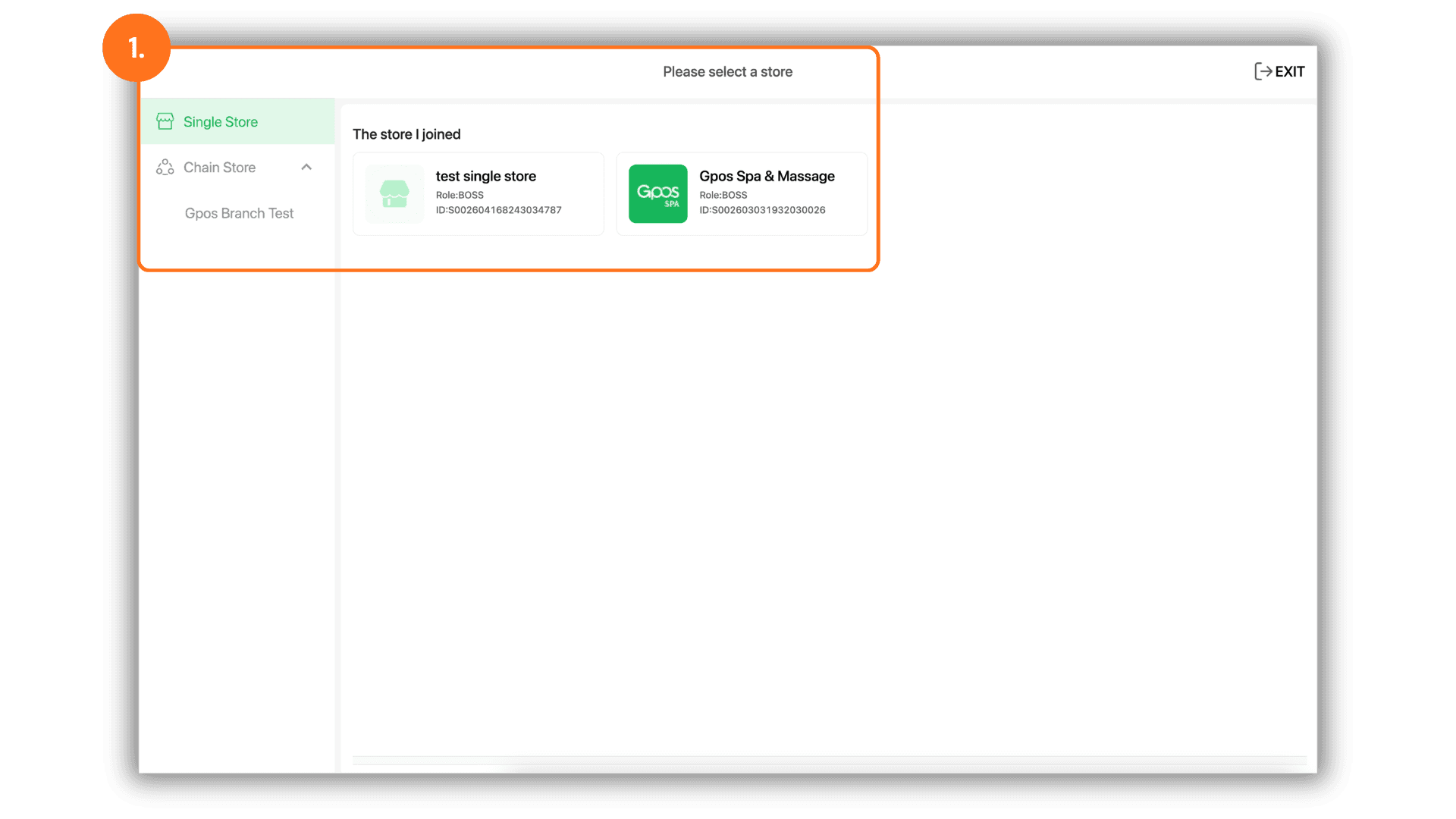
2.Navigate to Commission Management
- Go to the "Staff Management" menu, select "Commission Management," and then click on the Employee Name whose commission you wish to review.
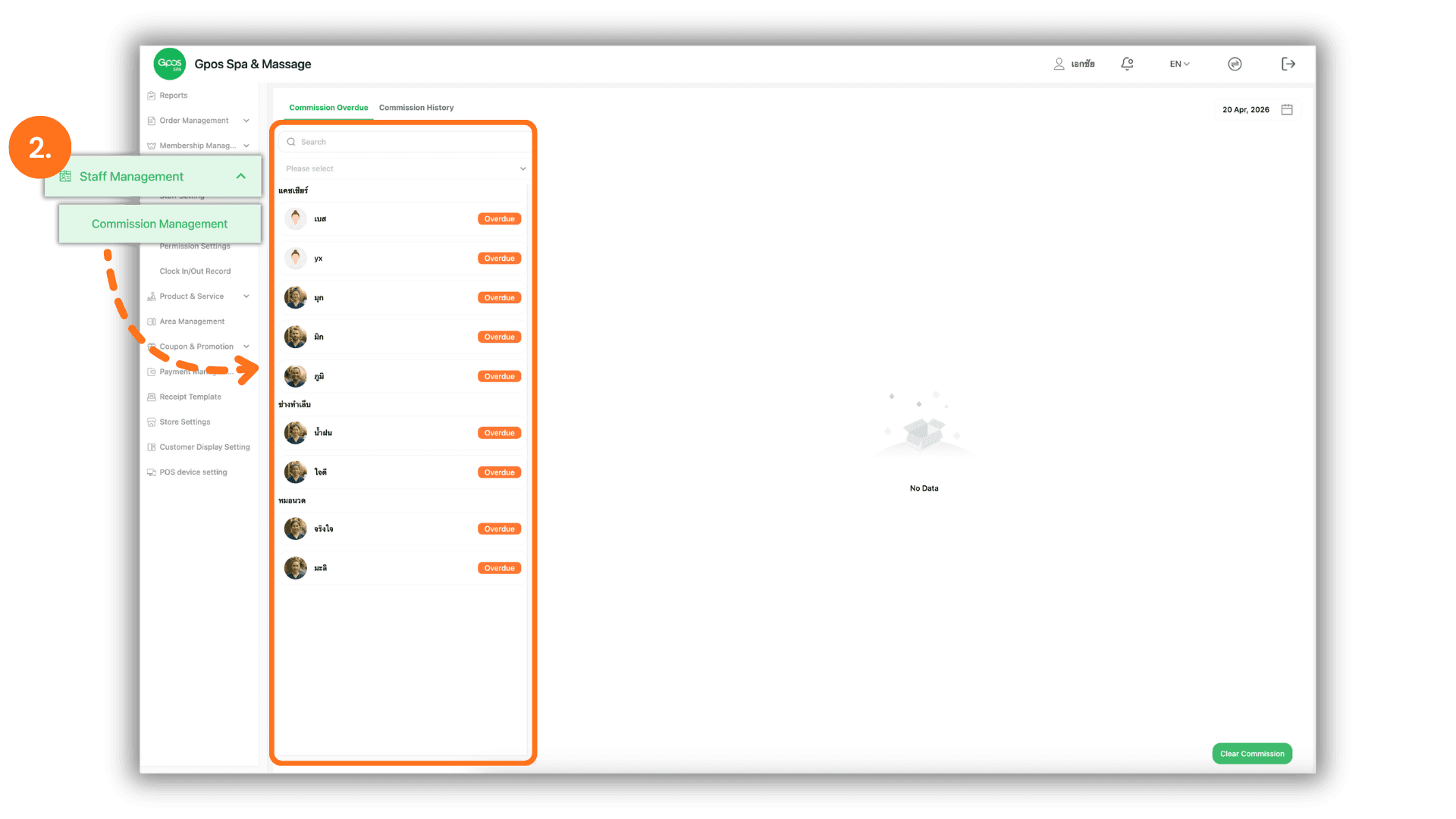
3.Review Outstanding Commission
- The system will display a detailed breakdown of all earned incentives. You can now verify the total Pending Commission amount owed to the selected staff member.
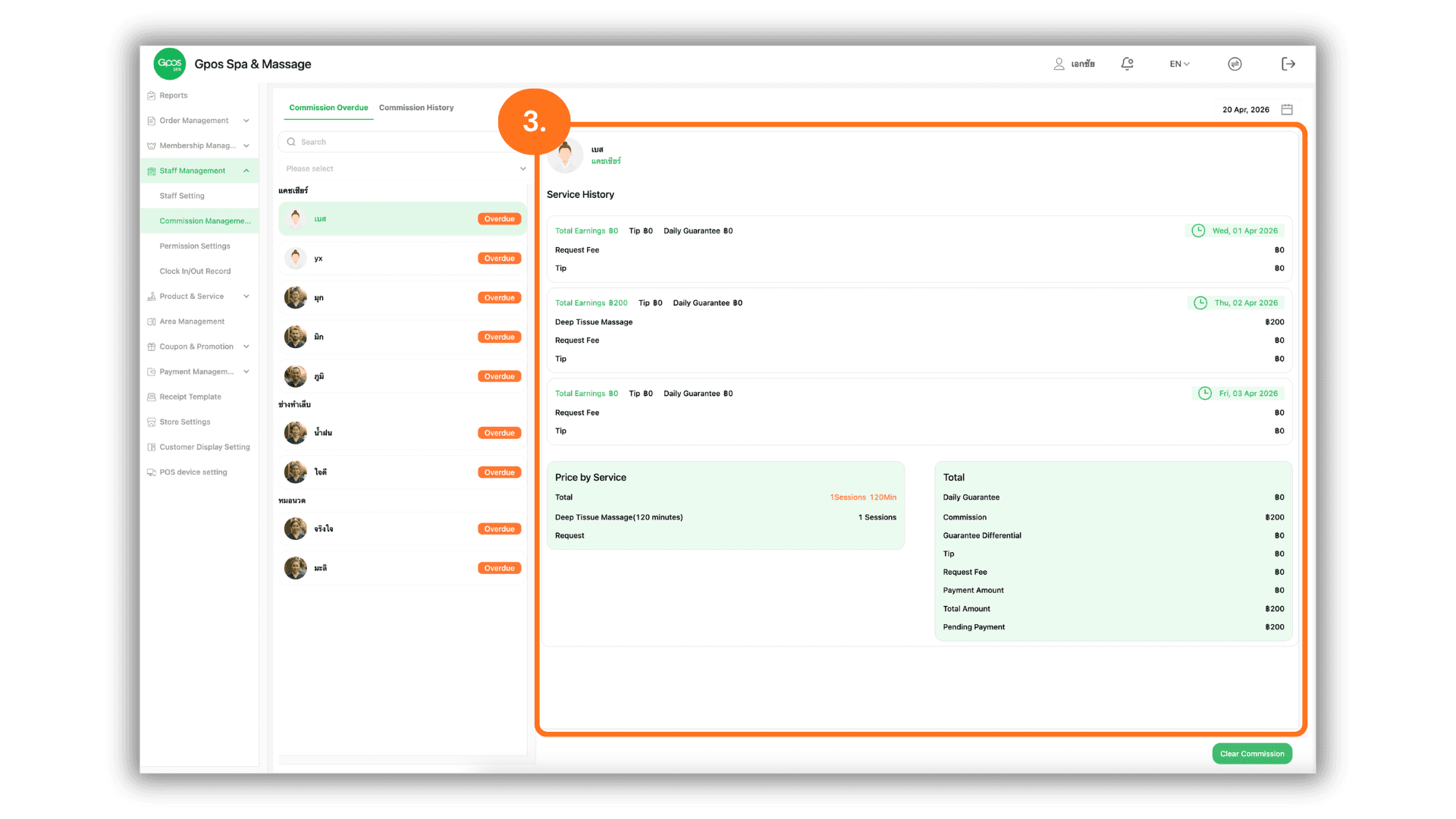
4.Execute Payout and Clear Balance
- To finalize the payment, click the "Clear Commission" button. A confirmation window will appear; click "Confirm" to record the payout and reset the pending balance to zero.