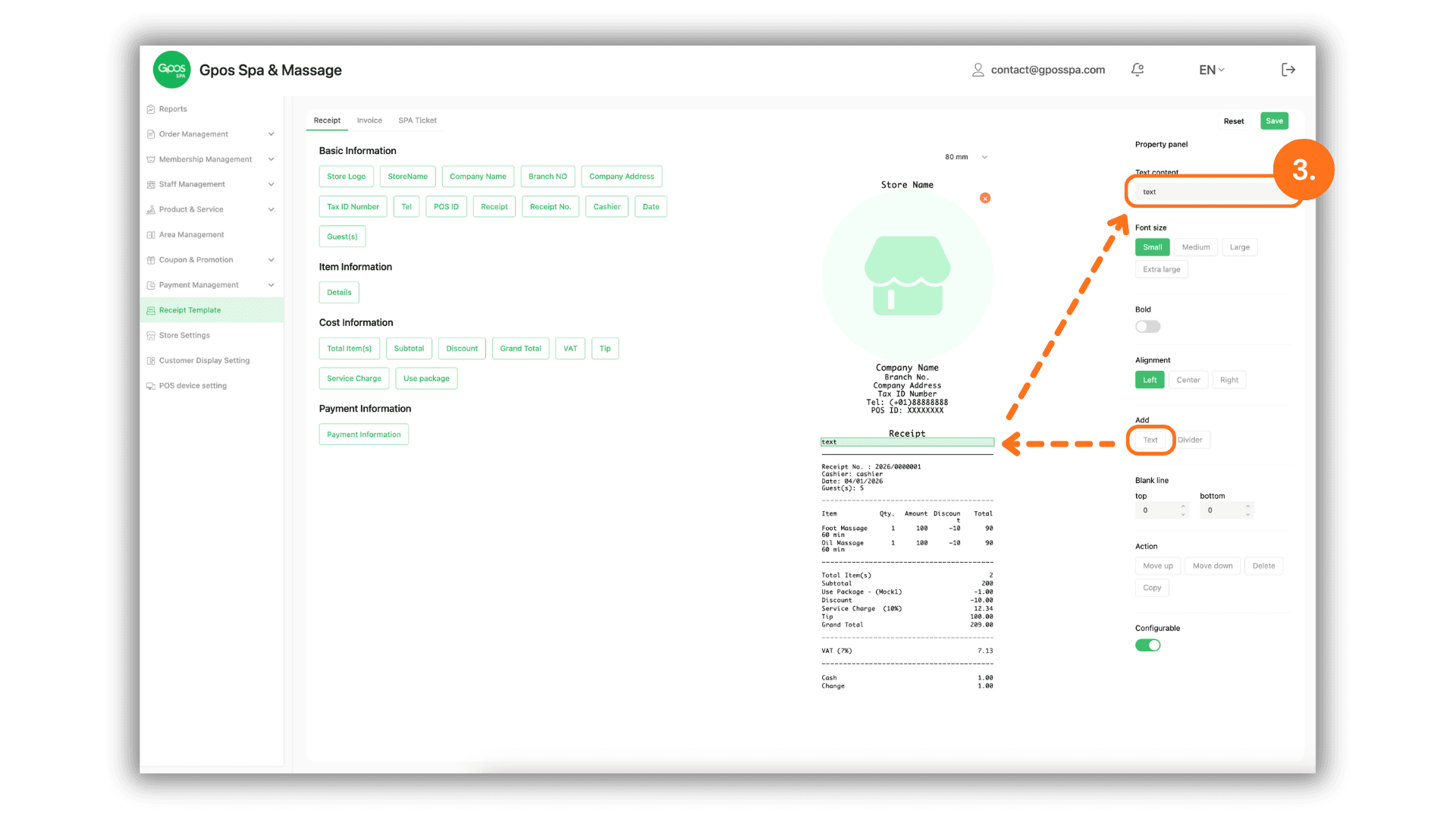
1. Access Receipt Format
- Click on the "Receipt Template" menu to begin customizing or editing your receipt layout.
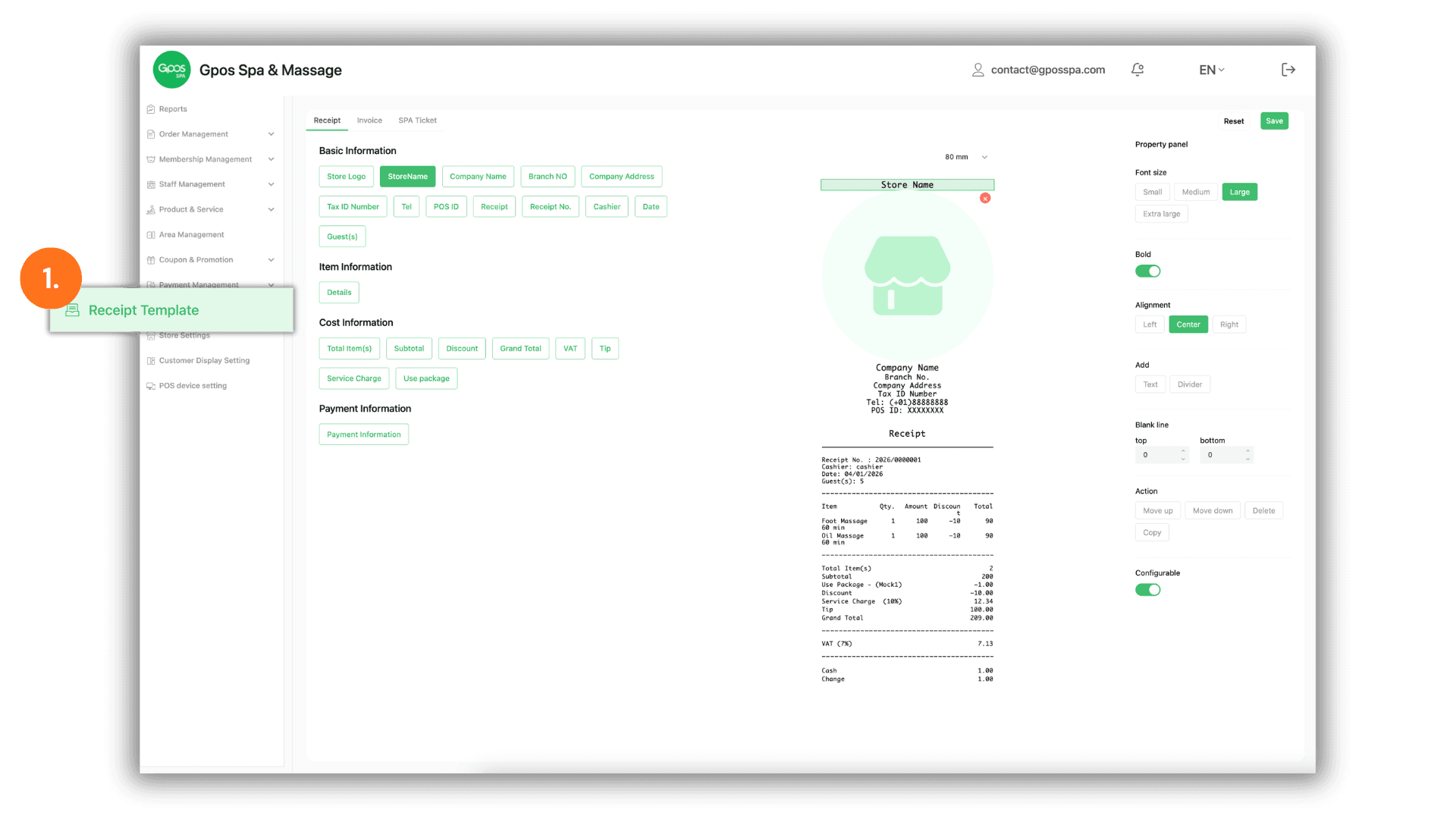
2. Edit Elements via Property Panel
- Select the specific section you wish to edit on the Receipt Preview, then use the Property Panel on the right side to adjust the details as desired.
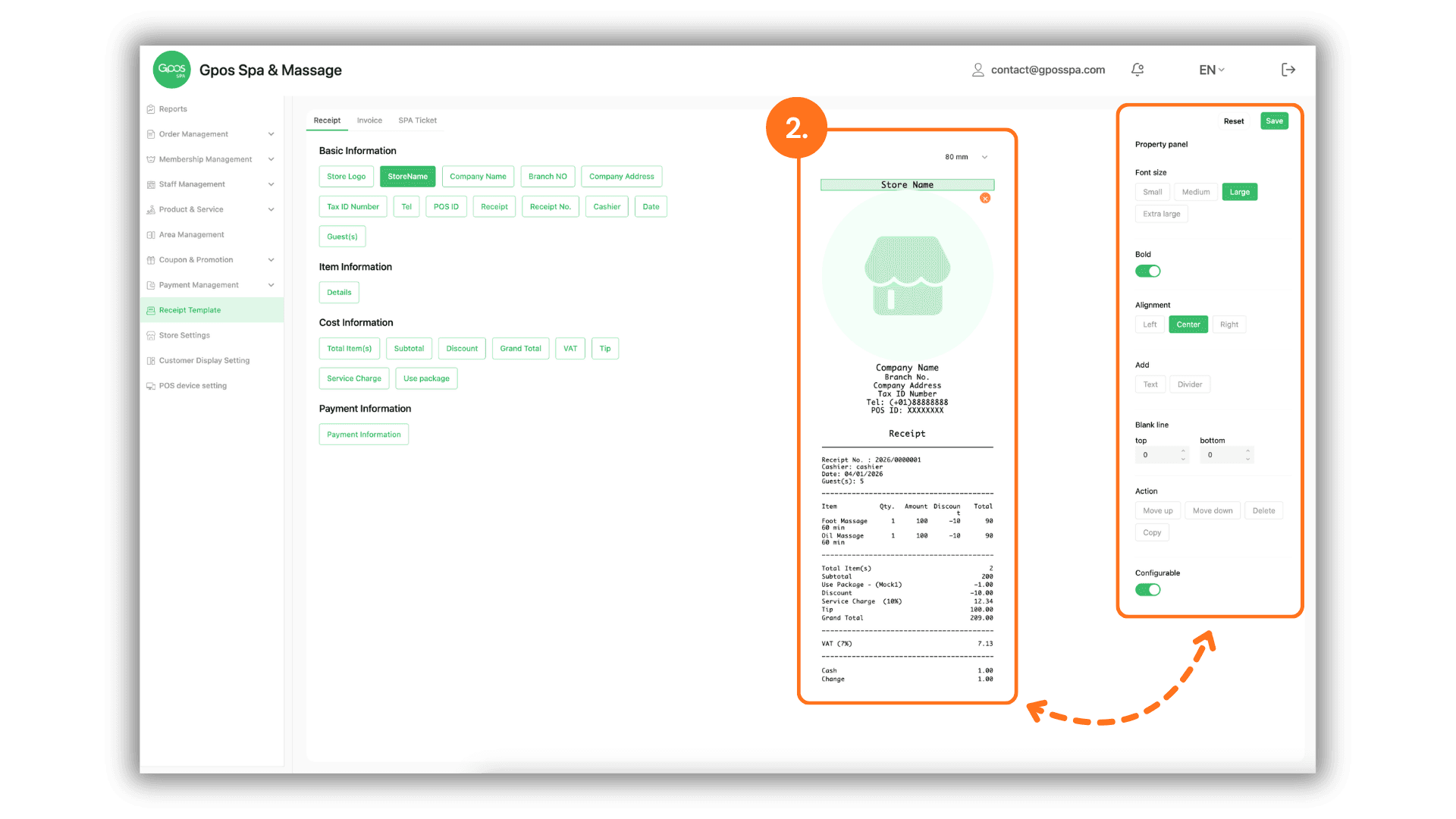
3. Adding New Text to the Receipt
- To add new text, click on the "Text" menu, then select "text". You can enter your desired text into the input field located in the Top-Right Property Panel.